Share
What is Zenfox?
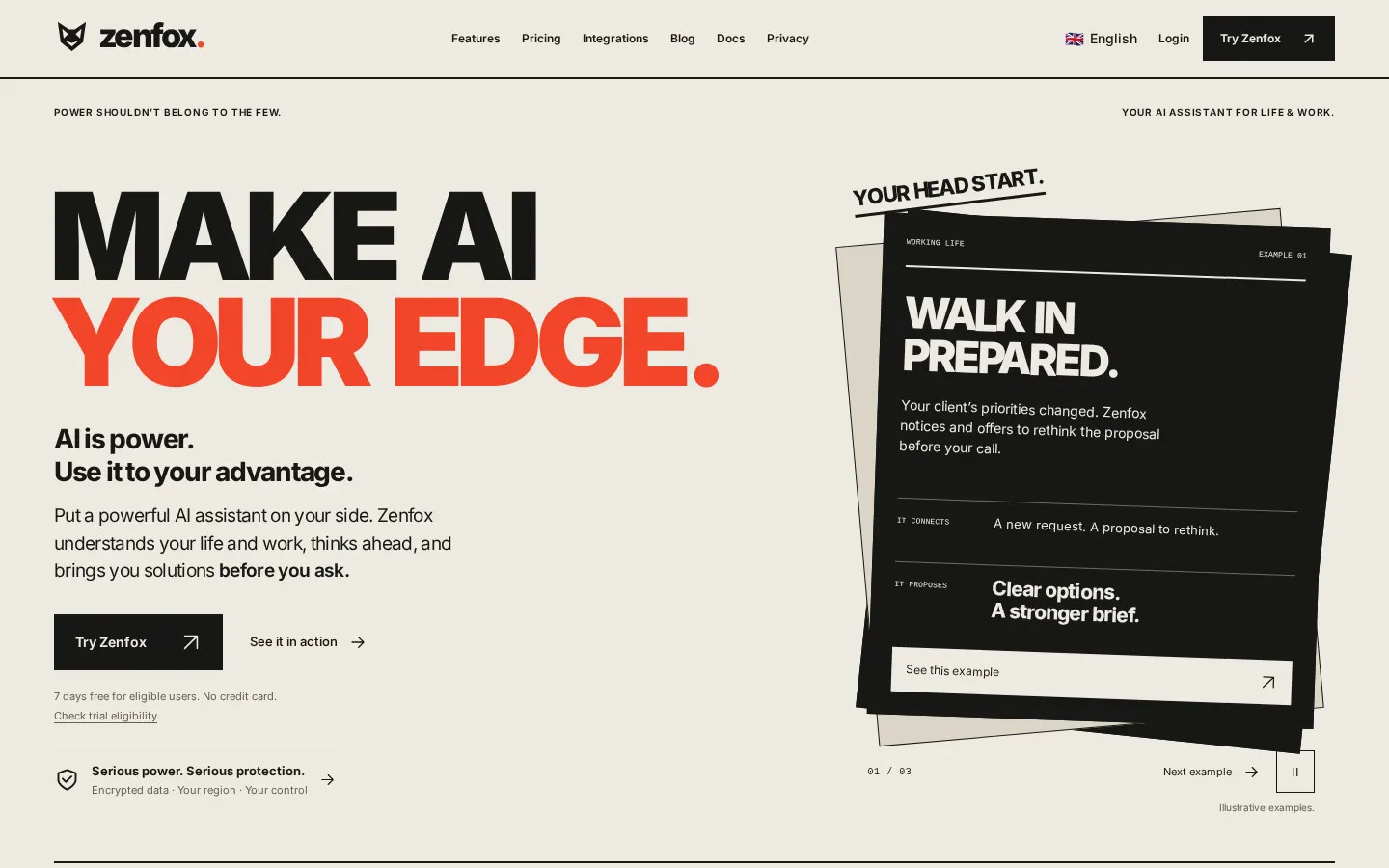
Zenfox is a personal AI assistant built to handle your private life and your job side by side. With whatever context you choose to share (calendars, messages, files, notes and preferences), it works out what needs your attention and proposes a fix before you ask.
Proactive rather than just a chat box
What it claims sets it apart from a chatbot is that it thinks ahead. If a client asks for a smaller first phase and your proposal still covers the full rollout, it flags the gap and prepares options before the call. If a work meeting clashes with a family plan in another calendar, it suggests a better slot. You decide what changes and what gets shared.
What it can do
- Deep research with sources for personal or business decisions.
- Meeting prep, proposal drafts and follow-ups.
- Booking services, arranging trips and managing appointments through your phone, computer and apps.
- Building simple instant apps such as a journal or a calculator.
- Handing ongoing tasks to "AI workers" that monitor topics and send briefings.
- Voice conversations, voice notes, and calls from the assistant itself.
Privacy and control
Data is encrypted in transit with TLS and at rest with AES-256, and you pick the country or region where it's stored. Zenfox says it doesn't train its model on your conversations or files, and you can export or delete your data and revoke access for each connected app.
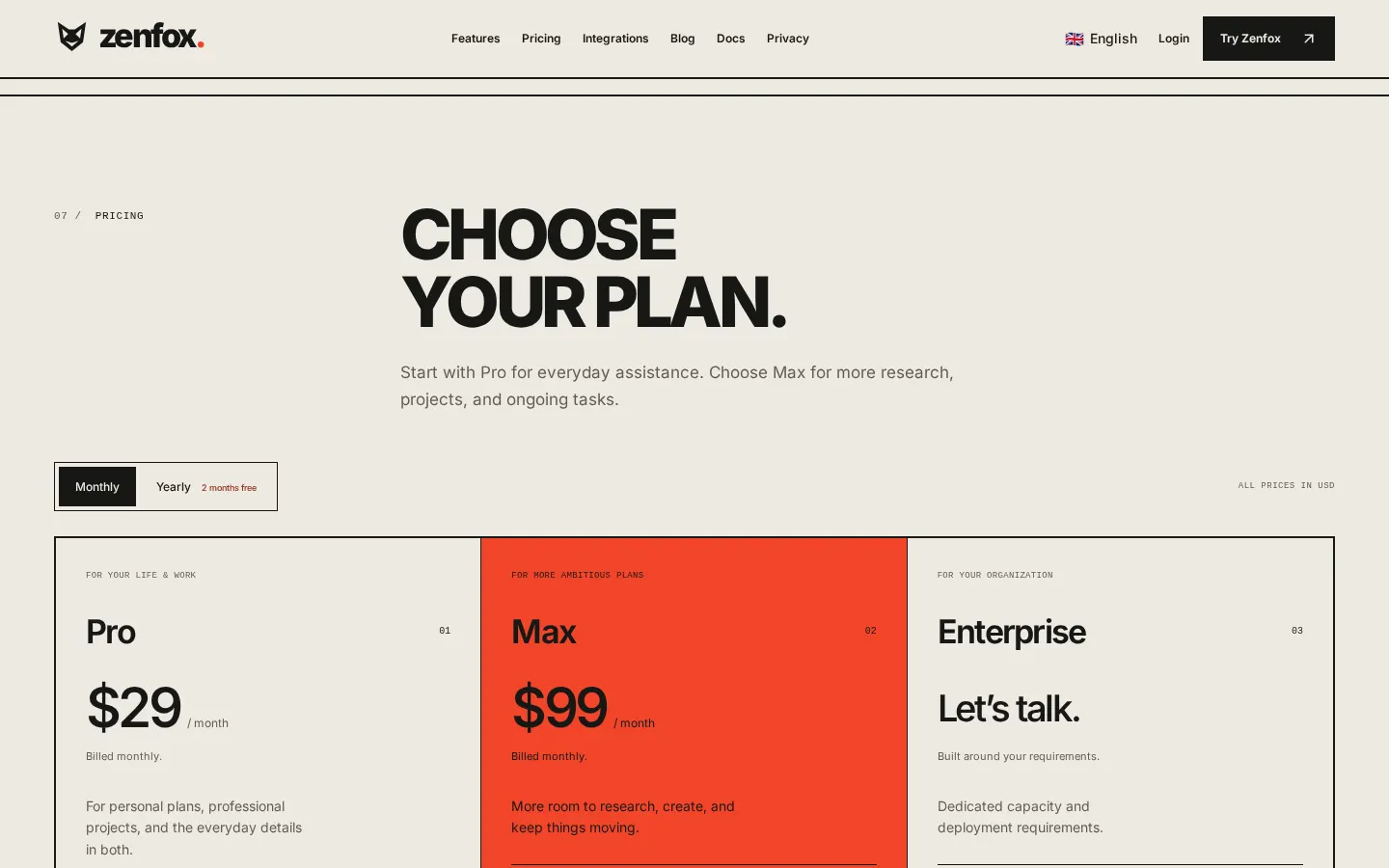
It's aimed at busy professionals juggling personal and work commitments, with dedicated guides for lawyers, students and developers. It's a paid product: Pro is $29 a month, with a 7-day trial and no card required for new users in 21 countries.
Zenfox features and use cases
How to use Zenfox
Zenfox FAQ
Will Zenfox reach out without me asking?
Yes. Within the context and permissions you give it, it can spot problems or opportunities and suggest a fix on its own. You can still ask it anything.
Is it for personal life or work?
Both. It handles each separately and notices where they overlap, like a work schedule change that affects a family plan.
Do I need to connect apps to start?
No. You can begin with a chat, some research or by building an app, and connect services later when they help.
Does it train on my data?
Zenfox says it doesn't train its model on your conversations or files, and you can export or delete your data.
Where is my data stored?
In the country or region you choose from those offered for your account, using encrypted cloud storage.
Can I talk to it by voice?
Yes. It handles voice notes through connected messaging channels and phone calls, with the context carried into your workspace.
Who can get the free trial?
New users in 21 countries, including the US, UK, Canada, Spain and Germany. VPN or proxy connections don't qualify, and no card is needed.
Is the Max plan unlimited?
Not entirely. It has 20× Pro's capacity and unlimited projects, but AI usage still has limits.
Is there an enterprise option?
Yes. Enterprise is scoped with the team and covers dedicated capacity, deployment options and data access requirements.
Zenfox pricing and plans
Reference price: 29 USD / month. Source · Verified: October 20, 2026
Prices in US dollars (USD) from the official website, billed monthly. Checked on: 20/10/2026.
Pro: $29/month
- Deep research and instant apps
- Connected apps and ongoing assistance
- 15 managed projects and 5 AI workers
- 7-day trial, no card, for new users in 21 countries, with no VPN or proxy
Max: $99/month
- 20× Pro's usage capacity
- Unlimited managed projects and 20 AI workers
- Team collaboration and priority support
Enterprise: custom pricing with dedicated capacity and deployment options.
Yearly billing gives you two months free. Pro and Max both have soft and hard usage limits.
Zenfox Screenshots
Zenfox alternatives

rabbit OS3
Agentic OS that automates tasks and manages files, connecting your computers with AI models to run workflows using natural language.



inboxpilot
AI assistant that sorts emails and drafts automated replies in Gmail and Outlook based on your company’s documents and data.