
Share
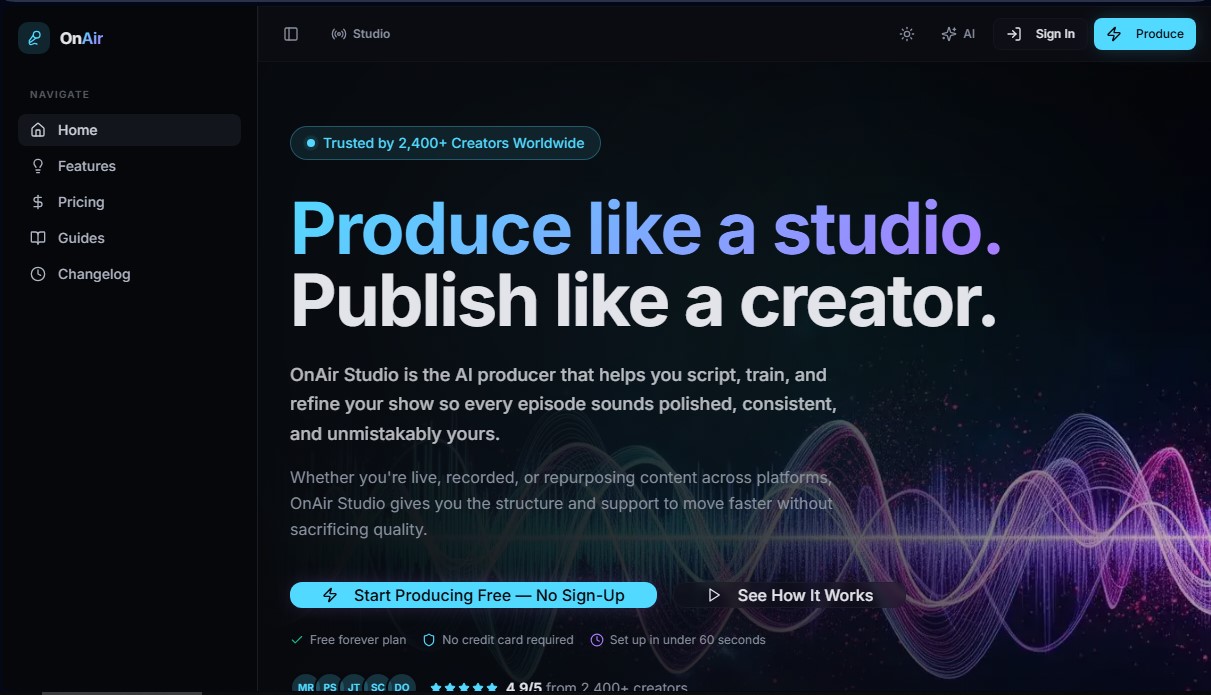
AI producer for scripting and directing radio, podcasts, or streaming. It learns your style and offers real-time cues to professionalize your broadcasts.
What is OnAir Studio?
OnAir Studio is an AI-assisted production platform designed specifically for content creators looking to professionalize their live or recorded broadcasts. This tool acts as a comprehensive virtual producer that facilitates scriptwriting, personal voice training, and program refinement for radio, podcasts, and YouTube or Twitch channels. Its primary goal is to reduce preparation time by up to 60%, allowing both seasoned broadcasters and new creators to maintain a solid, consistent structure in every episode without the need for a human production team.
The operation of OnAir Studio is based on an advanced voice learning engine. Unlike generic text generators, this technology analyzes previous scripts to assimilate the user's characteristic rhythm, sense of humor, and energy. The system uses natural language processing algorithms to structure content into segments, transitions, and dialogue blocks that sound natural and personalized. Additionally, it features a program memory function, which allows the AI to remember previous sessions to automatically improve content continuity and quality with every use.
Key functional capabilities include:
- AI Script Generator: Creates broadcast-ready structures in seconds, adapted to various formats such as morning shows, news breakdowns, or video game analysis.
- Live Chat Intelligence: During broadcasts, the tool monitors the chat in real-time to highlight the best moments and suggest responses, facilitating audience interaction.
- Real-Time Producer Prompts: Provides suggestions and visual cues while the creator is on air, functioning as a smart teleprompter with a timer and time signals.
- Multi-Host Formatting: Allows for organizing scripts that clearly specify what each collaborator should say, ensuring perfect synchronization in shows with multiple hosts.
For podcasters and radio professionals, OnAir Studio eliminates creative block by offering voice cues and preconfigured segment outlines that can be managed from a computer. In the streaming world, it helps maintain dynamism for hours through engagement reminders and conversation topics based on the live context. The workflow is divided into three simple steps: segment planning, script generation in the user's tone, and live execution with constant assistance. It is a versatile solution that brings the technical support of a professional studio to any independent creator.
OnAir Studio features and use cases
How to use OnAir Studio
OnAir Studio FAQ
What is OnAir Studio, and how can it help me with my show?
It is an AI-powered producer designed to help you plan, script, and direct your episodes or live streams professionally.
Is there a free version available to try OnAir Studio?
Yes, there is a free plan that lets you generate one script per day without needing to enter your credit card information.
Can the tool learn my personal style and tone of voice?
The learning engine analyzes your previous scripts to mimic your pacing, humor, and energy, ensuring that your content always sounds natural and authentic.
How does OnAir Studio help me while I'm live streaming?
It provides real-time cues, suggestions for responding to chat, and guidance so you never run out of things to say during your broadcast.
What type of content creators is this platform recommended for?
It is ideal for podcasters, radio hosts, YouTubers, and streamers looking to professionalize their production and save time on prep.
What are the benefits of subscribing to the OnAir Studio Pro plan?
This plan includes unlimited scripts, advanced voice customization, live voice coaching, and priority support for your projects.
Do I need prior production experience to use the tool?
Not at all. The platform is designed to be intuitive and guides you step-by-step through creating your scripts and segments.
Can I use OnAir Studio to prepare interviews for my podcast?
Yes, the tool allows you to easily structure episodes, prepare interviews, generate show notes, and create audio teasers.
OnAir Studio pricing and plans
Free
$0/month
- 1 script per day.
- Basic program types.
- Teleprompter mode.
- Community support.
Pro
$19/month
- Unlimited scripts and formats.
- Voice learning and customization.
- Live Voice Coaching.
- Audio preview and TTS (text-to-speech).
- Priority support.
- Includes a 7-day free trial and a 30-day money-back guarantee.
OnAir Studio Screenshots
OnAir Studio alternatives


PropellaDocs
Automate business proposals and technical documents for IT consultants with AI. Create professional drafts and solution designs in minutes from notes or emails.