Share
Create professional resumes and cover letters with AI. Includes assisted writing, optimized templates, and auto-formatting to stand out in the hiring process.
What is CV Genius?
CV Genius is an advanced professional document creation platform that integrates artificial intelligence to simplify the job search process. This tool functions as an AI resume builder designed to help candidates overcome writer's block and produce strong applications in just a few minutes. Its primary purpose is to transform basic user information into a structured, professional resume tailored to the standards required by today's recruiters. It is a practical solution for both seasoned professionals and individuals seeking their first job, accessible from a computer or mobile device.
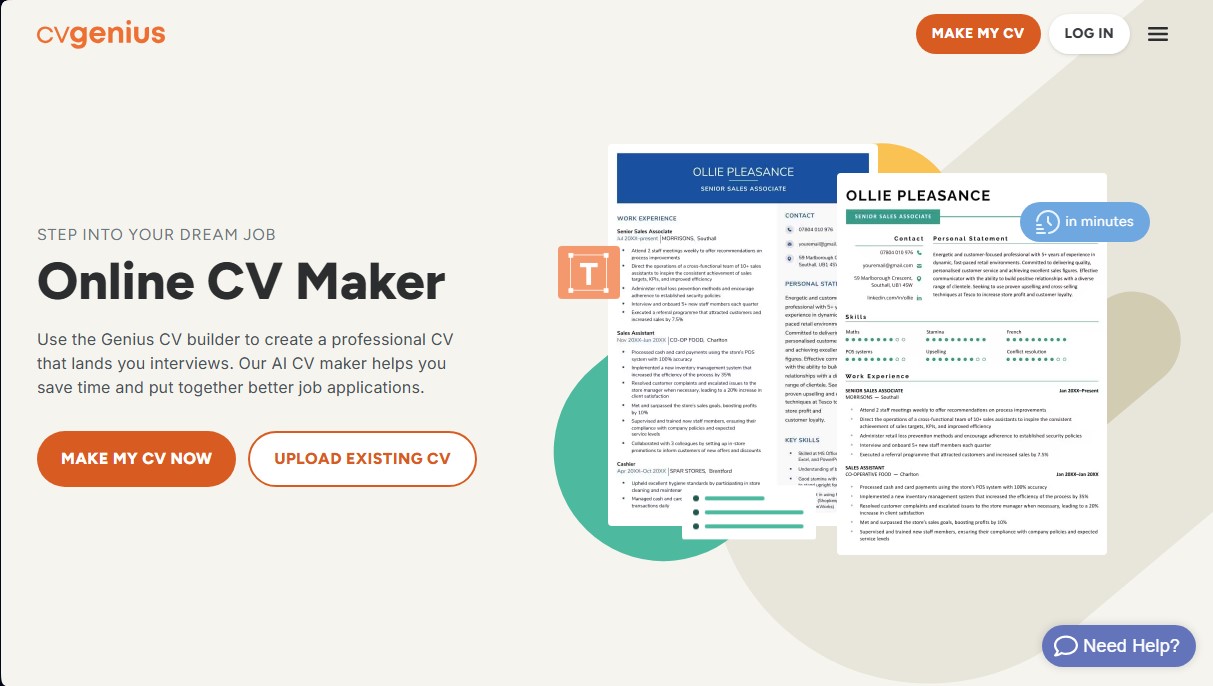
The operation of CV Genius is based on a guided questionnaire system. Users answer simple questions about their education, experience, and skills, and the AI technology processes this data by comparing it against an extensive database of real job descriptions. The software utilizes a smart writing assistant trained to write in results-oriented language, ensuring the tone is appropriate for any industry. Additionally, the system applies automatic formatting that technically adjusts margins, fonts, and spacing, eliminating the need for complex manual editing.
Key features of this AI tool include:
- AI Writing Assistant: Suggests professional phrases and industry-specific keywords to describe achievements and responsibilities.
- ATS-Optimized Templates: Offers more than 200 resume designs created to be compatible with Applicant Tracking Systems (ATS), ensuring the document is readable by HR software.
- Cover Letter Builder: Creates complementary documents that maintain the same aesthetic and visual consistency as the resume.
- Certified Expert Advice: Integrates practical recommendations from hiring specialists throughout every step of the creation process.
- Example Library: Provides access to over 155 real, expert-approved resume examples for various experience levels.
The value of CV Genius lies in its ability to optimize the user’s time and improve the technical quality of their application. Upon completing the process, the platform allows for document downloads in universal formats such as PDF and Microsoft Word (.docx), ensuring full compatibility with job boards and email. By focusing on functionality and professional design, this artificial intelligence tool removes common barriers to writing employment documents, allowing candidates to focus exclusively on their job search strategy.
CV Genius features and use cases
How to use CV Genius
CV Genius FAQ
Is the CV Genius resume builder free?
The tool is free to use and allows you to download your document as a text file at no cost. However, PDF or Word downloads require a small fee for premium features.
How does CV Genius’s AI help me write my work experience?
Our technology uses real job descriptions to suggest professional phrases that effectively and persuasively describe your skills and achievements.
Can I download my document in different formats?
Yes, the platform allows you to export your resume in PDF and Microsoft Word formats to ensure compatibility with all HR software.
Are CV Genius templates ATS-friendly?
All of our templates are optimized so that applicant tracking systems (ATS) can correctly read your information without any formatting or design errors.
Can I create a cover letter that matches my resume?
Yes, we offer a cover letter generator with designs that perfectly match your resume, providing a visually consistent application.
What should I do if I don’t have any previous work experience?
The builder allows you to add special sections for volunteer work, awards, or additional training, helping you highlight your potential to employers even if it’s your first job.
How many resume templates are available on the platform?
We have over two hundred expert-designed templates that cater to various professional industries and experience levels.
How does CV Genius ensure my resume design looks professional?
Our tool automatically adjusts fonts, spacing, and margins so you get a clean, well-structured document without having to worry about the technical details.
CV Genius pricing and plans
Free Plan
Price: Free.
Unlimited use of the smart resume builder.
Unlimited resume downloads in plain text (TXT) format only.
Access to tips from certified experts throughout the creation process.
Premium Plan
Price: Check the official website (requires a small fee).
Download documents in PDF and Microsoft Word (.docx) formats to ensure ATS compatibility.
Full access to over 200 professional and customizable resume templates.
Use the AI writing assistant to generate experience and skills descriptions.
Cover letter builder integrated with your resume design.
Automatic formatting for fonts, margins, and spacing.
CV Genius Screenshots
CV Genius alternatives

MockLive AI
AI platform to practice interviews, exams, and presentations with real-time voice. Includes realistic simulations, response analysis, and detailed feedback.
Zety Resume Builder
Create professional resumes and cover letters with AI. Features ATS-optimized templates and expert content suggestions.