Share
AI-powered Chrome extension that fills out job applications. Generates responses and cover letters tailored to your resume and each job posting.
What is ApplyBtn?
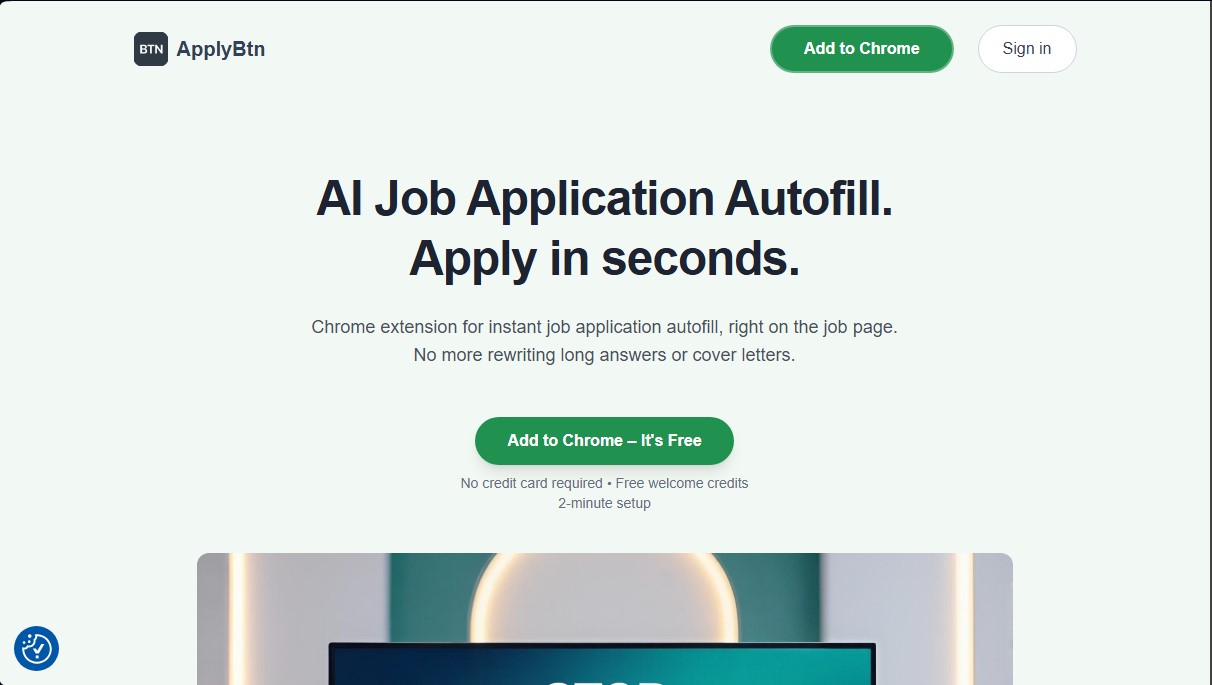
ApplyBtn is a Google Chrome browser extension designed to optimize job searching through intelligent automation. This AI-powered tool allows you to fill out job application forms almost instantly, eliminating the need to manually draft repetitive responses or cover letters for every opening. Unlike other automation systems, ApplyBtn works directly on the job page, whether on major job boards or the career sections of corporate websites.
The core technology of this application lies in its ability to perform advanced contextual analysis. The artificial intelligence processes the user's resume and compares it in real time with the specific job description. Thanks to this approach, it generates personalized answers for open-ended questions, tailoring the candidate's experience and skills to the vacancy's exact requirements. This intelligent autofill system doesn't just input basic data; it builds coherent arguments based on the user's professional background.
The tool's main features include:
- Application Autofill: Automatic detection of web form fields to quickly populate profile information from your desktop.
- AI Answer Generator: Creation of tailored text for open-ended question sections, using the context of the job posting to improve relevance.
- Personalized Cover Letters: Drafting cover letters adapted to each position by integrating resume data and key points from the job description.
- Full User Control: The system does not submit applications automatically. Candidates can review, edit, and refine every response before the final submission, ensuring all information is correct.
- Multi-Resume Management: The ability to upload multiple resumes and select the most suitable one based on the job type.
The workflow is straightforward and efficient. After installing the extension and uploading the necessary documents, ApplyBtn automatically detects application forms while the user browses the web. With a single click, the AI analyzes the page and fills in the relevant fields. Additionally, it offers an AI Review feature that suggests further improvements to the generated text to increase the impact of the application.
This AI job search solution is ideal for professionals looking to maximize productivity without sacrificing personalization in their applications. The tool supports multiple languages, including Spanish, and prioritizes user privacy, ensuring that personal data is not sold to third parties or used for purposes other than generating applications. By integrating as an extension, ApplyBtn serves as a practical assistant that streamlines the application process from the browser in a seamless and professional way.
ApplyBtn features and use cases
How to use ApplyBtn
ApplyBtn FAQ
What is ApplyBtn and how can it help me in my job search?
It’s a Chrome extension that uses artificial intelligence to autofill job application forms and generate personalized responses based on your resume.
Does ApplyBtn submit applications automatically for me?
No, you always maintain full control. The tool fills in the fields, but it never submits the application without you reviewing it and clicking the submit button yourself.
Does ApplyBtn work on any job board or company website?
Yes, the extension directly detects forms on most company websites and job boards, without being limited to just a few specific platforms.
How does ApplyBtn's credit system work?
The tool uses a pay-as-you-go model where you purchase credits that never expire. Credits are consumed every time you generate content or autofill an application.
Can I upload multiple resumes to use for different job openings?
Yes, you can upload different versions of your resume to the platform and select the one that best fits each vacancy before starting the autofill process.
Can ApplyBtn write personalized cover letters?
Yes, the AI analyzes both the job description and your professional profile to generate a tailored cover letter that you can edit manually.
Do I need a monthly subscription to use the tool?
No subscription or credit card is required to get started. The system works on a credit basis, and you receive free welcome credits when you install it.
Is my data secure when using ApplyBtn?
Yes, privacy is a priority. Your data is never sold to third parties or shared outside the process of generating your own applications.
What languages can I use to generate my responses and applications?
The tool supports several languages, including English, Spanish, French, German, and Portuguese, among others.
What happens if the tool doesn't correctly detect a form?
In the rare instances where the autofill doesn't work correctly, no credits will be deducted from your account.
ApplyBtn pricing and plans
Free Plan
Price: Free.
• Includes free welcome credits to test the tool.
• No credit card or subscription required.
• Access to the Chrome extension for form autofill.
Starter
Price: $5.99.
• 3,000 credits (valid for approximately 30-50 applications).
• AI-powered job application autofill directly on the page.
• Tailored response generation based on your resume and the job description.
• Custom cover letter creation.
• Credits never expire and are consumed per autofill action.
• Each application typically uses between 40 and 80 credits.
Pro
Price: $9.99.
• 6,500 credits (ideal for intensive job searches).
• All AI-powered autofill and content generation features.
• Support for multiple languages and management of multiple resumes.
• Response refinement and text review before manual submission.
• Credits never expire.
• Each application typically uses between 40 and 80 credits.
ApplyBtn Screenshots
ApplyBtn alternatives
Zety Resume Builder
Create professional resumes and cover letters with AI. Features ATS-optimized templates and expert content suggestions.