

Share
AI-powered LaTeX editor for academic writing. Generates tables and equations, fixes code errors, and offers style suggestions to improve research papers.
What is Overleaf?
Overleaf is a cloud-based collaborative editing platform designed for creating scientific and academic documents using LaTeX. Its recent integration of artificial intelligence features allows researchers, scientists, and students to optimize the technical writing process, removing common barriers associated with complex code and improving the linguistic quality of manuscripts.
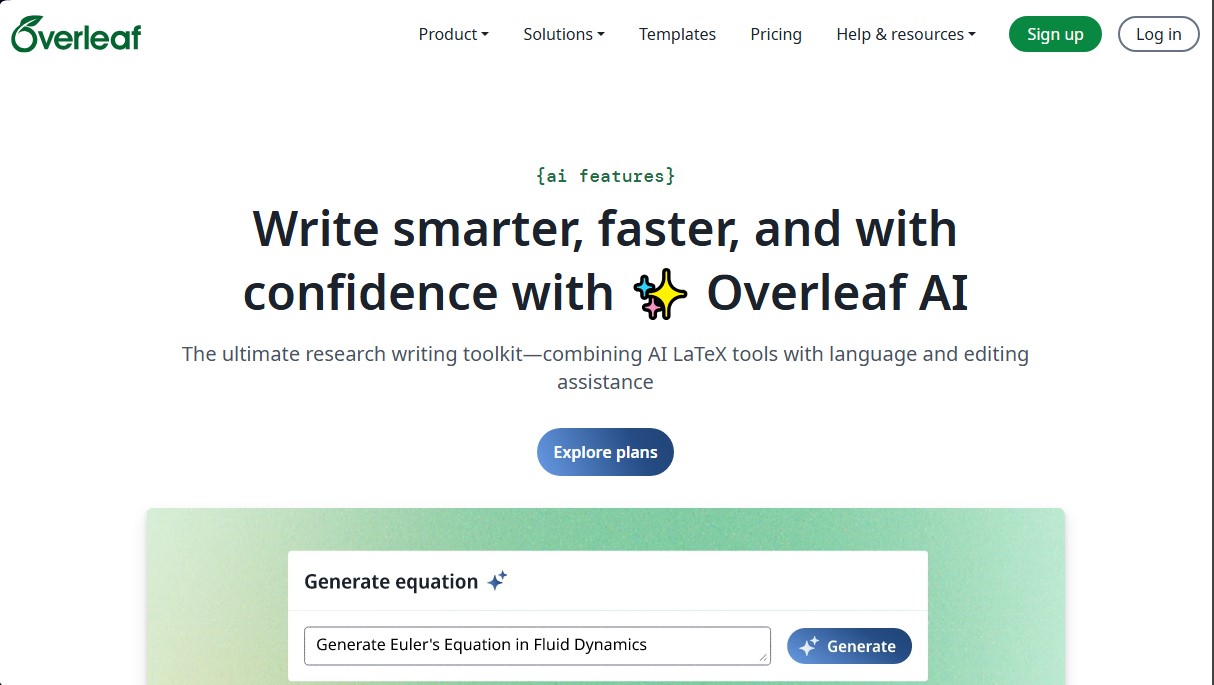
The tool works by integrating advanced natural language processing models and specialized code assistants like TeXGPT. Among its core capabilities, the generation of tables and equations through text or image prompts stands out, saving hours of manual work in formatting complex data. The system can interpret complicated structures and automatically convert them into functional LaTeX code, ready to compile into the main document from any computer.
To facilitate technical debugging, the software includes LaTeX Error Assist, a feature that analyzes compilation errors, clearly explains their origin, and suggests automatic corrections. This is especially useful for users who need to resolve syntax conflicts without diving deep into technical manuals. Additionally, the TeXGPT assistant provides support in creating TikZ figures, document outlines, and specific formatting suggestions for various publication types.
The writing section is enhanced by Writefull technology, an AI trained specifically on millions of published academic articles. This integration offers:
- Academic grammar correction tailored to scientific and technical contexts.
- An AI paraphrasing tool to improve text flow and style.
- The ability to generate automatic summaries, titles, and abstracts coherently.
- Vocabulary and sentence structure suggestions based on international publication standards.
Regarding security and privacy, the platform guarantees that project data is not used to train external AI models. The service is ISO/IEC 27001 certified, ensuring a robust environment for managing sensitive information. Users maintain full control over the desired level of assistance, with the ability to enable or disable features based on their needs or institutional policies.
This solution is ideal for teams requiring real-time collaboration in research environments, allowing multiple authors to work simultaneously while the AI monitors the technical and grammatical consistency of the work. Thanks to its focus on productivity, Overleaf helps professionals concentrate on their academic research content while technology manages the complexity of formatting and the precision of technical language.
Overleaf features and use cases
How to use Overleaf
Overleaf FAQ
How do I get started with the AI features in Overleaf?
You need to enable AI features in your account settings to get limited free access.
What kind of assistance does the Overleaf LaTeX code assistant provide?
The assistant can generate figures, diagrams, and starter documents, as well as fix formatting and explain your project's content.
Is my personal or project data used to train AI models?
No, the tool never uses your project data or interactions to train artificial intelligence models.
Is there a free version available to try the AI tools in Overleaf?
Yes, you can use the AI features for free by enabling them in your settings, with a limit of five uses per day.
How does the error assistant help resolve compilation issues?
The system explains your LaTeX code errors, suggests the best fix, and can apply it automatically upon request.
What are the differences in AI usage across the various subscription plans?
The Free plan includes five daily uses, the Standard plan allows ten, and the Professional plan provides full access to all tools.
Can I generate LaTeX tables from images using this tool?
Yes, the Overleaf generator can create code for tables and complex equations from images or simple text descriptions.
Does Overleaf meet the security requirements for institutions and enterprises?
Yes, the platform is ISO/IEC 27001:2022 certified, demonstrating its commitment to the highest information security standards.
Overleaf pricing and plans
Free
$0/mo
1 collaborator per project.
Basic AI quota: 5 daily uses across all available AI tools.
Unlimited projects.
Basic compile time.
Student
$8.25/mo (billed annually)
10 collaborators per project.
Basic AI quota: 5 daily uses.
Integrated LaTeX-fluent AI assistant.
24x faster compile time compared to basic.
Standard
$25/mo (or $16.75/mo billed annually)
10 collaborators per project.
Increased AI quota: 10 daily uses across all AI tools.
Integrated LaTeX-fluent AI assistant.
24x faster compile time compared to basic.
Pro
$45/mo (or $33.25/mo billed annually)
Unlimited collaborators per project.
Max AI quota: Full access to all AI tools (subject to fair use policy).
Integrated LaTeX-fluent AI assistant.
24x faster compile time compared to basic.
Organizations
Check official website for pricing (plans for 20+ users)
Volume discounts.
Options for teams and entire organizations.
Single Sign-On (SSO) capabilities.
Global controls for AI features.
On-premises installation option.
Overleaf Screenshots
Overleaf alternatives

PropellaDocs
Automate business proposals and technical documents for IT consultants with AI. Create professional drafts and solution designs in minutes from notes or emails.





ReferenceChecker.ai
Verify academic citations and DOIs against scientific databases. Detect errors or fake references and correct bibliographies in multiple professional formats.