

Paperguide
Share
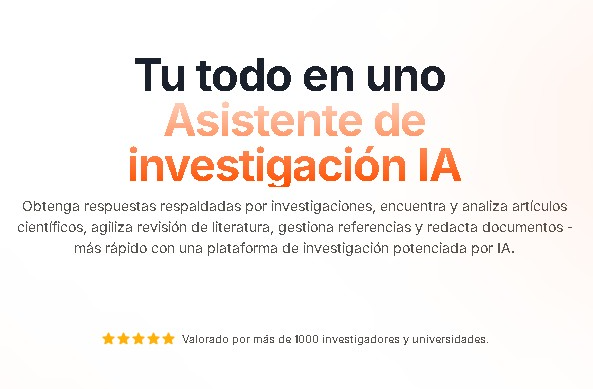
AI research assistant to search, analyze, and summarize scientific papers. Chat with PDFs, extract data, manage citations, and draft academic content.
What is Paperguide?
Paperguide is an AI-powered academic research platform designed to optimize the workflow for students, researchers, educators, and professionals. This tool acts as a comprehensive research assistant that allows users to manage scientific documents, perform deep analysis, and streamline technical writing from their computers. Its technology is built on advanced language models that facilitate direct interaction with PDF files and the automated extraction of key data from academic sources.
The core of Paperguide lies in its ability to perform intelligent searches and analyze scientific articles. Unlike traditional search engines, it uses AI to understand context and provide relevant results based on existing literature. One of its most powerful features is the PDF chat, which allows users to ask specific questions about a document's content and receive precise answers—perfect for understanding complex concepts without needing to manually read the entire text.
Key capabilities and practical benefits include:
- Scientific article search and analysis using AI algorithms to quickly locate relevant information.
- Automatic summarization of long documents and PDFs to identify theses and key points.
- Data extraction from multiple papers simultaneously, making it easy to compare methodologies or results across different studies.
- Chat with documents to query the text and extract specific citations or data in a conversational manner.
- Reference and citation management compatible with over 1,000 bibliographic styles, including APA, MLA, and Chicago.
- Writing assistant that generates drafts and text suggestions backed by bibliographic evidence.
For users needing to conduct a literature review, Paperguide offers tools to organize findings in a structured way. The platform allows for the efficient comparison of various studies, reducing the hours spent on manual information processing. Additionally, its writing assistant helps draft papers and scientific articles while maintaining bibliographic integrity, ensuring every claim is correctly linked to its original source.
This academic productivity solution is especially useful for those handling large volumes of technical information who need a centralized system to search, read, and write. By integrating AI PDF analysis and citation management into a single interface, Paperguide helps improve the quality of scientific output, allowing researchers to focus on critical analysis rather than repetitive administrative tasks.
Paperguide features and use cases
How to use Paperguide
Paperguide FAQ
What is Paperguide and who is it for?
Paperguide is an AI research assistant designed for students, educators, and professionals to efficiently analyze scientific documents and manage their bibliographies.
What are Paperguide's core features?
The platform allows users to search for academic articles, summarize long texts, extract key data for comparisons, and chat directly with PDF files to answer questions about their content.
Is it possible to use Paperguide for free?
Yes. The free plan gives you 2,000 AI credits a month, chat with PDF, the research agent, the AI writer and 4,000 words of plagiarism checks, with caps on the reference manager and searches.
What are the benefits of the Paperguide Plus subscription?
Plus is $19 per seat a month, or $12 on annual billing. It raises the allowance to 12,500 credits, handles systematic reviews of up to 1,000 papers, lifts the caps on references and searches, and adds collaboration plus RIS, BIB and DOCX export.
Can I manage my citations with Paperguide?
The tool allows you to organize and generate citations in over a thousand different styles, including APA, MLA, and Chicago formats, ensuring the bibliographic integrity of your work.
How much can I save with annual billing on Paperguide?
Quite a lot: Plus drops from $19 to $12 per seat a month, Pro from $49 to $29 and Evidence from $149 to $89, roughly 37–41% off.
How does Paperguide help with writing papers and assignments?
The system acts as a writing assistant by offering suggestions and generating drafts based on the scientific literature you have previously selected.
What is the difference between the Paperguide Plus and Pro plans?
Pro quadruples the credits (50,000 a month versus 12,500), supports systematic reviews of up to 5,000 papers instead of 1,000 and raises plagiarism checks to 100,000 words a month. It costs $49 per seat a month, or $29 billed annually.
Paperguide pricing and plans
Reference price: 19 USD / month. Source · Verified: October 19, 2026
Free – $0
- 2,000 AI credits a month across research agents, reports and the AI writer.
- Chat with PDF, literature review and deep research reports.
- Capped reference manager and AI searches.
- Data extraction tables of up to 5 columns and 10 papers.
- Zotero and Mendeley import, plus the Paperguide MCP.
- Plagiarism checker: 4,000 words a month.
Plus – $19 per seat/month ($12 billed annually)
- 12,500 credits a month.
- Systematic reviews of up to 1,000 papers.
- Unlimited reference manager and searches.
- Tables of up to 50 columns and 100 papers.
- Collaboration, an admin panel and export to RIS, CSV, BIB, PDF and DOCX.
- Plagiarism checker: 20,000 words a month.
Pro – $49 per seat/month ($29 billed annually)
- 50,000 credits a month.
- Systematic reviews of up to 5,000 papers.
- Plagiarism checker: 100,000 words a month.
- 500 Search API requests a month.
Evidence (teams) – $149 per seat/month ($89 billed annually)
- 150,000 credits a month.
- PRISMA-grade dual-reviewer screening.
- A dedicated support channel.
- 1,500 Search API requests a month.
Enterprise – custom
- Custom credit allowance and systematic reviews of up to 20,000 papers.
Prices in USD. Checked on: 19/10/2026.
Paperguide Screenshots
Paperguide alternatives


Confident AI
LLM evaluation platform to test AI workflows, measure quality metrics, and automate testing in the development cycle without relying on engineering.




AutoDock Vina
Automated molecular docking web server. Analyze protein-ligand binding without installing software, featuring affinity reports and 3D pose downloads.