
Share
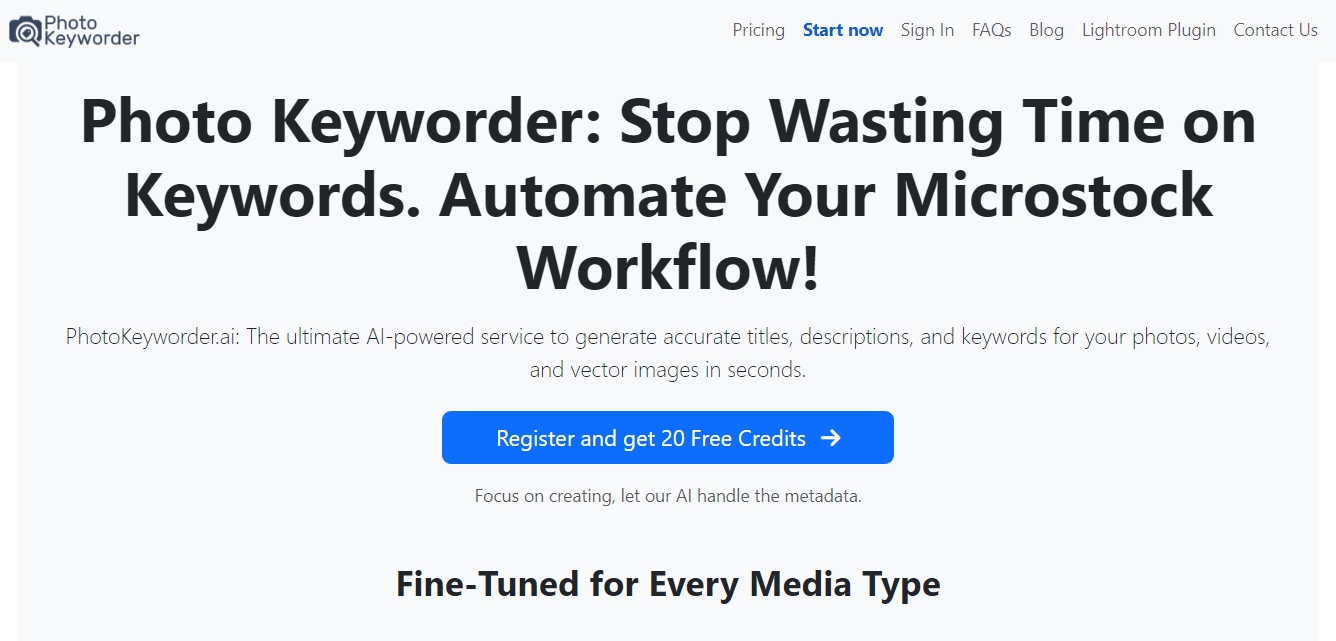
Generate AI titles, descriptions, and keywords for photos, videos, and vectors. Automate microstock metadata and streamline your workflow with batch processing.
What is PhotoKeyworder?
PhotoKeyworder is a platform specialized in metadata automation through artificial intelligence, specifically designed for photographers, videographers, and illustrators operating in the microstock market. Its primary function is to simplify the tagging process by generating precise titles, descriptions, and keywords in seconds, optimizing workflow and the time spent managing digital assets on a desktop.
The tool's technology is based on intelligent analysis capable of identifying objects, actions, and complex contexts. For audiovisual content, PhotoKeyworder employs a multi-frame analysis system, which allows for a deep understanding of movement and video narrative, overcoming the limitations of single-image analysis. Additionally, the system can utilize EXIF geolocation data to accurately pinpoint content and allows users to input contextual clues to refine results for abstract or highly specific scenes.
The application's functional capabilities focus on efficiency and compatibility with industry standards:
Batch processing: Allows for uploading and tagging up to 500 files simultaneously, supporting JPG, PNG, video, and EPS vectors.
Metadata embedding: Generated data is written directly into JPG and PNG files and, most notably, into EPS 10+ files, facilitating direct file organization.
AI Image Upscaler: Includes a feature to increase the resolution of small photographs (under 4.9 MP) to approximately 16 MP, improving their quality for sale.
Agency-specific optimization: Generates CSV files compatible with Adobe Stock and Shutterstock standards, as well as the controlled vocabulary of iStock and Getty Images.
Lightroom Classic Plugin: Offers direct integration within the editor to generate and save metadata to the catalog without needing to switch applications.
This service is a practical solution for creators who manage large volumes of content and seek to maximize their portfolio's visibility. By sorting keywords by importance and offering tools such as automatic special character conversion or PNG-to-JPG transformation, PhotoKeyworder ensures that graphic material is ready for professional global distribution. The tool eliminates friction in the agency upload process, allowing users to focus on creation while AI manages the technical and descriptive information necessary for stock search engine ranking.
PhotoKeyworder features and use cases
How to use PhotoKeyworder
PhotoKeyworder FAQ
What is PhotoKeyworder, and what benefits does it offer creators?
It is an AI-powered service that automates the creation of accurate metadata for photos, videos, and vectors, saving time in the microstock workflow.
Does PhotoKeyworder support batch processing?
Yes, the tool allows you to upload and process up to 500 files simultaneously, including JPG and PNG images, videos, and EPS vector files.
How does the credit system work in PhotoKeyworder?
Each processed image consumes one credit and each video consumes three credits. A key advantage is that prepaid credits never expire.
Does PhotoKeyworder include a tool to improve image resolution?
The platform features a built-in AI upscaler that increases the resolution of photos under five megapixels up to sixteen megapixels at no extra cost.
Can PhotoKeyworder data be exported to specific agencies?
Yes, the system generates CSV files compatible with Adobe Stock and Shutterstock standards, as well as the controlled vocabulary used by iStock and Getty Images.
How does PhotoKeyworder help with EPS vector files?
The tool embeds keywords directly into EPS 10 files or higher and allows you to download the results in a compressed file along with the generated metadata.
Is there a PhotoKeyworder plugin for Adobe Lightroom?
We offer a plugin for Lightroom Classic that makes it easy to generate keywords and descriptions without ever having to leave the editing application.
What happens to special characters when using PhotoKeyworder?
The tool provides an automatic option to convert accented or special characters into a standard format, ensuring compatibility with all stock agencies.
PhotoKeyworder pricing and plans
Subscription Plan 400: 8,99 € per month.
Capacity for 400 images or 133 videos per month.
Unused credits do not roll over to the next period.
AI-generated titles, descriptions, and keywords.
Free image upscaler up to 16MP.
Batch processing for up to 500 simultaneous files.
Metadata embedding for JPG, PNG, and EPS 10+ files.
Access to the Adobe Lightroom Classic plugin.
Subscription Plan 1,000: 11,99 € per month.
Capacity for 1,000 images or 333 videos per month.
Unused credits do not roll over.
Smart analysis for photos, vectors, and videos.
AI image upscaler included.
Agency-compatible CSV metadata export (Adobe Stock, Shutterstock, iStock).
Direct metadata embedding and EXIF geolocation support.
Subscription Plan 3,000: 32,99 € per month.
Capacity for 3,000 images or 1,000 videos per month.
Auto-renews every 30 days.
All auto-tagging and microstock optimization features.
Support for optional PNG to JPG conversion and special characters.
Subscription Plan 10,000: 99,99 € per month.
Capacity for 10,000 images or 3,333 videos per month.
Includes all multi-frame video analysis tools.
Metadata management for EPS vectors with direct embedding.
Unlimited use of the Lightroom plugin and bulk processing tools.
Subscription Plan 20,000: 189,99 € per month.
Capacity for 20,000 images or 6,666 videos per month.
Designed for high-volume workflows.
Includes all metadata length customization features and AI suggestions.
Subscription Plan 30,000: 269,00 € per month.
Capacity for 30,000 images or 10,000 videos per month.
Full access to all platform features for large-scale microstock contributors.
Credit Packs (Prepaid): From 9,99 € to 899,00 € (one-time payment).
Credits never expire.
Conversion: 1 image or vector = 1 credit / 1 video = 3 credits.
300 Credit Pack: 9,99 €.
500 Credit Pack: 14,99 €.
2,000 Credit Pack: 34,99 €.
6,000 Credit Pack: 79,99 €.
12,000 Credit Pack: 139,99 €.
50,000 Credit Pack: 499,00 €.
100,000 Credit Pack: 899,00 €.
All packs include AI upscaling, metadata embedding, and the Lightroom plugin.
PhotoKeyworder Screenshots
PhotoKeyworder user reviews
Write a review
Checking your session...
PhotoKeyworder Reviews
Loading reviews...
PhotoKeyworder alternatives

Rock Identify
Identify rocks, crystals, and minerals using photos. Analyze features like texture and grain to suggest types, explain properties, and answer geological questions.




The Muse Shop
Turn Pinterest photos and boards into a personalized shop. This AI identifies your aesthetic to offer real clothes and accessories you can buy directly.