

Share
Transform videos into professional 3D animations with AI motion capture. Animate characters and export files compatible with Unreal, Maya, and Blender.
What is Plask Motion?
Plask Motion is an advanced AI-powered 3D animation tool that allows you to transform any conventional video into professional animations using motion capture (MoCap). This solution is designed to optimize the workflow for game developers, filmmakers, and digital content creators, delivering high-quality results without the need for expensive traditional motion capture equipment. Thanks to its technology, it is possible to extract precise motion data from a mobile device or any video clip recorded with a single camera.
The platform operates using AI algorithms that process footage to extract human body movement. Plask Motion offers two main extraction engines: V1, optimized for fluid movement and hand capture, and V2, which excels in physical stability, including foot correction to ensure natural ground contact and dynamic camera compensation. The system supports single-person or simultaneous Multi-person Tracking, facilitating the creation of complex scenes.
The tool allows you to import your own 3D characters to apply captured motion instantly. It is compatible with industry-standard formats such as FBX, GLB, VRM (version 0.0), and PMX. For VRM and PMX models, the platform integrates advanced automatic features:
- Physics Simulation: Realistic hair and clothing movement through Babylon-mmd integration.
- Auto-Blink: Enhances avatar naturalness without manual intervention.
- AI-Assisted Cinematography: Automatic lighting and camera controls that rival professional work.
- Post-processing Effects: Includes motion blur, depth of field, vignetting, and tone mapping.
The workflow is straightforward: after uploading a video (supporting up to 100 MB and 9,000 frames), the user can direct the scene by adjusting lights and camera angles with just a few clicks. Once editing is complete, assets are exported for seamless integration into professional engines and design software like Unreal Engine, Unity, Maya, and Blender. In addition to 3D exports, it allows for high-quality video renders generated directly from the browser.
Plask Motion removes the technical barriers of traditional animation, reducing production times from months to minutes. Its ability to process vertical videos and its compatibility with the T-Pose standard facilitate the export of animations ready for use in interactive environments, metaverses, and social media. It is a versatile solution that combines artificial intelligence and professional editing tools to democratize 3D content creation.
Plask Motion features and use cases
How to use Plask Motion
Plask Motion FAQ
What is Plask Motion and how much does it cost?
It is an AI-powered 3D animation tool that offers a free plan called Freemium, as well as paid subscriptions—Standard and Pro—that include advanced features.
Who owns the animations created with Plask Motion?
All intellectual property and copyrights for the animations you generate on the platform belong exclusively to the users.
Can I import my own 3D models into the platform?
Yes, you can upload your own models in GLB, FBX, VRM, and PMX formats to visualize them and apply animations extracted from your videos.
Does Plask Motion support finger tracking?
Yes, you can capture hand and finger movements by enabling the Hand Animation feature within the extraction menu in version V1.
What is the difference between the MoCap V1 and V2 extraction engines?
Version V1 offers smoother movements, while V2 provides greater physical stability, foot position correction, and support for moving cameras.
Is it possible to animate multiple people from a single video?
Yes, the Multi-person Tracking feature allows you to extract motion from several individuals simultaneously, though the credit consumption per frame is higher.
How can I get an academic discount for students or teachers?
You must register with an educational email address, and the discount will be applied automatically at checkout if the system recognizes your institution's domain.
What are the size and duration limits for uploading a video to Plask Motion?
The maximum file size allowed is 100 MB, and the maximum duration that can be processed is 9,000 frames.
What should I do if my video gets stuck during processing?
We recommend trying a shorter clip of between one and five seconds or attempting the extraction using a different web browser.
Which programs can I use with animations exported from Plask Motion?
You can export your assets in formats compatible with industry-leading software such as Unreal Engine, Unity, Maya, and Blender.
Plask Motion pricing and plans
FREEMIUM
Free.
- 15-second daily motion capture limit.
- Full-body and hand motion capture.
- Multi-person MoCap (consumes 3 credits per frame vs. 1 credit in single-person mode).
- 1 GB storage.
- FBX, GLB, and BVH export.
- Video rendering and real-time collaboration.
- Automatic camera and lighting with customizable effects.
- Video restrictions: 100 MB and 9,000 frames maximum.
STANDARD
$40/month (or $18/month billed annually).
- 10 minutes of motion capture per month.
- Faster data processing.
- Full-body, hand, and multi-person capture.
- 3 GB storage.
- FBX, GLB, and BVH export.
- Video rendering, shared scenes, and real-time collaboration.
- Automatic camera and lighting with customizable effects.
- Includes a 7-day free trial.
PRO
$140/month (or $50/month billed annually).
- 1 hour of motion capture per month.
- High-speed processing and access to pre-release features.
- Full-body, hand, and multi-person capture.
- 10 GB storage.
- FBX, GLB, and BVH export.
- Video rendering, shared scenes, and real-time collaboration.
- Organization-specific benefits.
- Automatic camera and lighting with customizable effects.
- Includes a 7-day free trial.
Plask Motion Screenshots
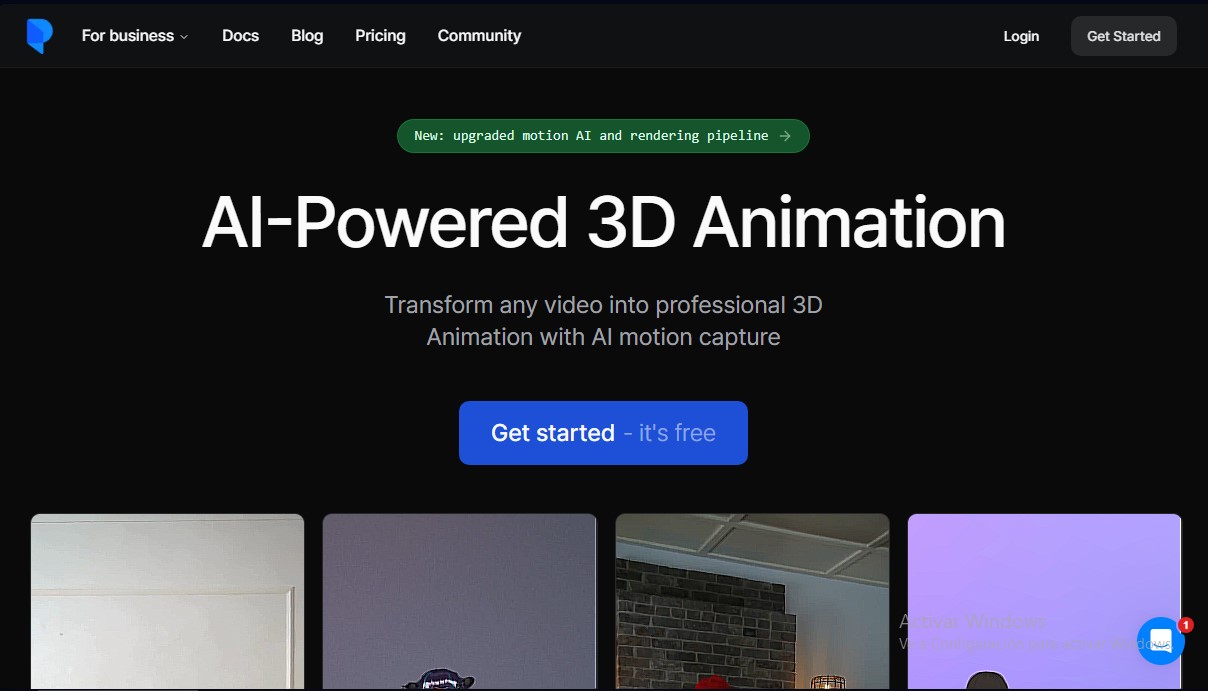
Plask Motion alternatives

StarVeil AI
Generate AI comics and webtoons with consistent characters across every panel. Easily create serialized stories and visual narratives from text.
AI 3D Model Generator
Generate professional 3D models from text or images. Includes PBR textures, polygon optimization, and multi-format export for video games and 3D printing.
Image Generator by Manus
Generate photorealistic images, digital art, and high-resolution illustrations from text. Ideal for marketing, social media content, and professional projects.
Depth Video Generator | Promptsref
Convert video into depth maps for motion guidance in generative AI and VFX. Repurpose shots across new environments and characters.
Seedeo Image Generator
Generate photorealistic AI images and videos from text or references. Includes various models, multiple formats, and resolutions up to 4K.