Share
What is Rytr?
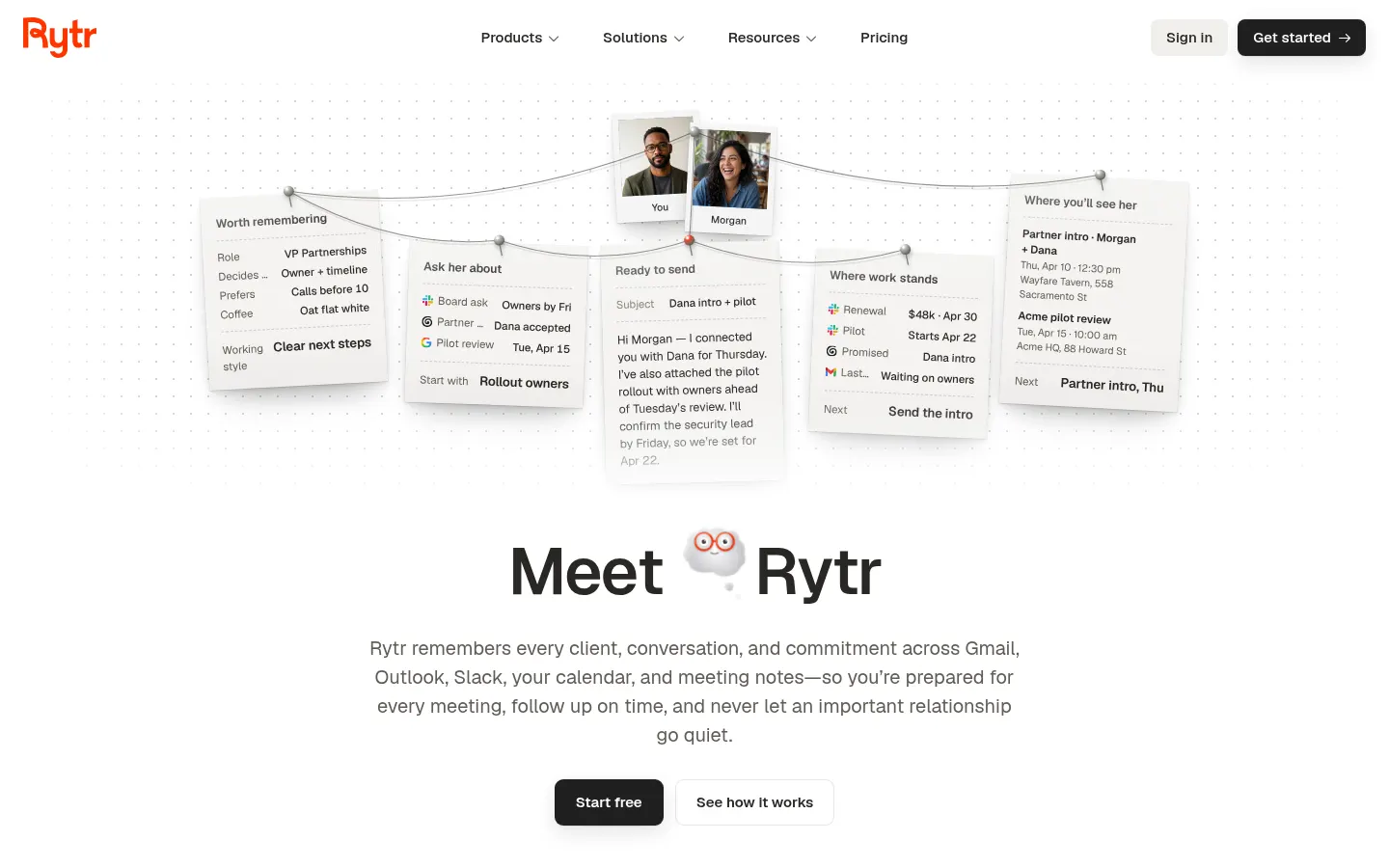
Rytr is an AI relationship manager and follow-up assistant from Rytr, Inc. that reads your email, chat and meetings to remind you who needs a reply, what you promised and what changed with each contact, and it also ships an AI writing assistant for founders, sales reps and anyone whose work runs on relationships.
What is Rytr used for?
Rytr started as an AI writer and is now split into two products. Rytr Engage connects your work sources and builds a memory for every person you deal with: past conversations, open commitments and recent changes, merged into one profile even when that person shows up in several tools. Rytr Create is the original writing assistant, with 40+ use cases from emails to ad copy and the option to write in your own voice or pick one of 22 tones.
How does Rytr work?
You connect Gmail, Outlook, Slack, Google Calendar, Google Meet or Granola, and Rytr starts organizing the context. Every day you get a daily briefing in the app or by text message (iMessage or SMS) listing what needs attention. Before a meeting it prepares a brief with what changed since you last spoke and what was promised. You can ask Ask Rytr about any contact and the answer shows the sources behind it. Nothing is sent without your approval. The browser extension brings Engage into Gmail, Slack and LinkedIn, and the writer into any text box.
Who is Rytr for?
- Founders and sales teams juggling many open conversations at once.
- Client service, recruiting and operations people who cannot afford to drop a follow-up.
- Anyone who just needs an AI writing assistant for emails, posts and short copy.
Rytr pros and cons
- Pro: merges email, chat, calendar and meeting notes into one view per person.
- Pro: answers cite their sources, and you can correct or delete what it remembers.
- Pro: the writer supports 30+ languages and produces up to three drafts at once.
- Con: the relationship features require access to your inbox and chats, which some companies will not allow.
- Con: the email version of the briefing is still listed as coming soon, and the website is English-only.
Rytr features and use cases
How to use Rytr
Rytr FAQ
What is Rytr?
An AI relationship manager that remembers your conversations, preps meetings and suggests follow-ups, with an AI writing assistant included.
Is Rytr free?
There is a free tier with limits on characters, sources and relationships. Paid options are listed in the pricing section of this page.
Does Rytr send messages on its own?
No. Rytr suggests follow-ups and drafts, but nothing goes out until you review and approve it.
What tools does Rytr connect to?
Gmail, Outlook, Slack, Google Calendar, Google Meet, Granola and text messaging, plus LinkedIn through the browser extension.
Does Rytr work in Spanish?
The writer supports 30+ languages, Spanish included. The website and interface are in English.
Does Rytr have an API?
The official site does not document a public API. Integrations run through its connectors and the browser extension.
Is the Rytr AI writer still available?
Yes. It is now called Rytr Create and keeps its use cases, tones, rewrite and translation tools.
Is Rytr safe for company data?
Answers show their sources, you can correct or delete what it remembers, and it ignores hidden instructions inside emails. Teams get identity controls and a security review.
What are the best Rytr alternatives?
For contact follow-ups and email, Superhuman or Clay; for copywriting, Jasper or Writesonic, all listed in the GptZone directory.
Does Rytr have a mobile app?
Yes, it offers a mobile app and a browser extension alongside the web version.
Rytr pricing and plans
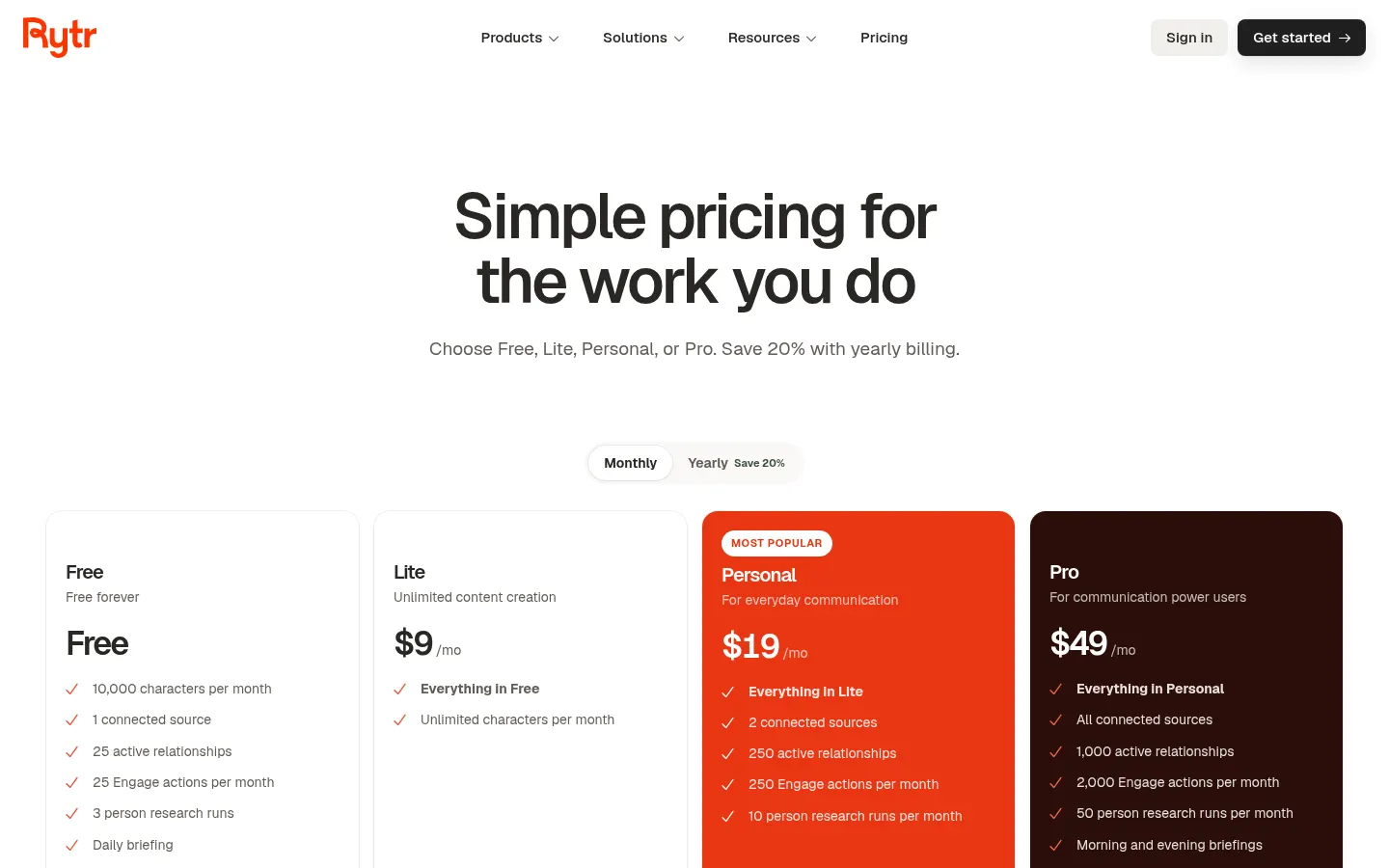
Reference price: 9 USD / month. Source · Verified: October 27, 2026
Prices in US dollars (USD), billed monthly. Checked on: 27/10/2026.
Free: $0; 10,000 characters per month, 1 connected source, 25 active relationships, 25 Engage actions, 3 person research runs and the daily briefing.
Lite: $9/month; unlimited characters in the writer.
Personal: $19/month; 2 sources, 250 relationships, 250 Engage actions and 10 research runs per month.
Pro: $49/month; all sources, 1,000 relationships, 2,000 actions, 50 research runs, morning and evening briefings and custom use cases.
Yearly billing saves 20%. You can change or cancel at any time and keep access until the end of the period. Team and enterprise options are available on request.
Rytr Screenshots
Rytr user reviews
Write a review
Checking your session...
Rytr Reviews
Loading reviews...
Rytr alternatives

Sellinger AI
Sellinger AI is an AI SDR that finds prospects, starts conversations across several channels and books calls, backed by a built-in CRM and a 700M+ contact database.



BridgeForge
Build bridge pages and use voice-cloned AI assistants to close sales after signup. Handle objections in real-time and automate phone and text follow-ups.