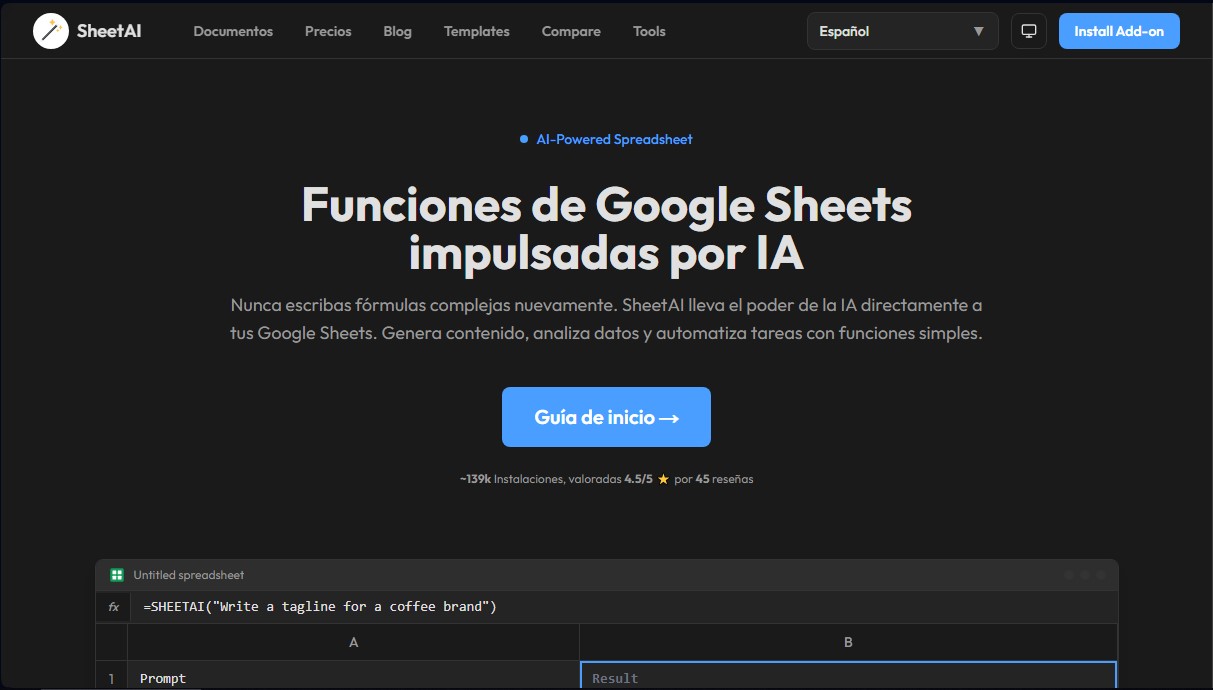
SheetAI App
Share
SheetAI App
Integrate AI into Google Sheets to generate content, analyze data, and automate complex tasks using simple, effective functions.
General Information about SheetAI App
SheetAI App is an add-on designed for Google Sheets that integrates generative artificial intelligence capabilities directly into spreadsheets. This tool allows professionals, data analysts, and marketing teams to automate tedious tasks without having to manually write complex formulas. Its primary function is to transform the traditional cell environment into a system capable of natural language processing, allowing any user to interact with their data using simple instructions.
SheetAI App works by connecting to advanced language models, allowing users to use their own OpenAI, Claude, and Replicate API keys. The technology employs an intelligent caching system to optimize performance and avoid unnecessary costs from repetitive API calls. By integrating as an add-on, users don't need to switch tabs or use external applications on their computer, as all the power of natural language processing occurs within the Google Workspace ecosystem.
Its core capabilities include custom functions that act like native formulas:
- =SHEETAI(): Ideal for generating creative content, such as product descriptions, slogans, or social media copy from a prompt.
- =SHEETAI_LIST(): Generates structured lists in seconds, facilitating blog post ideas or feature listings.
- =SHEETAI_EXTRACT(): Allows for extracting specific data, such as company names or entities, from unstructured text.
- =SHEETAI_CLASSIFY(): Automatically classifies information into categories, which is highly useful for sentiment analysis in customer reviews.
- =SHEETAI_FILL(): Performs smart autofill to complete data columns based on previous examples, such as capitals, currencies, or logical categories.
- =SHEETAI_SUMMARIZE(): Condenses long documents and reports into brief summaries for quick reading.
SheetAI App is especially beneficial for professionals who manage large volumes of information. In the sales sector, it facilitates lead tracking and personalized email writing. For SEO and content specialists, it streamlines the creation of metadata and ad copy. With over 139,000 installations and an outstanding rating from the community, the tool is positioned as a versatile AI productivity solution for companies looking to efficiently clean data, categorize information, and automate spreadsheet workflows.
Features and Use Cases of SheetAI App
How SheetAI App Works
Frequently Asked Questions about SheetAI App
What is SheetAI App and what is it used for?
It is a Google Sheets add-on that integrates artificial intelligence to generate content, analyze data, and automate tasks using simple functions without the need for complex formulas.
How can I quickly create a list of ideas with SheetAI?
You can use the SHEETAI_LIST function by entering your desired topic and the number of items you need, and the tool will instantly generate them in a structured format.
Does SheetAI App allow for extracting specific data from text?
Yes, using the SHEETAI_EXTRACT function, you can identify and retrieve names, numbers, or specific entities from any unstructured text within your spreadsheet.
Is it possible to classify the sentiment of comments with this tool?
The SHEETAI_CLASSIFY function allows you to automatically categorize text into groups such as positive, negative, or neutral, as well as organize data by topics or custom tags.
What do I need to use SheetAI App functions in my spreadsheets?
You must install the add-on in Google Sheets and have a subscription that allows you to use your own API keys from providers like OpenAI, Claude, or Replicate.
How can I automatically summarize long texts?
You should use the SHEETAI_SUMMARIZE function to condense long reports, articles, or documents into a concise and direct summary within a cell.
Does SheetAI App offer an option to fill in missing data?
The SHEETAI_FILL function enables intelligent column autofill with logical data such as capital cities, currency types, or related categories.
What advantages does the SheetAI Unlimited plan offer?
This plan allows for unlimited function calls, unrestricted formula generation, and access to a caching feature to save on costs for AI queries.
SheetAI App Pricing
Free
Free add-on installation to start using AI features in Google Sheets.
Unlimited Monthly ($20/mo)
Use your own OpenAI, Claude, and Replicate API keys.
Unlimited formula generation per month.
Unlimited SHEETAI function calls.
Access to all previously generated formulas and function calls.
Caching feature for cost savings on calls.
Supports all languages.
Unlimited Annual ($200/yr)
Use your own OpenAI, Claude, and Replicate API keys.
Unlimited formula generation per month.
Unlimited SHEETAI function calls.
Access to all previously generated formulas and function calls.
Caching feature for cost savings on calls.
Supports all languages.
Domain License ($299/yr)
Includes up to 20 users from the same domain.
Use your own OpenAI, Claude, and Replicate API keys.
Unlimited formula generation per month.
Unlimited SHEETAI function calls.
Access to all previously generated formulas and function calls.
Caching feature for cost savings on calls.
Supports all languages.
SheetAI App Screenshots