TeachQuill
Share
TeachQuill
An AI platform for educators to generate lesson plans, worksheets, rubrics, and assessments. Streamline prep, support for diverse learners, and classroom management with AI.
General Information about TeachQuill
TeachQuill is a comprehensive AI platform for teachers designed to optimize classroom management and significantly reduce administrative workload. This tool allows educators at all levels, from kindergarten to university, to generate personalized educational materials in less than a minute. Its primary focus is the automation of repetitive teaching tasks, allowing professionals to focus on direct instruction and personalized student support.
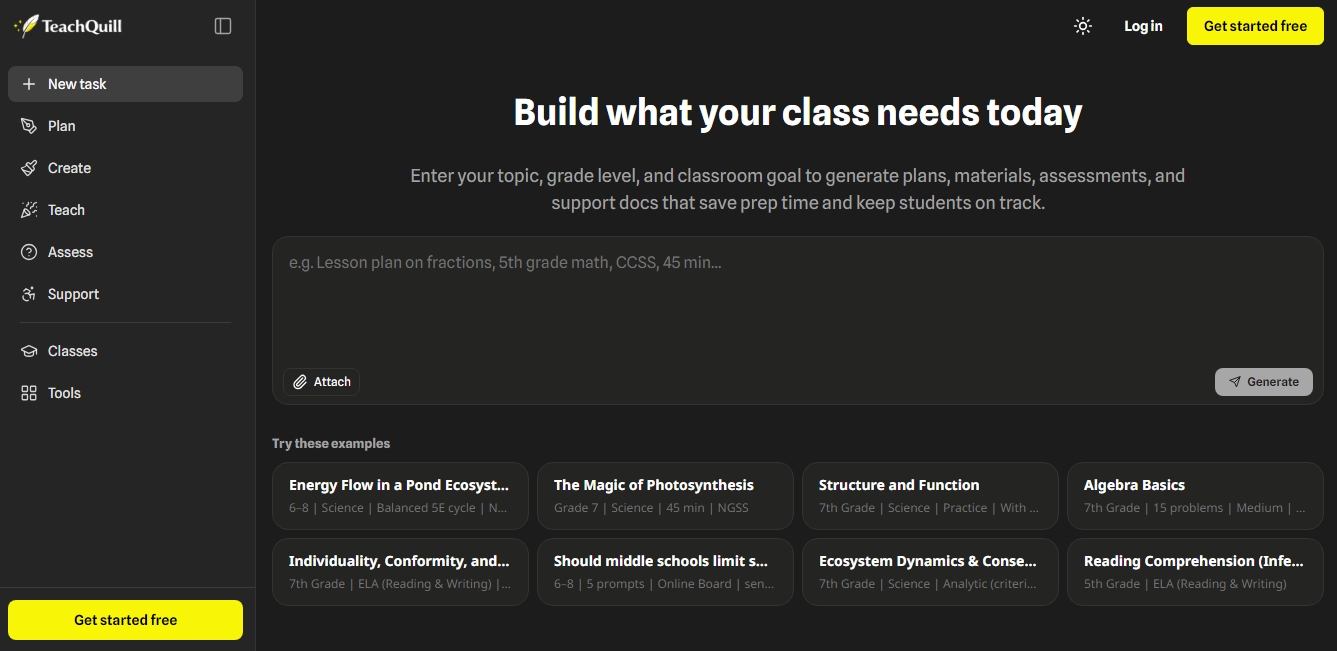
The operation of TeachQuill is intuitive and requires no prior technical knowledge. Users simply enter a natural language description of the topic, grade level, and desired pedagogical objective. The system uses advanced language models to process the request and select the most appropriate tool from its more than 100 available options. Once the content is generated, all resources are directly editable within the platform and can be exported to standard formats such as PDF or Google Docs for use on a computer or for physical printing.
The platform structures its capabilities into five key functional areas:
Planning: Includes an AI lesson plan generator, unit plans, curriculum maps, and sub plans.
Resource Creation: Allows for the creation of worksheets, quizzes, slide presentations, and flashcards adapted to different levels of complexity.
Classroom Dynamics: Offers tools to create educational games, exit tickets, debates, and discussion questions to encourage active participation.
Assessment and Feedback: Facilitates the creation of custom rubrics, report card comments, and learning gap analysis.
Specialized Support (SPED): Generates Individualized Education Program (IEP) goals, behavioral intervention plans (BIP), and differentiated materials for students with special needs or language learners.
One of the most significant features of TeachQuill is its alignment with official educational standards, allowing users to verify that content meets frameworks such as CCSS or NGSS. Additionally, the tool was developed with a focus on educational data privacy, ensuring compliance with regulations like FERPA and COPPA by not requiring personally identifiable student information to function.
This solution is ideal for teachers seeking rapid content differentiation, allowing them to adapt the same material to various reading levels in seconds. By centralizing all educational productivity tools into a single interface, TeachQuill eliminates task fragmentation and improves pedagogical consistency across any school. It is a robust option for departments that need to standardize assessment criteria and for instructors who require high-quality support materials with minimal manual preparation effort.
Features and Use Cases of TeachQuill
How TeachQuill Works
Frequently Asked Questions about TeachQuill
What is TeachQuill, and how does it help teachers in their daily work?
It is a platform with more than 100 AI tools designed to save time on lesson planning, material creation, and student assessment.
Is it possible to use TeachQuill without a paid subscription?
Yes, there is a free version that provides 30 daily credits to access essential features and consistently generate high-quality drafts.
Can I adapt the generated materials to my students' needs?
Absolutely. All content is fully editable, allowing you to adjust the difficulty level, format, or information before using it in the classroom.
How does TeachQuill guarantee the security and privacy of educational data?
The tool strictly complies with FERPA and COPPA regulations, ensuring that no personally identifiable information (PII) from students is collected or processed.
What educational standards does the platform follow when creating content?
The system is designed to align with international and specific frameworks such as CCSS, NGSS, and TEKS, ensuring that materials meet the necessary curricular requirements.
In what formats can I download TeachQuill resources?
You can easily export your documents to common formats like PDF or Google Docs, making them ready to print or share with other teachers immediately.
What specific types of tools does the platform offer for the classroom?
It includes generators for lesson plans, worksheets, review games, grading rubrics, and support tools for special education needs.
How long does it take to generate a resource with TeachQuill?
Most materials—from unit plans to complex quizzes—are generated in less than 60 seconds after you enter the topic and grade level.
TeachQuill Pricing
Free Plan
€0 per month.
30 renewable daily credits.
Access to basic tools.
Standard generation speed.
Basic export (copy and PDF).
Limited history.
Pro Plan
$25 per month (or $15 per month billed annually).
30 renewable daily credits plus 4,000 additional monthly credits.
Access to all platform tools.
Faster generation speed.
Unlimited history and folders.
Features to save, edit, and export history.
Early access to beta features.
Priority support.
School & District Plan
Custom pricing (inquire on the official website).
Custom seat counts and credits with volume pricing.
Admin panel and user management.
Usage analytics and detailed reporting.
SSO and DPA support (upon request).
School library and shared templates.
Dedicated Success Manager.
TeachQuill Screenshots