to teach
Share
to teach
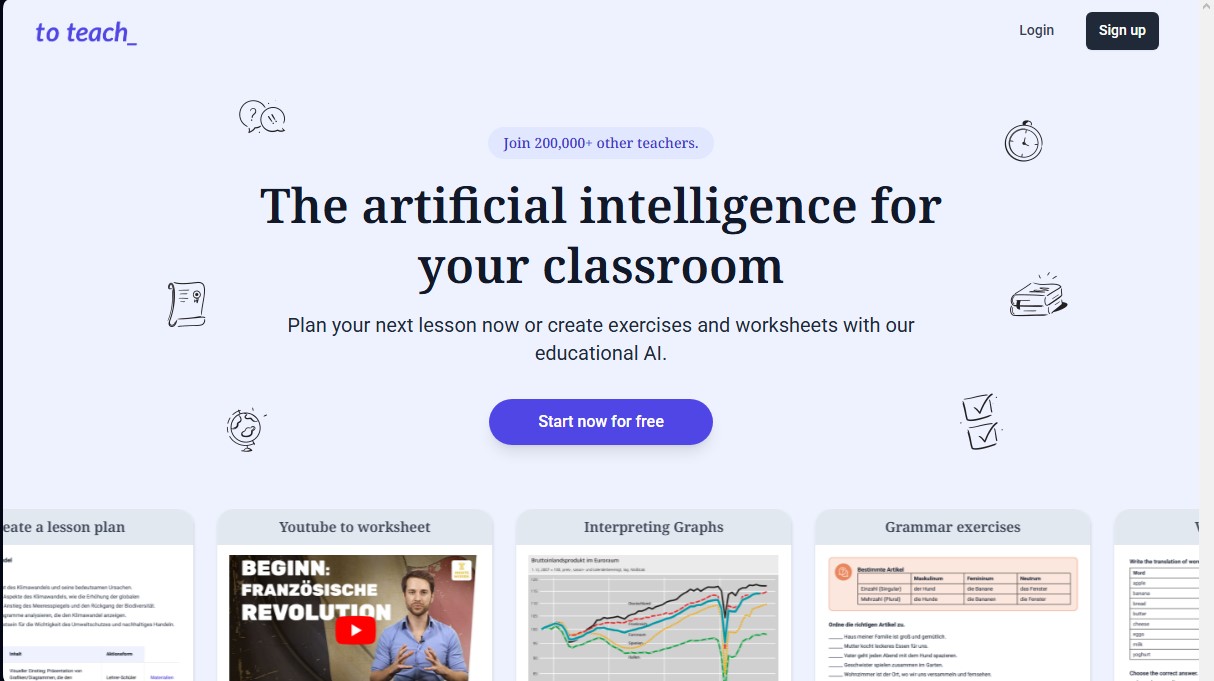
AI platform for teachers to plan lessons and create exercises. Generate worksheets and adapt videos or text to each student's specific level and needs.
General Information about to teach
to teach is an educational artificial intelligence platform specifically designed to streamline the work of teachers in the classroom. With a community of over 200,000 teachers, this tool enables the optimization of lesson planning and the instant creation of personalized teaching materials. Its primary focus is to serve as an intelligent assistant that helps generate exercises, worksheets, and comprehensive lesson plans, adapting to the specific needs of every student group and grade level.
The technology behind to teach is based on a human-centered AI approach, where the system acts as an amplifier of the teacher's capabilities without replacing their pedagogical judgment. The tool uses advanced algorithms to process information from various sources, allowing for the adaptation of existing content by incorporating original texts, images, documents, YouTube videos, or online articles. The system has been trained using frameworks created by experts to ensure that the generated content is high-quality, coherent, and academically relevant.
Key functional capabilities and practical benefits include:
- Exercise Repository: Access to more than 800 predefined exercises and worksheets that can be customized with a single click for any subject.
- AI Lesson Planner: Allows users to define learning objectives and structure content following the official school curriculum. Users can upload their own curriculum so the AI aligns materials automatically.
- Interactive Multimedia Content: Ability to generate comprehension tasks based on YouTube video content, facilitating the integration of digital resources on the classroom computer.
- Level-Based Personalization: Adjusts the difficulty and format of materials according to students' language proficiency and interests, including modern formats like WhatsApp chats or emails.
- LMS Integration: Generated materials are compatible with the H5P standard, allowing for easy integration into learning management platforms and content authoring tools.
The versatility of to teach spans a wide range of subjects, from foreign languages (English, French, German, Spanish) to science and social studies such as Biology, Math, History, Chemistry, or Economics. By enabling the creation of personalized reading and listening comprehension exercises, teachers can generate fresh resources in seconds. This efficiency not only saves administrative time but also enables true personalized teaching, improving student motivation by using current topics and engaging formats that work in both online and physical environments.
Features and Use Cases of to teach
How to teach Works
Frequently Asked Questions about to teach
What exactly is the to teach tool?
It is an AI-powered platform designed to help teachers plan lessons and create personalized educational materials in seconds.
What subjects can I create content for on to teach?
The tool covers a wide range of subjects such as English, math, history, biology, and art, while also allowing you to create content for any other technical or professional subject.
Is it possible to generate a complete lesson plan with to teach?
Yes, the AI helps you define learning objectives, structure content, and develop specific exercises tailored to your students' needs.
Can I create worksheets from YouTube videos?
The platform analyzes the selected video and automatically generates questions and tasks to work on content comprehension interactively in class.
Is there a free version of to teach available for teachers?
There is a free plan that allows you to generate up to five exercises, three worksheets, and two full lesson plans every month at no cost.
Does to teach offer any kind of discount for student teachers?
Students and student teachers can receive a thirty percent discount on subscription plans after submitting a valid enrollment certificate.
How do I ensure that the generated content aligns with my school curriculum?
You can upload your own curriculum when creating a lesson plan so the AI can adapt all materials and tasks to your official educational goals.
Is registration required to use the platform?
Access to basic content and tasks is free, but registration is required to customize materials or create new content with the AI.
What are the cancellation options for paid subscriptions?
Monthly subscriptions can be canceled at any time for the following month, offering total flexibility to meet your teaching needs.
Can I adapt the to teach materials to my students' language level?
The platform's technology allows you to adjust the difficulty and format of the exercises based on the specific language skills and interests of each student.
to teach Pricing
Free
US$ 0 per month.
- Create up to 5 exercises per month.
- Create up to 3 worksheets per month.
- Create up to 2 lesson plans per month.
Starter
US$ 6 per month (US$ 5 per month billed annually).
- Create up to 100 exercises per month.
- Create up to 20 worksheets per month.
- Create up to 5 lesson plans per month.
- Unlock all gamification features.
- Access all Premium worksheets.
- Access exercise and worksheet answer keys.
- Advanced lesson plan enhancement (Supercharge).
- 30% discount available for students and student teachers.
Pro
US$ 12 per month (US$ 10 per month billed annually).
- Create up to 200 exercises per month.
- Create up to 50 worksheets per month.
- Create up to 25 lesson plans per month.
- Unlock all gamification features.
- Access all Premium worksheets.
- Access exercise and worksheet answer keys.
- Advanced lesson plan enhancement (Supercharge).
- 30% discount available for students and student teachers.
to teach Screenshots