
TokToolset Comment Viewer
Share
Analyze and export TikTok comments using AI. Generate detailed reports with quotes and download CSV or Excel data for audience research.
What is TokToolset Comment Viewer?
TokToolset Comment Viewer is a specialized technical solution for the advanced extraction, visualization, and analysis of TikTok comments from public posts. This tool allows marketing professionals, content creators, and researchers to access full conversation threads without the need for personal social media credentials. Its primary function is to transform a massive flow of interactions into structured, readable data, facilitating audience monitoring from any computer or web-enabled device.
The operating process of this AI tool is straightforward and functional. Users enter a post link, a mobile share link, or a video ID to load a post summary and the first page of comments. From there, you can manually browse replies or delegate the heavy lifting to its Comment Analytics AI technology. This artificial intelligence engine can process up to 100,000 top-level comments, analyzing context and trends to generate detailed reports that include direct quotes, executive summaries, and evidence-based conclusions.
Key capabilities of TokToolset Comment Viewer include:
- Flexible data export: Download comments and replies in CSV or XLSX formats, making them easy to process in spreadsheets.
- AI-powered semantic analysis: Generates PDF, Markdown, or Word reports that organize the discussion by topic, identifying objections, FAQs, and audience sentiment.
- Metadata extraction: Collects detailed information such as usernames, timestamps, like counts, pinned comments, and creator interaction tags.
- Large volume management: The ability to handle up to 250,000 rows of data in background tasks, including complex reply threads.
- Complementary tools: Access to profile viewing, high-definition public media downloads, and follower tracking.
This market research platform is essential for brands that need to understand the reception of a launch or campaign. By using TokToolset, analysts can automatically identify behavioral patterns and user demands, avoiding interpretive bias. The tool is strictly limited to public data, ensuring that the information gathered is accurate and always backed by verbatim user quotes. It is a robust option for those seeking an audience analysis tool that turns interaction volume into actionable, professional insights.
TokToolset Comment Viewer features and use cases
How to use TokToolset Comment Viewer
TokToolset Comment Viewer FAQ
What types of links can I use in TokToolset Comment Viewer?
You can use a full tiktok.com URL, a short link shared from a mobile device, or the numeric ID of a public post.
Do I need a TikTok account to use the comment viewer?
No, you don't need a TikTok account or to enter your credentials; you just need the link to the post and an active TokToolset account.
What formats can I export data in from TokToolset Comment Viewer?
You can download comments directly as CSV or XLSX files, while AI-generated reports are delivered in PDF, Word, or Markdown formats.
How many comments can the tool's AI analyze?
The system can process anywhere from 500 up to a maximum of 100,000 top-level comments to generate a detailed report featuring real quotes and evidence.
Can I view comments from private posts with TokToolset Comment Viewer?
No, this tool can only read what TikTok already displays publicly, so private or deleted posts are outside its scope.
How does the credit system work for reports and exports?
Credits are reserved when the task begins, and you are only charged for successful requests; any remaining credits are returned if the report or download fails.
Are comment replies included in the download files?
Yes, replies are loaded independently and added to exports in the background, up to a total limit of 250,000 rows per file.
What kind of information does the TokToolset comment viewer display?
It displays the post summary, usernames, comment text, date, likes, reply count, and whether the comment is pinned.
TokToolset Comment Viewer pricing and plans
Free Version (Welcome Credits)
Price: 0 $ (100 free credits upon account creation).
100 welcome credits for occasional research.
Access to all public TikTok search tools.
Download media files from public posts.
Export comments in CSV and XLSX formats.
Starter Plan
Price: 4,00 $ al mes (or 3,00 $ al mes with annual billing).
100 monthly credits (1.200 credits per year on the annual plan).
Access to all public TikTok search tools.
Download media files from public posts.
Export comments in CSV and XLSX.
Automatic refunds for failed searches.
Standard support.
Basic Plan
Price: 14,00 $ al mes (or 9,00 $ al mes with annual billing).
600 monthly credits (7.200 credits per year on the annual plan).
Access to all public TikTok search tools.
Download media files from public posts.
Export comments in CSV and XLSX.
Automatic refunds for failed searches.
Priority support.
Professional Plan
Price: 24,00 $ al mes (or 12,00 $ al mes with annual billing).
1.200 monthly credits (14.400 credits per year on the annual plan).
Access to all public TikTok search tools.
Download media files from public posts.
Export comments in CSV and XLSX.
Automatic refunds for failed searches.
Priority support.
Credit Packs (One-time payment, no expiration)
Price: From 5,00 $ to 60,00 $.
Starter Pack (5,00 $): 100 credits and standard support.
Professional Pack (18,00 $): 600 credits and priority support.
Enterprise Pack (60,00 $): 2.400 credits and priority support.
All packs include access to search tools, media downloads, and CSV/XLSX exports.
Service Restrictions and Limits:
AI Analysis Limit: Up to 100.000 top-level comments per report.
Export Limit: Up to 250.000 rows (including replies) for background tasks.
Only public post data is accessible; private accounts or deleted posts are unavailable.
AI analysis provides reports in PDF, Markdown, or Word format within a ZIP file.
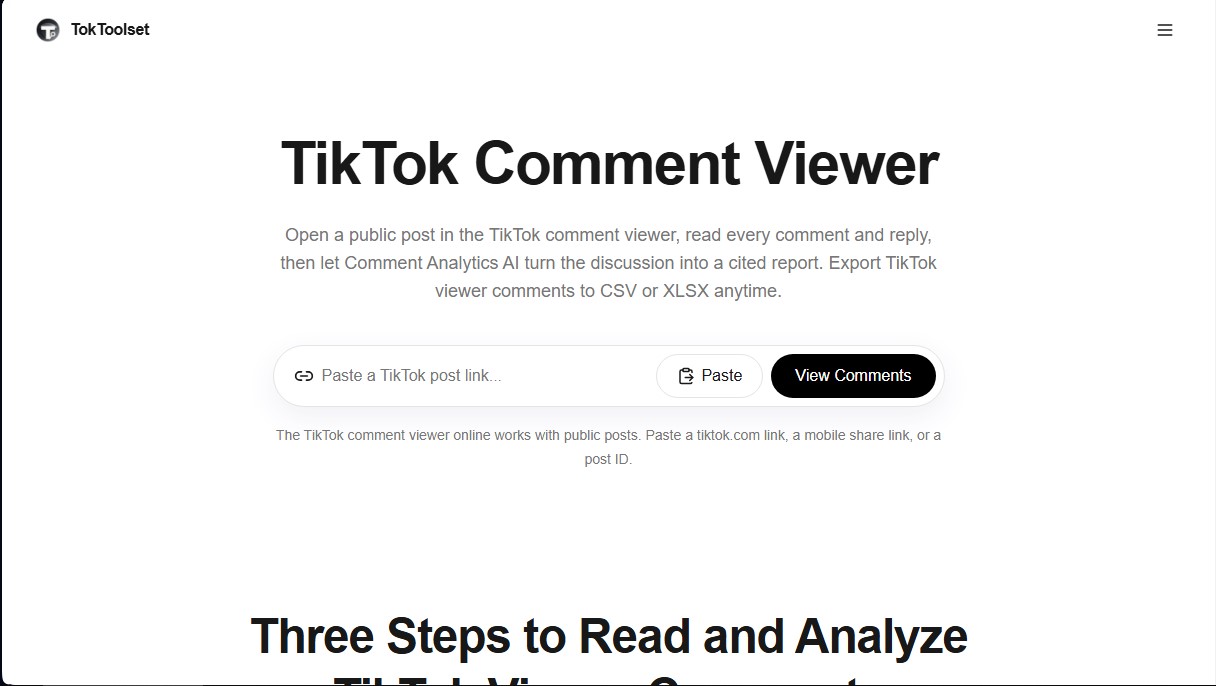
TokToolset Comment Viewer Screenshots
TokToolset Comment Viewer user reviews
Write a review
Checking your session...
TokToolset Comment Viewer Reviews
Loading reviews...
TokToolset Comment Viewer alternatives



Mel By Skymel
Tracks open-web signals to build knowledge graphs. Generates intelligence reports and databases, and monitors relevant changes for any target.