Zalcro
Share
Zalcro
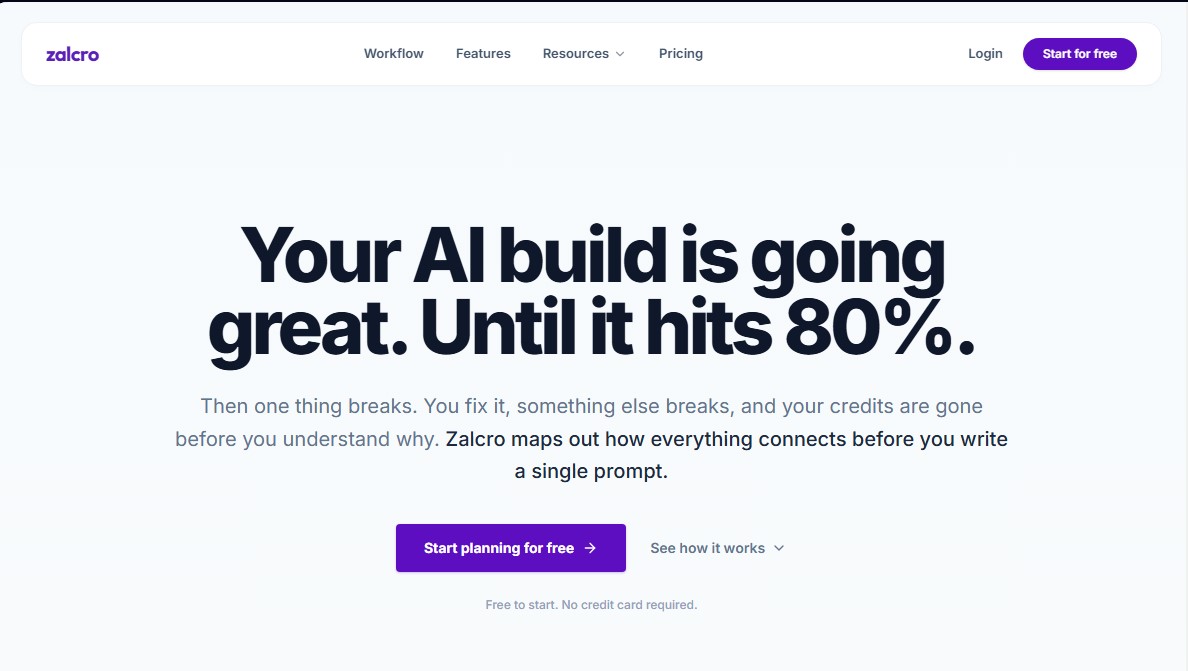
Design your AI application architecture before coding. Generate technical diagrams and prompt sequences to optimize development and prevent code errors.
General Information about Zalcro
Zalcro is a strategic planning platform designed to optimize app development through artificial intelligence. Its primary function is to act as a bridge between the initial idea and technical execution, preventing projects from failing due to a lack of structural coherence. By using Zalcro, both developers and non-technical users can define the architecture, backend schema, and business logic before writing their first prompt in vibe coding tools or AI programming agents.
The tool’s operation is based on a 5-to-10-minute guided consultation process. During this phase, the user describes their project in natural language, and Zalcro’s AI analyzes hosting needs, databases, and functionality requirements. Based on this information, the system generates a comprehensive connection map and a logical implementation sequence. This preventative approach solves the common issue of context loss in code generation tools, ensuring that every software component is designed to integrate correctly from the start.
The application offers two distinct workflows based on the user's profile and the tools they use on their computer:
- Vibe Coding: Specifically designed for users of Lovable, Bolt, v0, or Replit. It generates a structured Prompt Pack, which consists of a series of sequential instructions ready to copy and paste. This ensures the construction AI follows a logical order, such as configuring authentication and the database before developing the visual interface.
- Agentic Builder: Geared toward workflows with Cursor, Claude Code, or Codex. It provides a detailed Architecture Design Document (ADD), system diagrams, and a sequenced, dependency-aware ticket backlog that can be integrated with tools like Jira, Linear, or ClickUp.
Among Zalcro’s most notable capabilities is the creation of architectural diagrams and implementation plans that account for technical dependencies. This helps avoid the "Jenga effect," where fixing one bug breaks other parts of the code due to an unstable foundation. Additionally, it facilitates resource management by reducing unnecessary credit consumption on AI platforms, as the model receives precise, validated instructions, eliminating the trial-and-error process.
The results generated by Zalcro are compatible with modern technologies such as React + Vite, Supabase, and Tailwind CSS. Technical documentation can be exported in multiple formats, including Markdown, PDF, Mermaid, and Draw.io, allowing users to maintain an accessible "source of truth" for any collaborator or for their own future reference. It is a practical solution for professionalizing AI-assisted development, ensuring the system structure is rock-solid before the first line of code is ever processed.
Features and Use Cases of Zalcro
How Zalcro Works
Frequently Asked Questions about Zalcro
What is Zalcro, and how does it help with AI application development?
It’s a planning tool that maps out your project's entire architecture before you start coding, helping you avoid integration errors between components.
Do I need technical knowledge to use Zalcro?
Not at all. The tool uses simple, natural language to help you define your app's technical structure without any hassle.
How does Zalcro improve the workflow in tools like Lovable or Bolt?
It provides a detailed roadmap and a sequence of instructions that prevents the AI from burning through your credits by trying to fix unexpected design flaws.
What’s included in the Prompt Pack?
It includes a series of optimized commands designed for sequential copy-pasting, ensuring that every build phase has the necessary context.
Can I export the architecture documents generated by Zalcro?
Yes, documents can be exported in formats like Markdown or PDF. Subscribed users also have access to additional formats like DOCX or Draw.io.
What makes Zalcro different from a standard AI chatbot?
Unlike standard chatbots, this tool maintains persistent memory of your technical decisions and generates a structured roadmap that keeps the project on track.
What are the benefits of the free plan?
The free plan allows you to generate one complete architecture per month, along with the first phase of the implementation plan and its corresponding initial prompt.
Does Zalcro work with AI coding environments like Cursor or Claude Code?
Yes, the tool generates a structured task list and technical design documents that AI coding agents can process directly without errors.
Zalcro Pricing
Starter
$0 per month
1 architecture generation per month.
Phase 1 implementation plan.
Phase 1 tickets.
Access to the first prompt from the "Prompt Pack."
Exports in Markdown, PDF, and Mermaid formats.
Builder
$19 per month (or $15 per month with $180 annual billing)
Includes everything in the Starter plan.
Unlimited architecture generations.
Complete implementation plan.
Inclusion of all tickets.
Access to all prompts in the "Prompt Pack."
Exports to DOCX and Draw.io.
Google Drive sync.
Teams
Coming Soon (Check official website)
Collaborative workspaces for teams.
Shared contexts.
Workspace governance.
Zalcro Screenshots