
AgentDocks
Share
What is AgentDocks?
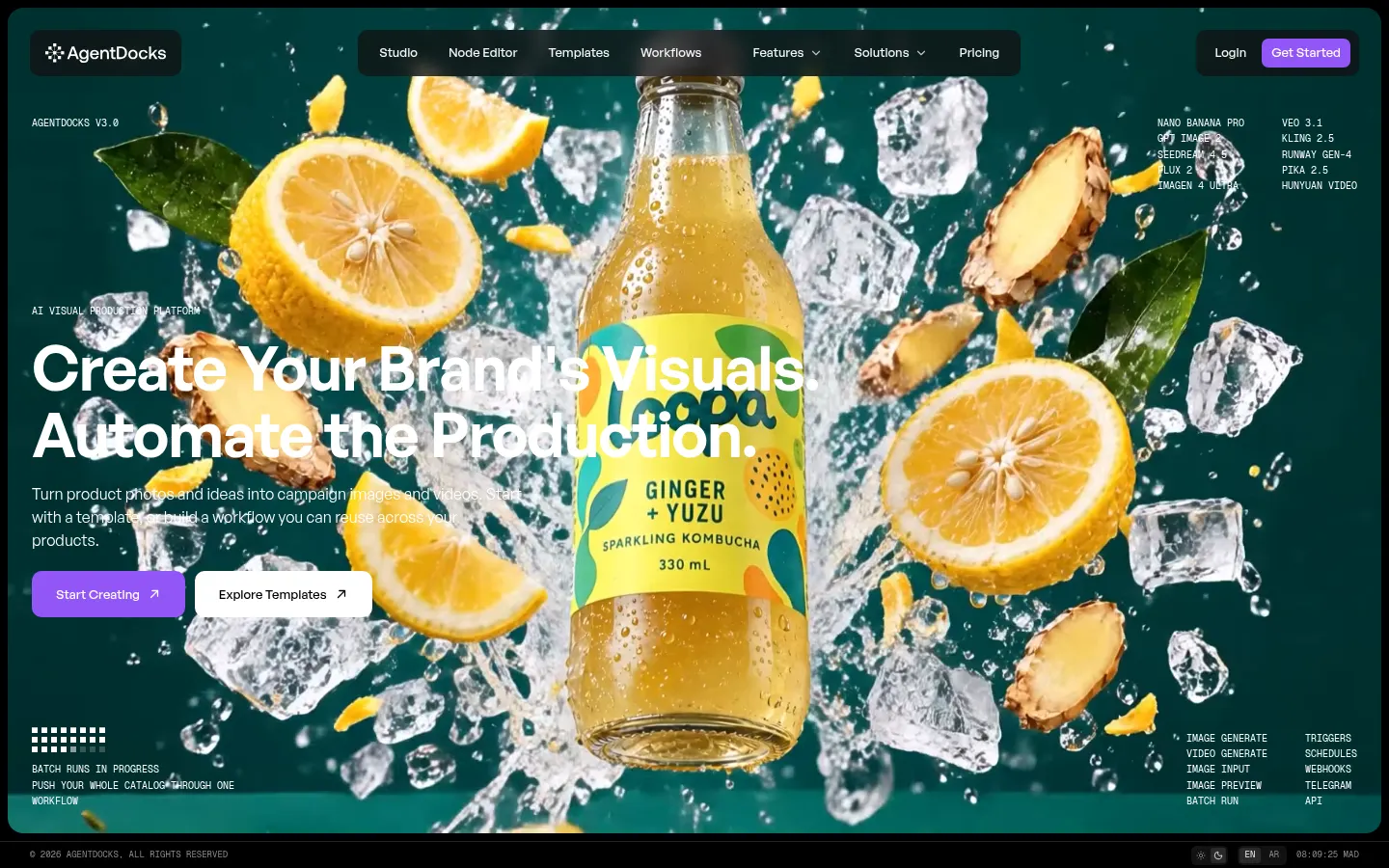
AgentDocks is an AI visual production platform for brands, online stores and agencies that need a large volume of product images and videos in a consistent style. You upload a product photo or type an idea, pick a template or wire up your own workflow, and the platform returns campaign stills or short clips ready to post. The core idea is simple: build the process once, then run it for every SKU, campaign and format.
What is AgentDocks used for?
There are two ways in. AI Studio is the quick route: write a prompt, add an image or references, choose aspect ratio, model and output count, then compare results and download. The second is the node-based editor (V3.0), a canvas where you connect text, image or video inputs, generation steps, upscaling, color correction and logic blocks such as conditions, loops and merges. Models listed on the site include Nano Banana Pro, GPT Image 2, Seedream 4.5, Flux 2, Imagen 4 Ultra, Veo 3.1, Kling 2.5 and Runway Gen-4.
How does AgentDocks automate catalog content?
A saved workflow becomes a batch run, so the whole catalog goes through the same chain and comes out looking consistent. Runs can start from triggers, schedules, webhooks or Telegram, and outputs can be exported or pushed elsewhere. Industry templates for beauty, fashion and food, like “Product Hero” or “Ingredient Stack”, need no prompt writing at all.
AgentDocks pros and cons
- Pros: many leading models in one workspace, ready-made templates and reusable batch workflows.
- Cons: every generation spends credits and video eats far more than stills; MCP connectors and team collaboration are still marked as coming soon.
- Best fit: ecommerce teams, multi-brand agencies and creators who post every day.
Check each output before it goes into a campaign, since generative models can drift on product details such as labels, textures or proportions.
AgentDocks features and use cases
How to use AgentDocks
AgentDocks FAQ
Is AgentDocks free?
You can start without paying using a small batch of test credits; the monthly tiers and their credits are listed in the pricing section of this page.
Which AI models does AgentDocks use?
It brings together image models such as Nano Banana Pro, GPT Image 2, Flux 2 and Imagen 4 Ultra and video models such as Veo 3.1, Kling 2.5 and Runway Gen-4, all on one credit system.
Do I need prompt-writing skills?
Not really: the industry templates only ask you to upload the product, while the node editor is there for people who want control over every step.
What is a batch run?
It means pushing many product photos through one saved workflow at once, so every asset comes out with the same composition and look.
Can I automate workflows without opening the app?
Yes, the site shows triggers, schedules, webhooks and Telegram as ways to start a workflow when something happens or at a set time.
Does AgentDocks have an API or MCP support?
MCP connectors are listed as coming soon; for now, outside automation goes through webhooks and triggers.
Can I write prompts in Spanish or other languages?
The interface is in English, but prompts in other languages generally work because they are handled by the underlying generative models.
Does it handle video as well as images?
Yes, it makes clips from text or images with the built-in video models, although each video burns far more credits than a still.
What are some AgentDocks alternatives?
In this directory you can compare Krea AI for multi-model image and video generation, Pebblely for product photos and Photoroom for catalog image editing.
Who makes AgentDocks?
The site gives little company detail beyond the AgentDocks brand; it offers docs, a blog and channels on Instagram, LinkedIn, YouTube and TikTok.
AgentDocks pricing and plans
Reference price: 19 USD / month. Source · Verified: November 28, 2026
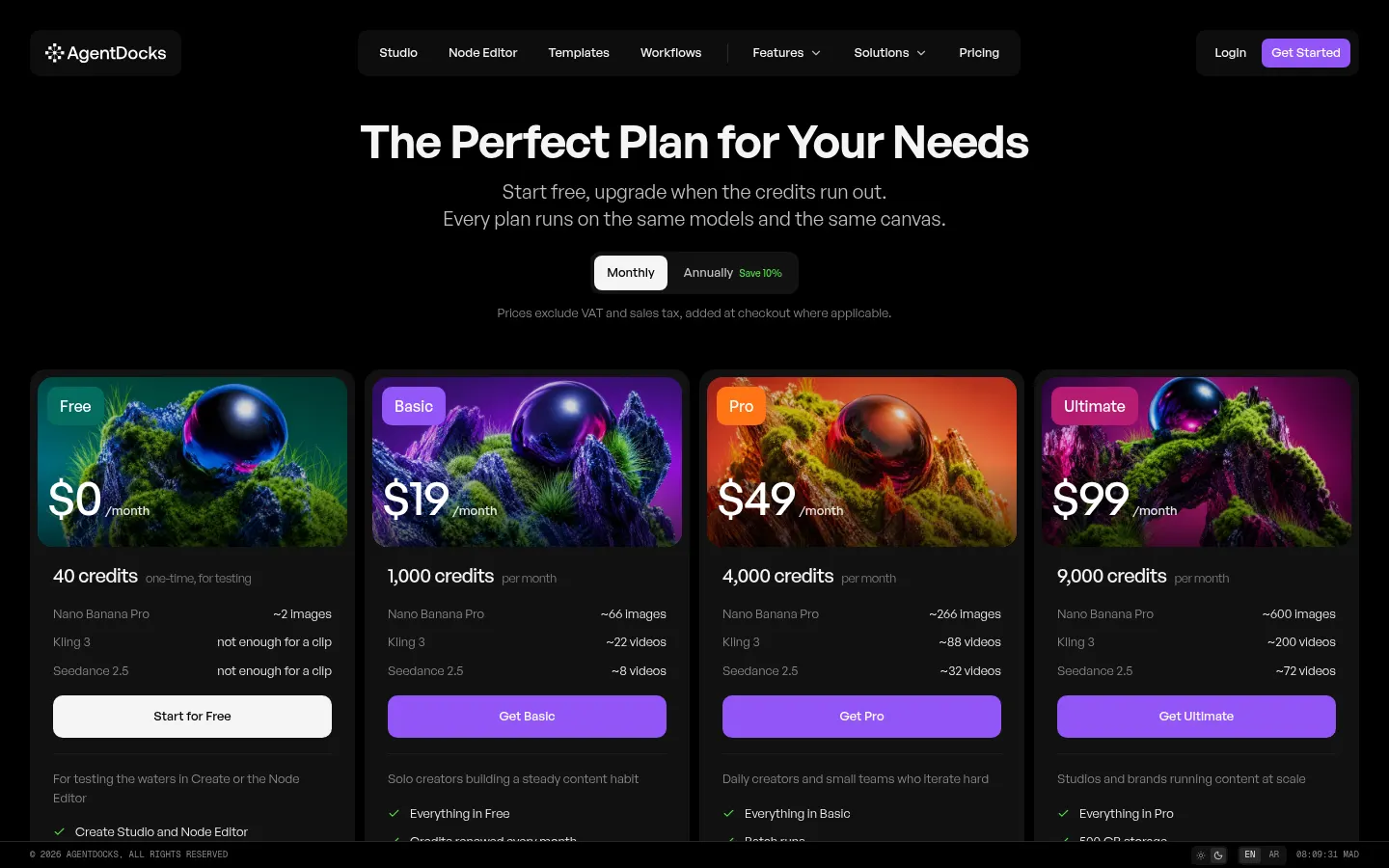
AgentDocks prices in US dollars (USD), excluding VAT and sales tax, which are added at checkout where applicable. Checked on: 28/11/2026 at agentdocks.com/pricing. Annual billing saves 10%.
- Free: $0; 40 one-time credits for testing (about 2 images), AI Studio and node editor, all models, 2 GB.
- Basic: $19/month; 1,000 monthly credits (about 66 images), 50 GB.
- Pro: $49/month; 4,000 credits, batch runs, 200 GB, early access.
- Ultimate: $99/month; 9,000 credits, 500 GB.
- Business: $149/month; 14,000 credits, one 1-on-1 workflow session per month, 1 TB and custom workflows.
- Enterprise: custom.
- Top-ups: 1,000 credits for $20 on any paid tier, valid for 6 months.
AgentDocks Screenshots
AgentDocks user reviews
Write a review
Checking your session...
AgentDocks Reviews
Loading reviews...
AgentDocks alternatives
ClothesMorph
ClothesMorph is an AI clothes changer that swaps a single garment or a full outfit (up to 3 pieces) in one photo while keeping face, pose, logos, prints and fabric texture.
WheelStage
WheelStage is an AI tool for car dealers that replaces the background of vehicle photos, fixes lighting and reflections, and adds your logo and plates.


EZ Image to Image
EZ Image to Image is an AI photo editor: upload a picture, describe the edit and pick a model such as GPT Image, Nano Banana, FLUX.2 or Seedream.