

Share
What is SeeBloom?
SeeBloom is an AI video and image studio that brings about 20 models from Google, OpenAI, ByteDance, Kling and others into one account: Veo 3.1, Seedance 2.5, Kling 4.0, Wan 3.0, MiniMax, Nano Banana, GPT Image, FLUX 2 Pro or Seedream. It is aimed at content creators, marketing teams and professionals who want to try several models without opening an account with each provider.
How do you work in SeeBloom?
You first choose a creation type and the studio then highlights the models that support it. Types include text or image to video, first and last frames, universal image, video and audio references, video editing and video extension. Depending on the model you get native audio, lip-sync and clips up to 30 seconds at 480p, 720p, 1080p or 4K. Image models offer strong text rendering and precise editing.
What is the document-to-video feature?
With Doc→Video, powered by Wan 3.0 Boundless, you upload a PPT, PDF, Word or Excel file, or a public webpage URL, and get a short explainer clip. It helps turn a product deck or report into a social video, though it cannot be combined with first and last frames.
Pros and cons of SeeBloom
- Pros: one balance for every model, credits that never expire and automatic refunds for failed generations, including those blocked by safety filters.
- Cons: usage varies a lot by model, length and resolution, so check how many credits each clip will take first.
SeeBloom features and use cases
How to use SeeBloom
SeeBloom FAQ
What is SeeBloom?
It is an AI video and image studio bringing about 20 models, such as Veo, Seedance, Kling and Nano Banana, into one account.
Is SeeBloom free?
It gives free credits on sign-up; after that it runs on pay-as-you-go packs, as listed under pricing.
Does it have a subscription?
No, you buy credits when you need them and they never expire.
Which video models does it include?
Among others, Veo 3.1, Seedance 2.5, Kling 4.0, Wan 3.0 and MiniMax.
What is Doc→Video?
It turns a PPT, PDF, Word or Excel file, or a public webpage, into a short explainer clip.
Can I edit or extend a video?
Yes, there are dedicated creation types for editing and extending videos.
What if a generation fails?
Credits are refunded automatically, including when a safety filter blocks it.
How long can a clip be?
Up to 30 seconds with some models, such as Seedance 2.5 or Wan 3.0.
How do I pay?
By Visa or Mastercard, WeChat or Alipay through a secure payment provider.
What are some SeeBloom alternatives?
Similar multi-model platforms in the directory include OpenClips.AI, API Stock and Kling IA.
SeeBloom pricing and plans
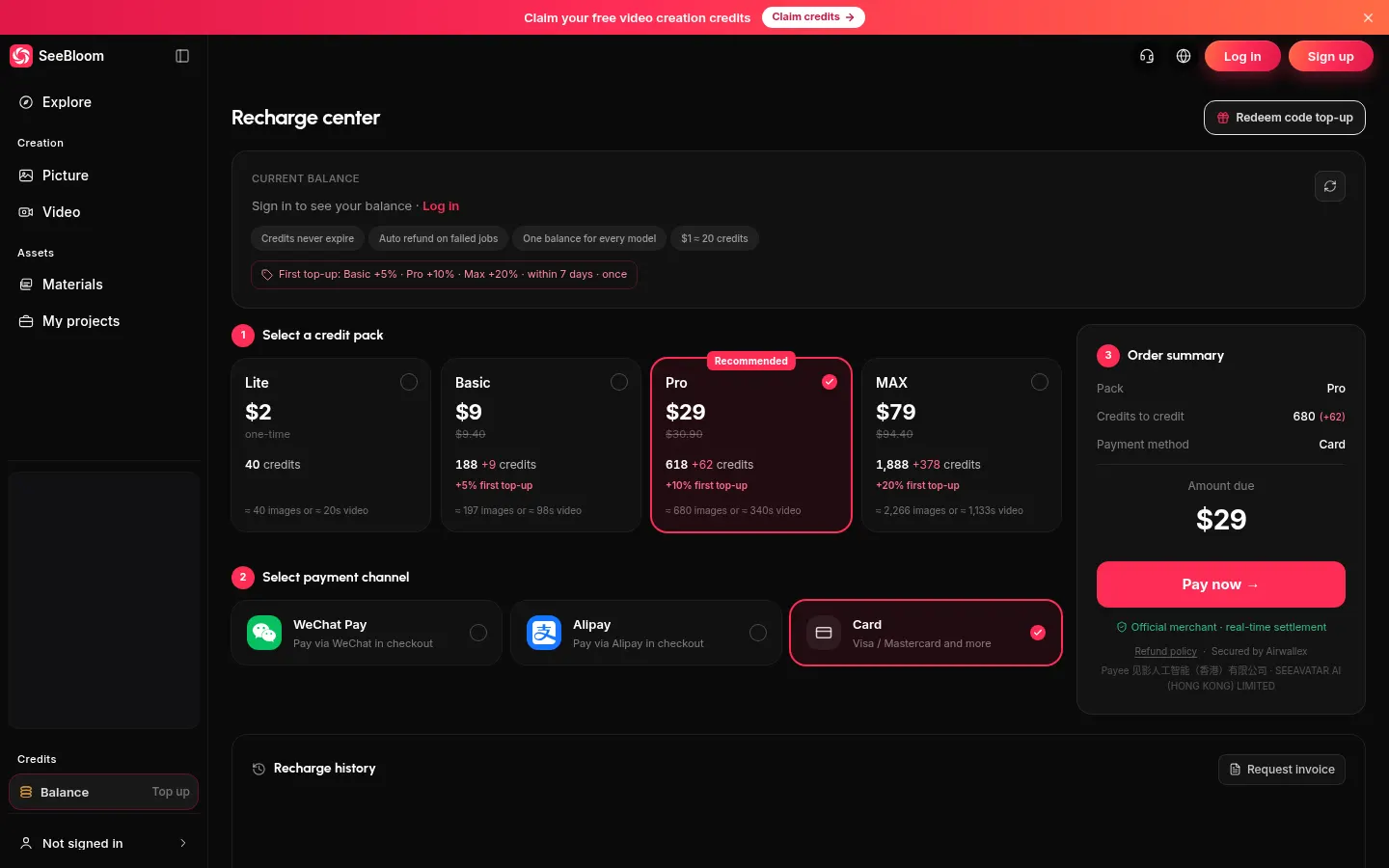
Prices in US dollars (USD) from the official website, pay as you go with credit packs. Checked on: 22/11/2026. No subscription; $1 is about 20 credits, which never expire. A first top-up within 7 days adds 5%, 10% or 20% depending on the pack. Video from 2 credits per second and images from about 4 credits, depending on the model.
Free: 30 credits on sign-up.
$2 pack: 40 credits.
Basic: $9 for 188 credits.
Pro: $29 for 618 credits.
Max: $79 for 1,888 credits.
SeeBloom Screenshots

SeeBloom user reviews
Write a review
Checking your session...
SeeBloom Reviews
Loading reviews...
SeeBloom alternatives

SceneMixer
SceneMixer is an AI short drama, series and movie maker that turns scripts and novels into finished episodes with the same cast and dialogue in 15 languages.

OpenClips.AI
OpenClips.AI is an AI video and image generator with 100+ models such as Seedance, Veo and Kling, plus templates, an ad studio and MCP access on one credit wallet.




Video2Prompt
Video2Prompt is an AI workspace for short-video creators that breaks videos into a transcript, hook and per-scene prompts, then generates your own new versions.