Share
What is Dimly AI?
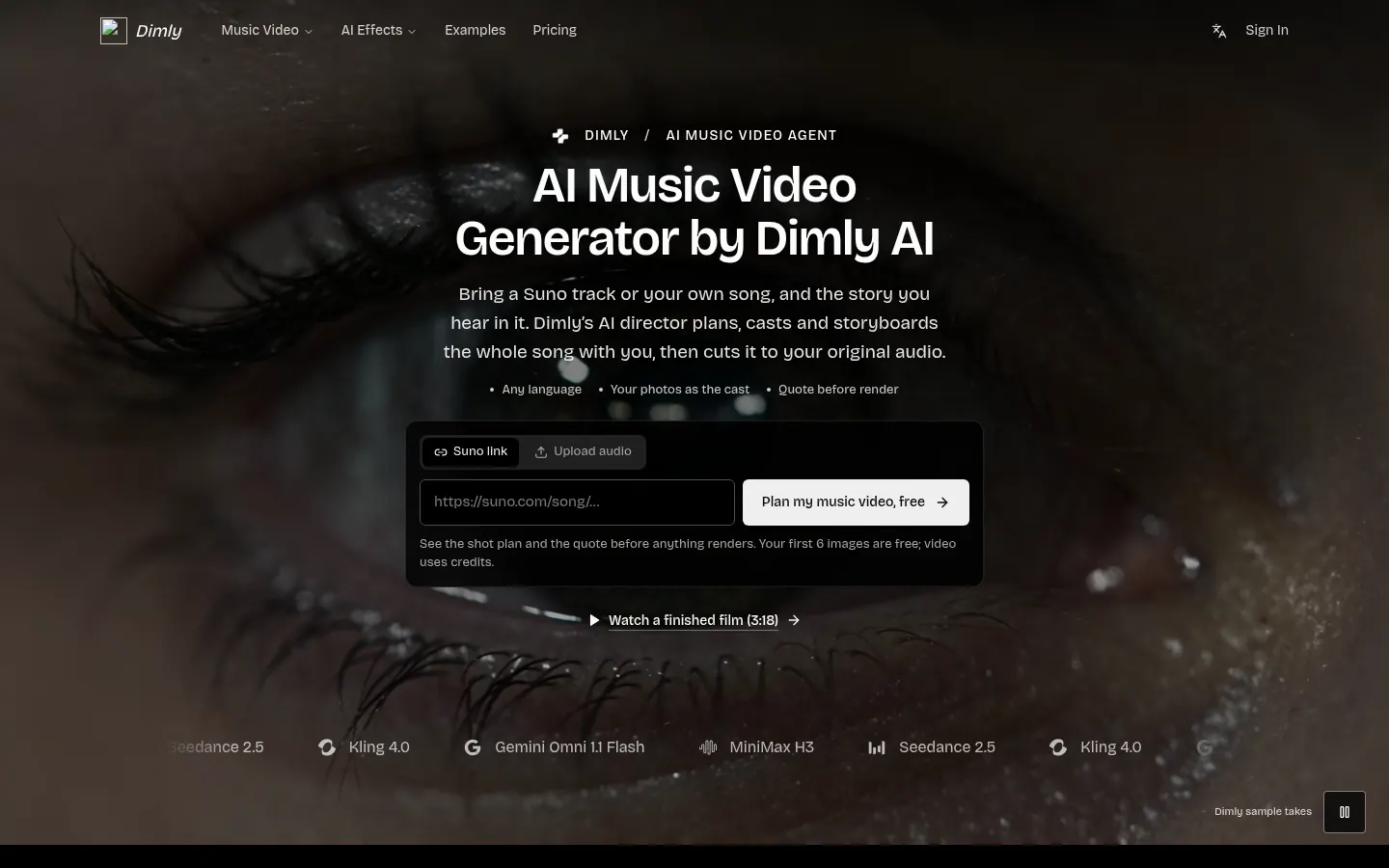
Dimly AI is an AI music video generator that turns your own song or a Suno track into a complete music video. Its AI director listens to the track, shapes the story with you, casts and storyboards it, renders each shot and cuts everything to the original audio. It is built for independent artists, producers and creators releasing AI-made songs.
What is Dimly AI used for?
Once you upload a track, Dimly spends about a minute mapping tempo, sections and lyric timing (for example 92 BPM, two verses and three choruses), so every later choice lands on a bar. It then asks question cards about the story, which you can answer in any language, and produces a shot list with a quote before anything renders. You can cast your own photos, add on-screen lyrics timed to the track and get motion driven by the sound.
Which video models does Dimly AI use?
Shots are generated with models such as MiniMax H3, Seedance 2.5, Kling 4.0 and Gemini Omni 1.1 Flash, at 768p, 720p or 2K. Output formats include a full song, a 15-second chorus cut, a lyric video or a visualizer. There are also ready-made photo-to-video effects like AI Rap Duo, Hotel Lobby and a buzz cut filter, and each sample film lists its shot count and models.
Who is Dimly AI for?
- Independent musicians: a video for every release.
- Suno users: turning tracks into videos for YouTube or social media.
- Small labels: chorus cuts for short-form marketing.
- Creators: lyric videos and visualizers with no shoot.
Dimly AI pros and cons
It respects the song's structure and shows you the shot list before spending, with exports without a watermark on paid accounts and refunds for failed renders. On the downside, export rights depend on your audio permissions and each model provider's terms, and higher resolutions use far more credits.
Dimly AI features and use cases
How to use Dimly AI
Dimly AI FAQ
What is Dimly AI?
Dimly AI is an AI music video generator that plans, renders and edits a full video from your song or a Suno track.
Is Dimly AI free?
Planning and your first images cost nothing, but rendering video needs credits, as listed under pricing.
Does it work with Suno songs?
Yes, paste a Suno link directly or upload any audio file of your own.
Can I use my own photos?
Yes, upload photos so you or your band appear as the cast.
Which video models does it use?
It works with MiniMax H3, Seedance 2.5, Kling 4.0 and Gemini Omni 1.1 Flash, among others, at several resolutions.
Will I know the cost before generating?
Yes. Dimly shows the shot plan and an exact credit quote before rendering, and refunds failed renders.
Can I describe the story in another language?
Yes, the site says you can tell the story in whatever language you think in.
Do videos have a watermark?
Subscriptions export without a watermark; only the smallest one-time pack adds one.
Which video formats are available?
Full song, 15-second chorus cut, lyric video and visualizer.
What are some Dimly AI alternatives?
Similar music video tools in the directory include Neural Frames, freebeat AI and Kaiber Superstudio.
Dimly AI pricing and plans
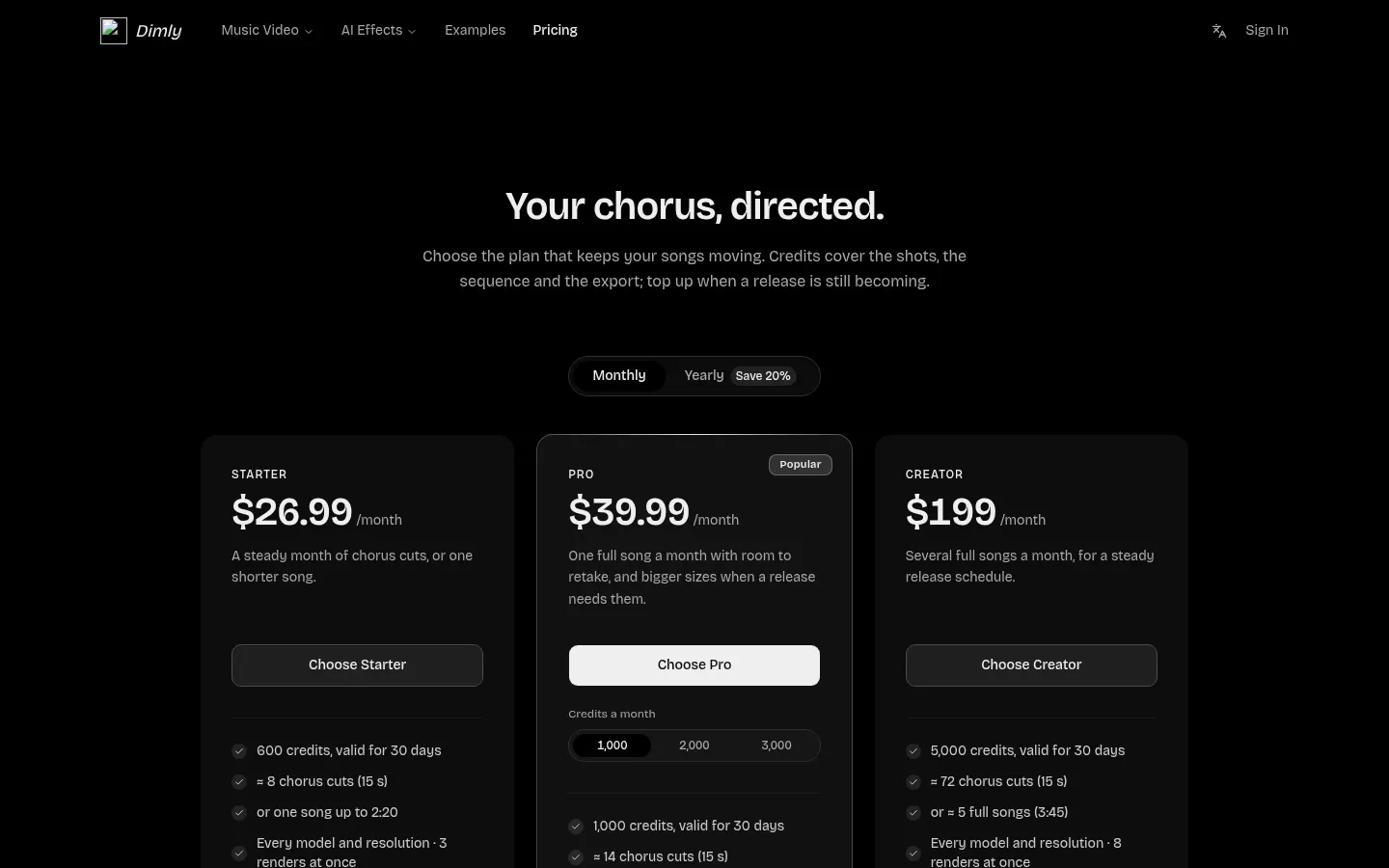
Reference price: 26.99 USD / month. Source · Verified: November 22, 2026
Prices in US dollars (USD) from the official website, monthly billing. Checked on: 22/11/2026. Yearly billing saves 20%. Planning is free and your first 6 images use no credits; video does. Estimates use MiniMax H3 at 768p with 5-second shots.
Starter: $26.99/month. 600 credits valid for 30 days (about 8 chorus cuts or one song up to 2:20). 3 renders at once.
Pro: $39.99/month. 1,000 credits (one full 3:45 song or about 14 chorus cuts). 4 renders at once.
Creator: $199/month. 5,000 credits (about 5 full songs). 8 renders at once.
One-time packs (credits valid 1 year): Single $9.99 (250 credits, watermarked), Song $42.99 (1,000) and Studio $84.99 (2,000). All subscriptions export without a watermark.
Dimly AI Screenshots
Dimly AI user reviews
Write a review
Checking your session...
Dimly AI Reviews
Loading reviews...