
Share
What is Frameloop?
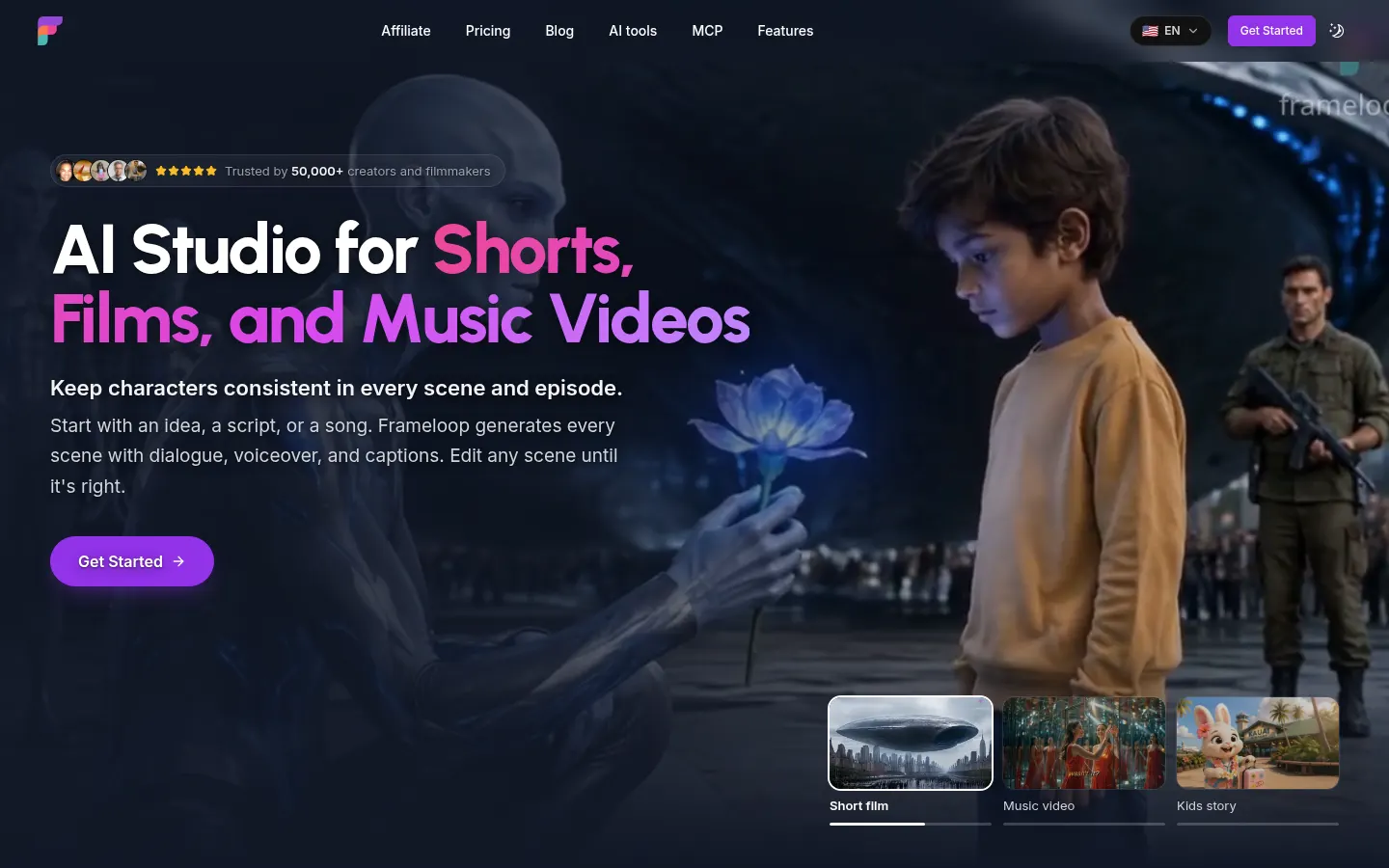
Frameloop is an AI video generator by Nebula Labs that produces short films, animated stories and music videos for creators, brands and YouTube or TikTok channels. You start with an idea, a script or a song, and the studio builds every scene with dialogue, voiceover, captions and music; you then tweak scene by scene before rendering.
What is Frameloop used for?
It replaces the manual AI filmmaking workflow of writing prompts for each character sheet, shot and camera angle and stitching clips together by hand. Frameloop automates that and keeps characters and products consistent across scenes and episodes: save a character once and reuse it in any video or format. People use it for explainers, documentaries, faceless videos, kids' stories, 3D cartoons and lip-synced music videos in any genre.
How does Frameloop work?
Pick one of 15+ visual styles (realistic, anime, illustration, watercolor, oil painting, Pixar-like or claymation) or describe your own, then choose a voice and length. A scene-based editor replaces the timeline, with per-scene controls for animation, media, effects, captions and branding. Captions, titles and on-screen text can be auto-translated into 32+ languages, and it shows how many credits each scene will use before you generate it. There is also an MCP server for Claude, ChatGPT or Cursor, a developer API and direct YouTube publishing.
Who is Frameloop for?
- Faceless channels posting every day.
- Kids' content and animated series with recurring characters.
- Musicians who want a video for their track.
- Marketing teams making ads and product explainers.
Frameloop pros and cons
Pros: script, visuals, voice and edit live in one studio, and characters carry over between episodes. Cons: it doesn't record or edit footage of you talking to camera (the company itself points to other tools for that), and output quality depends on the model and style you pick.
Frameloop features and use cases
How to use Frameloop
Frameloop FAQ
What is Frameloop?
Frameloop is an AI video studio that generates short films, animations and music videos from an idea, a script or a song, with consistent characters.
Is Frameloop free?
It isn't free: it runs on yearly credits included with each plan. See the pricing section for details.
Can I reuse the same character across videos?
Yes. Save a character once and Frameloop uses that reference in any scene, video or episode so the face, outfit and style stay the same.
Can I film myself talking to camera with it?
No. Frameloop doesn't record or edit real footage of you; its AI characters can speak and sing with lip sync instead.
Do I need video editing skills?
No. You describe what you want and it builds the scenes; editing happens scene by scene rather than on a timeline.
How long does a video take?
The company says a full video usually takes a few minutes; animated scenes and premium models take longer and use more credits.
Does Frameloop have an API?
Yes. There is an API for programmatic generation and rendering, plus an MCP server for Claude, ChatGPT and Cursor.
Does Frameloop work in Spanish?
For content, yes: it translates captions, titles and on-screen text into 32+ languages. The interface and website are in English.
Can I use the videos commercially?
Paid plans include commercial rights and watermark-free downloads.
What are the alternatives to Frameloop?
On GptZone you can compare it with Neural Frames, Revid.ai or Zebracat, which also create AI videos for social media and music.
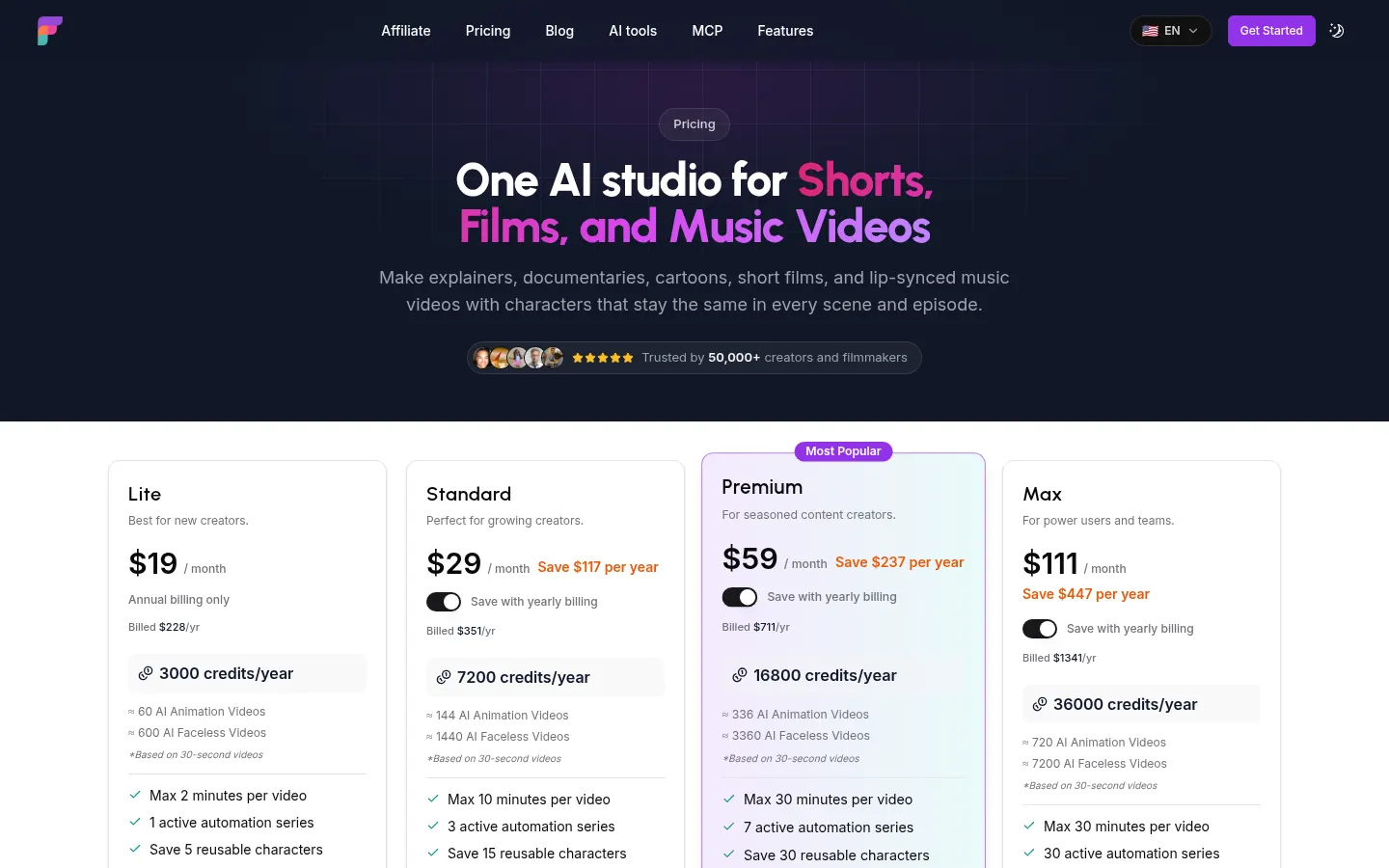
Frameloop pricing and plans
Reference price: 228 USD / year. Source · Verified: November 18, 2026
Prices in US dollars (USD) as listed on the official site. Checked on: 18/11/2026. Plans use yearly credits; the number of videos depends on length and style.
Lite: $19/month, annual billing only ($228/year); 3,000 credits a year, videos up to 2 minutes, 5 saved characters, 720p, no watermark, 1080p export, API access and commercial rights.
Standard: $29/month billed yearly ($351/year); 7,200 credits, videos up to 10 minutes, 15 characters and 1080p animated videos.
Premium: $59/month billed yearly ($711/year); 16,800 credits, up to 30 minutes per video, 30 characters and priority support.
Max: $111/month billed yearly ($1,341/year); 36,000 credits and 100 characters. Enterprise: custom.
Frameloop Screenshots
Frameloop user reviews
Write a review
Checking your session...
Frameloop Reviews
Loading reviews...
Frameloop alternatives

AI Microdrama Generator by Picsart
Create vertical micro-drama series with consistent characters. Plan seasons, generate scripts, and produce AI-powered short episodes with cliffhangers.

Zeemo | AI Short Drama Generator
Generate short AI dramas with consistent characters across episodes. Integrate script, voice, and video on a single canvas to produce professional, coherent series.

Boldly With AI
Multimedia studio for generating videos, images, music, and virtual influencers. Features camera control and access to the market's most powerful AI models.