
Share
What is Video2Prompt?
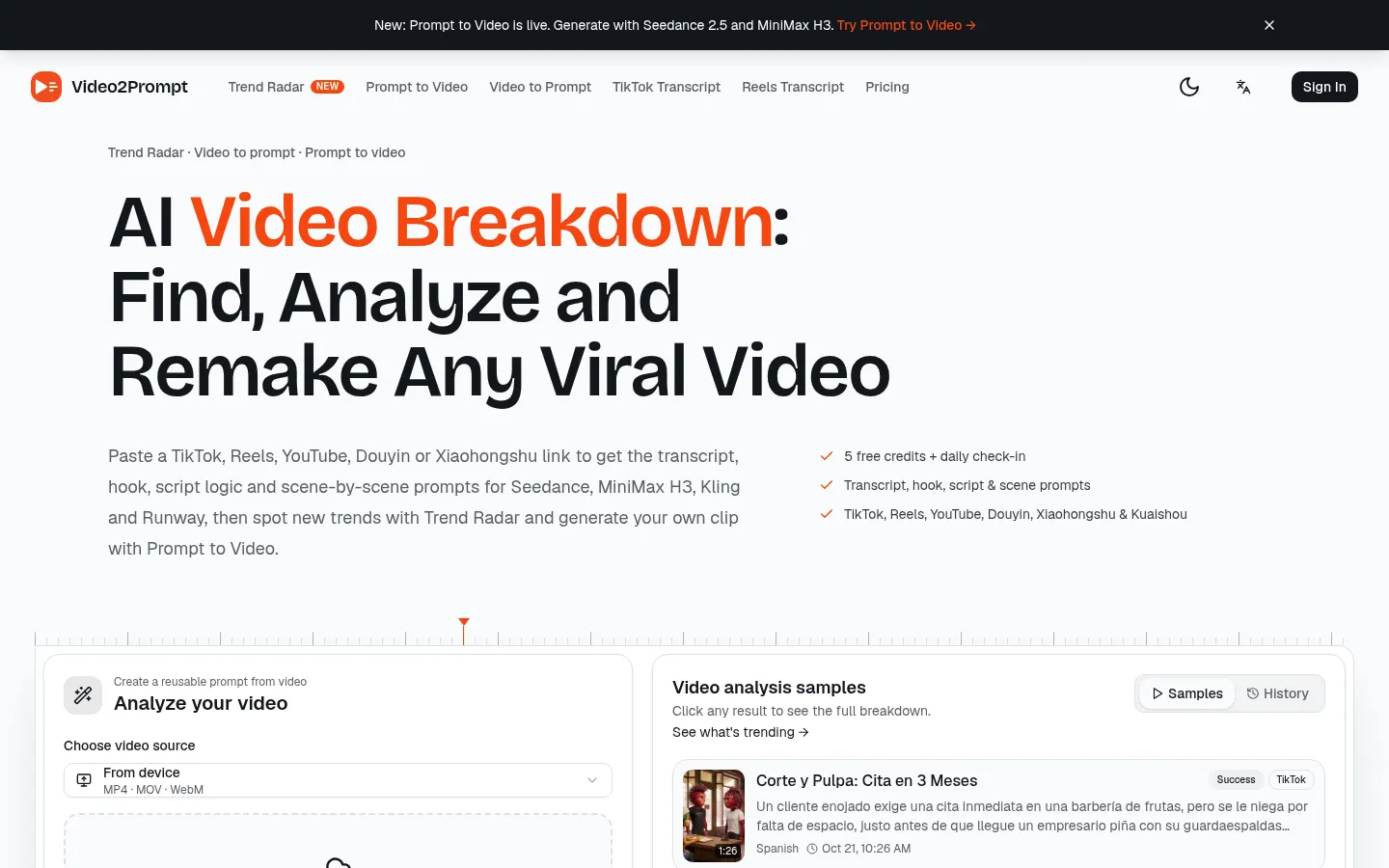
Video2Prompt is an AI tool that breaks short videos down into reusable prompts for content creators, agencies and social media teams who want to understand why a viral video works and produce their own version with AI video generators.
How does Video2Prompt turn a video into prompts?
You paste a public TikTok, Instagram Reels, YouTube (including Shorts), Douyin, Xiaohongshu or Kuaishou link, or upload an MP4, MOV or WebM up to 5 minutes and 30MB. In about a minute you get a speaker-labelled transcript and on-screen text, the hook, main points and call to action, a script quality score with reasons, and the visual style. Each scene comes with shot size, camera movement, lighting, color and a ready-to-use prompt, plus one prompt for the whole video, all exportable to CSV.
Which video models are the prompts written for?
Before analyzing you choose Seedance 2.x, MiniMax H3 (Hailuo), Sora, Kling or Runway, and the prompt follows that model's preferred structure. You can also set the output language or keep the original video's language.
What are Trend Radar and Prompt to Video?
Trend Radar tracks your keywords on TikTok, YouTube, Douyin and Xiaohongshu every 12 hours and surfaces the best new videos with an AI trend summary. Prompt to Video renders 4 to 30 second clips with Seedance or MiniMax H3, with reference images and synced audio.
Video2Prompt pros and cons
Pros: trend discovery, analysis and generation live in one place, and the scene breakdown is very detailed. Cons: videos are capped at 5 minutes, video generation burns credits per second, the site is English-only, and reusing other people's ideas calls for care with copyright.
Video2Prompt features and use cases
How to use Video2Prompt
Video2Prompt FAQ
What is Video2Prompt?
It is an AI workspace that analyzes short videos and turns them into a transcript, script analysis and per-scene prompts for video generators.
Is Video2Prompt free?
You get 5 credits on sign-up plus daily check-in credits; heavier use needs a paid tier, covered in the pricing section.
Which platforms are supported?
TikTok, Instagram Reels, YouTube and Shorts, Douyin, Xiaohongshu and Kuaishou, plus MP4, MOV or WebM files.
How long does an analysis take?
Most videos finish in under a minute, and results are saved to your history.
Which video generators are the prompts for?
Seedance 2.x, MiniMax H3 (Hailuo), Sora, Kling and Runway, following each model's preferred structure.
Can it output prompts in Spanish?
Yes, you can pick the output language or keep the original video's language.
What is the maximum video length?
Videos up to 5 minutes and uploads up to 30MB.
Does it have an API?
The official website does not mention a public API; it is used in the browser.
Can it generate new videos?
Yes, Prompt to Video renders 4 to 30 second clips with Seedance or MiniMax H3 from the prompts.
What are Video2Prompt alternatives?
Our directory lists Vid2Prompt, Reel to Prompt and VideoInPrompt, which also extract prompts from videos.
Video2Prompt pricing and plans
Reference price: 9.99 USD / month. Source · Verified: November 20, 2026
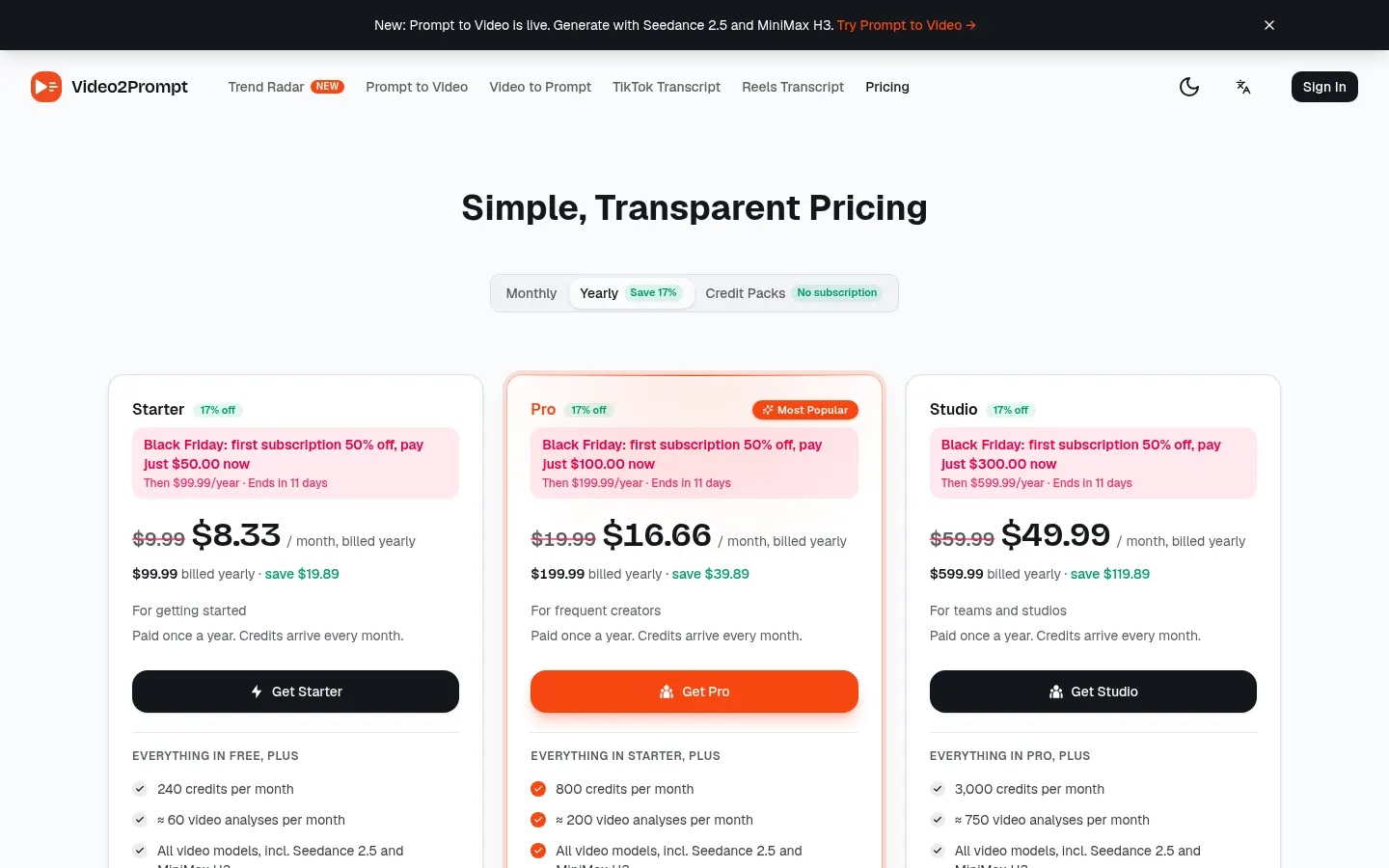
Prices in US dollars (USD) from the official website. Checked on: 20/11/2026. Each video analysis takes 4 credits; video generation is charged per second depending on the model.
Free: 5 credits on sign-up plus daily check-in credits (26 per 7-day streak).
Starter: $9.99/month or $8.33/month billed yearly ($99.99/year). 240 credits a month (about 60 analyses) and Trend Radar with 5 keywords.
Pro: $19.99/month or $16.66/month billed yearly ($199.99/year). 800 credits a month and 15 keywords.
Studio: $59.99/month or $49.99/month billed yearly ($599.99/year). 3,000 credits a month and 60 keywords.
One-time credit packs valid for 2 years are also available.
Video2Prompt Screenshots
Video2Prompt user reviews
Write a review
Checking your session...
Video2Prompt Reviews
Loading reviews...
Video2Prompt alternatives


SceneMixer
SceneMixer is an AI short drama, series and movie maker that turns scripts and novels into finished episodes with the same cast and dialogue in 15 languages.

OpenClips.AI
OpenClips.AI is an AI video and image generator with 100+ models such as Seedance, Veo and Kling, plus templates, an ad studio and MCP access on one credit wallet.