Share
What is AI Grammatic?
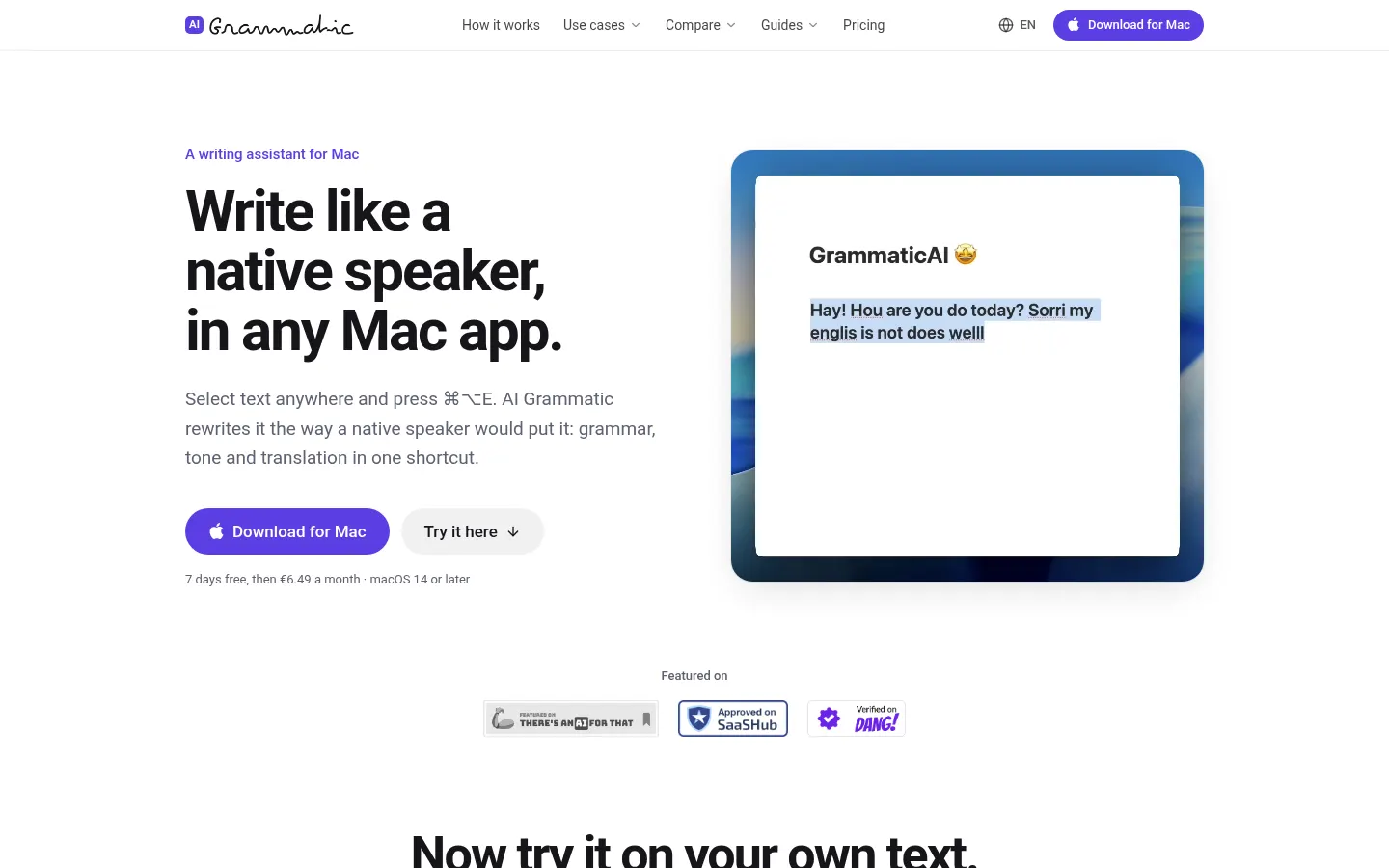
AI Grammatic is an AI writing assistant for Mac that rewrites the text you select in any app so it reads the way a native speaker would write it. It's aimed mainly at people who work in a second language and want their Slack messages, emails or Notion pages to sound natural without pasting them into a chatbot.
What is AI Grammatic used for?
It goes beyond a grammar checker: besides fixing mistakes, it rewrites phrasing that's technically correct but sounds translated, such as word-for-word constructions, the wrong preposition, missing articles or overly stiff wording. It keeps your meaning, names, numbers and links intact. It works just as well for a quick note to a teammate as for a client email or a pull request description.
How does AI Grammatic work?
Select the text, press ⌘⌥E, and about a second later it's replaced in place; ⌘Z brings back your original. Each language can get its own shortcut, so you can write in Russian and get natural English, or write in English and get German. Add ⇧ for a formal version. It supports more than 30 languages, including US and UK English, and lets you pick the model from OpenAI, Claude, Gemini or DeepSeek and add your own writing instructions.
Who is AI Grammatic for?
- Non-native professionals who write in English every day at work.
- Developers writing commits, tickets and code review comments in another language.
- International teams switching languages several times a day.
AI Grammatic pros and cons
It works in any Mac app where you can select text, with no per-app plugins, and the company says your text passes through its server to the AI provider and is discarded once the rewrite comes back. On the downside, it's macOS 14+ only, isn't on the Mac App Store because it needs Accessibility access, and payments aren't refunded.
AI Grammatic features and use cases
How to use AI Grammatic
AI Grammatic FAQ
What is AI Grammatic?
It's a Mac app that uses AI to rewrite the text you select in any application so it sounds natural, the way a native speaker would write it.
Is AI Grammatic free?
No, it's paid after a 7-day trial; the demo on its website does allow a few rewrites a day without signing up. Prices are in the pricing section.
Does AI Grammatic have an API?
There's no API; it works as a desktop app with a global shortcut, and the AI is run by them so you don't need your own key.
Does AI Grammatic work in Spanish?
Yes, Spanish is among its 30+ languages, both for polishing Spanish text and for translating from Spanish into another language.
How is it different from Grammarly or Apple Writing Tools?
It's built for people writing in a second language: besides fixing errors, it rephrases what sounds translated, translates on the fly and keeps casual and formal tone a shortcut apart.
Does it work in every Mac app?
In any app where you can select text and paste, such as Slack, Mail, Gmail, Notion, Linear, Messages, your code editor or the browser.
What happens to my text?
It goes through their server to the AI provider and is discarded once the rewrite comes back; they only keep a daily word count.
Why isn't it on the Mac App Store?
It needs Accessibility access to rewrite inside other apps, which the App Store sandbox doesn't allow; it's a direct download signed and notarized by Apple.
Can I choose the AI model?
Yes, in Settings you pick the provider from OpenAI, Anthropic, Google and DeepSeek, then one of the models they offer.
What are some AI Grammatic alternatives?
Our directory lists Grammarly and LanguageTool for cross-platform proofreading and QuillBot for paraphrasing.
AI Grammatic pricing and plans
Reference price: 7.99 USD / month. Source · Verified: November 10, 2026
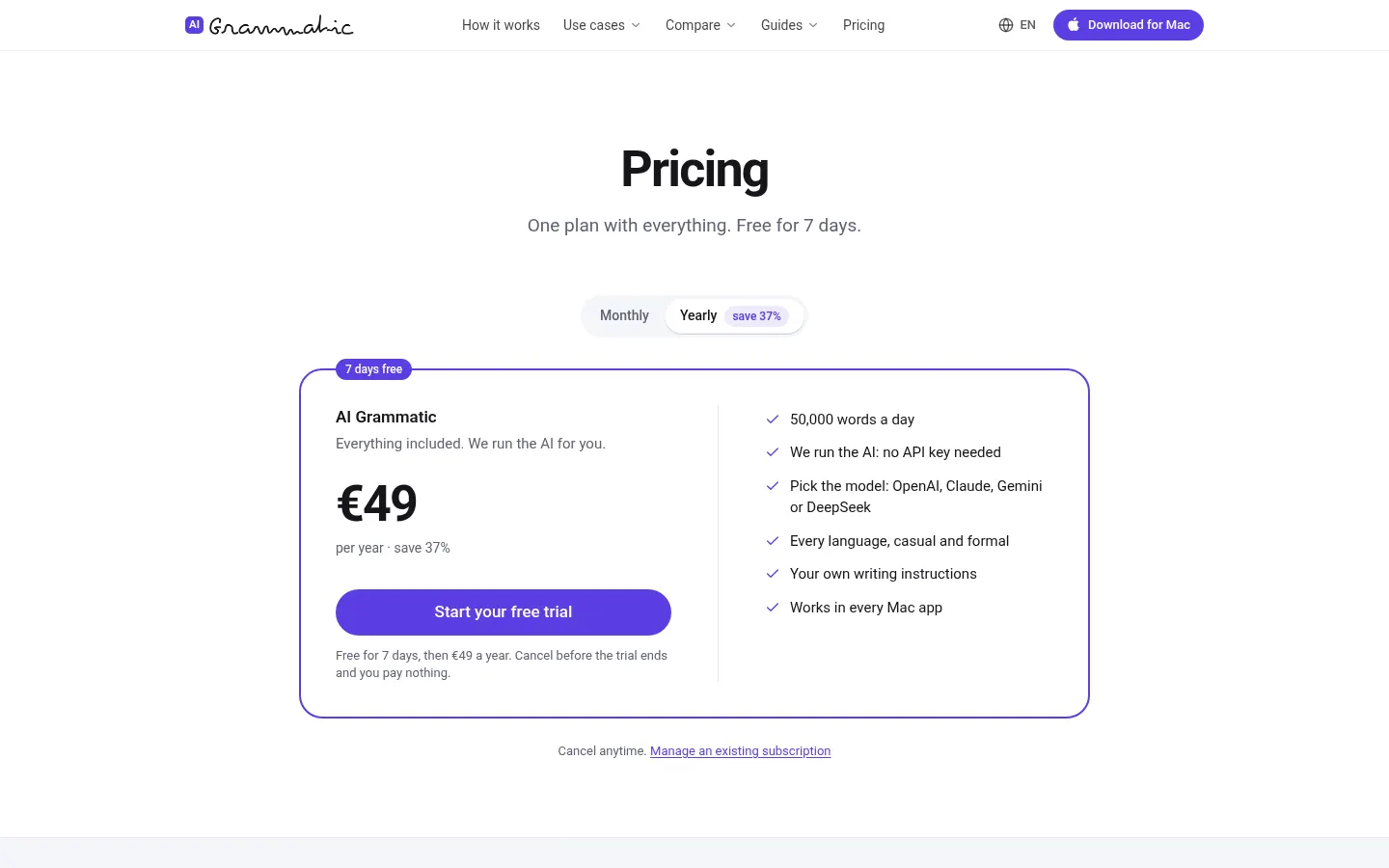
Prices from the official site (Checked on: 10/11/2026). One plan with everything included.
- Monthly: $7.99 a month (€6.49 in the EU).
- Yearly: $59 a year (€49 in the EU), 38% less than 12 monthly payments.
Includes 50,000 words a day, AI run by them (no API key), model choice, every language in casual and formal tone, and your own instructions. 7-day free trial with a card; they email you 3 days before charging. No refunds; if you cancel you keep access until the end of the paid period. The web demo allows 5 rewrites a day without signing up.
AI Grammatic Screenshots
AI Grammatic user reviews
Write a review
Checking your session...
AI Grammatic Reviews
Loading reviews...
AI Grammatic alternatives


ParagraphAI
ParagraphAI is an AI writing assistant for phone, browser and desktop that fixes grammar, drafts email replies in one tap, adjusts tone and translates.