

Share
What is Sapling?
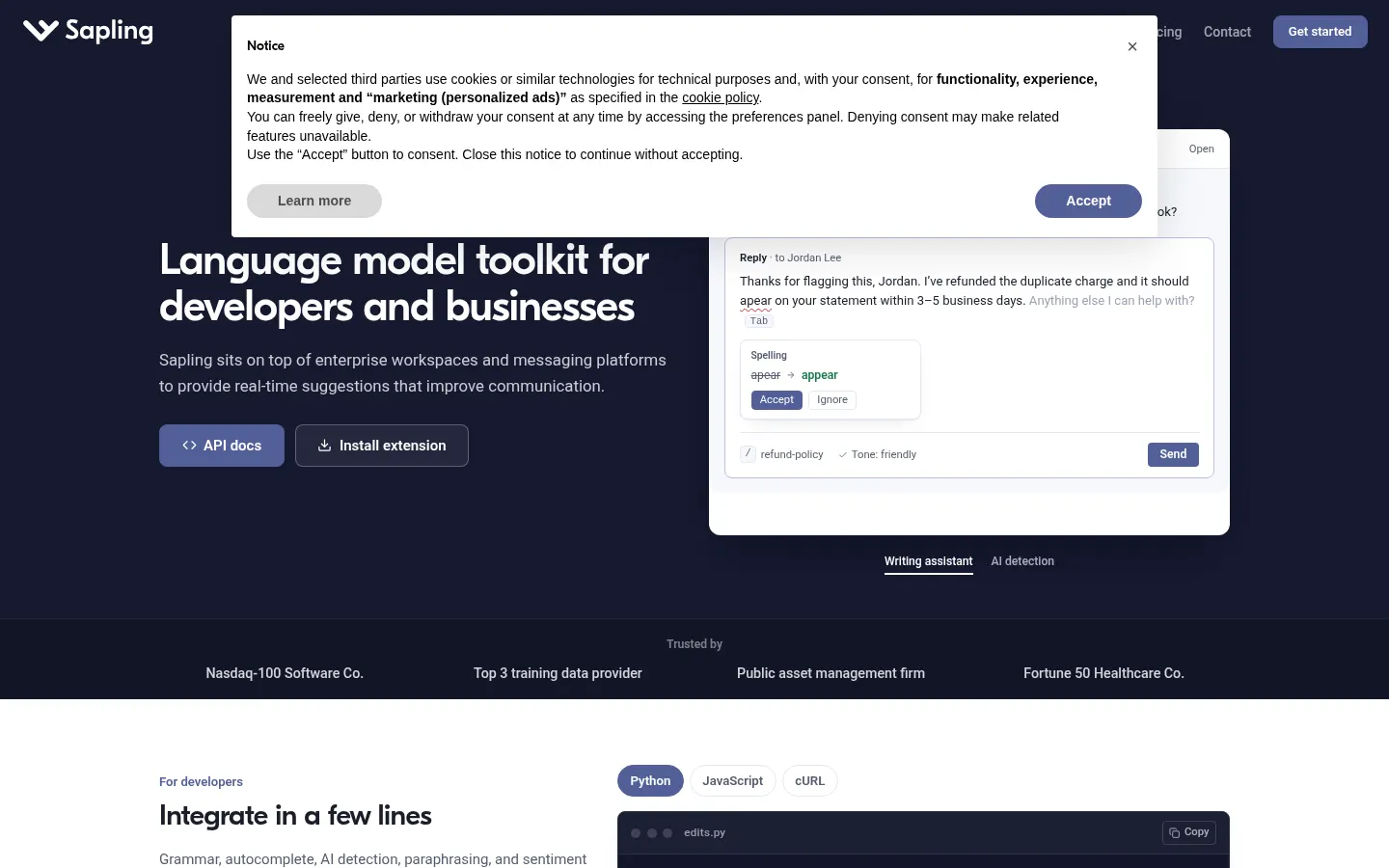
Sapling is an AI language model toolkit from Sapling Intelligence for developers and businesses: it checks grammar, autocompletes replies, rephrases sentences and detects AI-generated text. You can use it as a browser extension, as an API or built into the customer service and CRM platforms where your team writes.
What is Sapling used for?
It helps people write better and faster at work. The grammar and quality checker catches, according to the company, 60% more issues than other checkers and produces quality scores and error reports. Deep-learning autocomplete suggests the rest of the sentence across messaging platforms, and snippets give teams a shared, searchable library of text-expansion macros. The AI detector returns an overall probability and flags sentences that look generated.
How does Sapling integrate with other tools?
For individuals there's a Chrome extension that also works in Google Docs, Outlook and Word. For companies it integrates with ServiceNow, Salesforce, Zendesk, Amazon Connect and Twilio Flex. Developers get a REST API with Python and JavaScript client libraries (grammar, autocomplete, AI detection, paraphrasing and sentiment), drop-in editor components and an MCP server so Claude and other MCP clients can call its tools.
Who is Sapling for?
- Support teams answering tickets in Zendesk or Salesforce who want to move faster.
- Developers adding grammar checking or AI detection to their product.
- Teachers and editors checking whether a text was AI-written.
- Regulated companies that need encryption, SSO or self-hosting.
Sapling pros and cons
Pros: TLS and AES-256 encryption, PII redaction, SSO, SCIM, MFA and a self-hosted option. Cons: the basic tier caps the detector at 2,000 characters per check and lacks advanced suggestions, and like any AI detector it gives probabilities, not definitive proof.
Sapling features and use cases
How to use Sapling
Sapling FAQ
What is Sapling?
It's an AI language toolkit that checks grammar, autocompletes messages and detects AI-generated text, as an extension, API or enterprise integration.
Is Sapling free?
Yes, there's a free tier with basic features and a limited detector; advanced features come with paid tiers, listed in the pricing section.
How reliable is Sapling's AI detector?
It returns an overall probability and flags suspicious sentences; like any detector, treat it as a signal rather than definitive proof.
Does Sapling have an API?
Yes, it offers a REST API with Python and JavaScript libraries for grammar, autocomplete, AI detection, paraphrasing and sentiment.
Does it work in Google Docs and Word?
Yes, the Chrome extension also works in Google Docs, Outlook and Word.
Which support platforms does it integrate with?
It integrates with ServiceNow, Salesforce, Zendesk, Amazon Connect and Twilio Flex, and its SDK supports most editors.
What are Sapling snippets?
They're saved replies with text-expansion shortcuts that a team shares and can search from its web apps.
Can I use it with Claude?
Yes, Sapling has an MCP server so Claude, Claude Code and other MCP clients can use its language tools.
Is it safe for customer data?
It uses TLS and AES-256 encryption, can redact personal data and offers SSO, SCIM, MFA and self-hosting for enterprises.
What are some Sapling alternatives?
Our directory lists Linguix and Writesonic, which also offer AI writing assistance.
Sapling pricing and plans
Reference price: 25 USD / month. Source · Verified: November 8, 2026
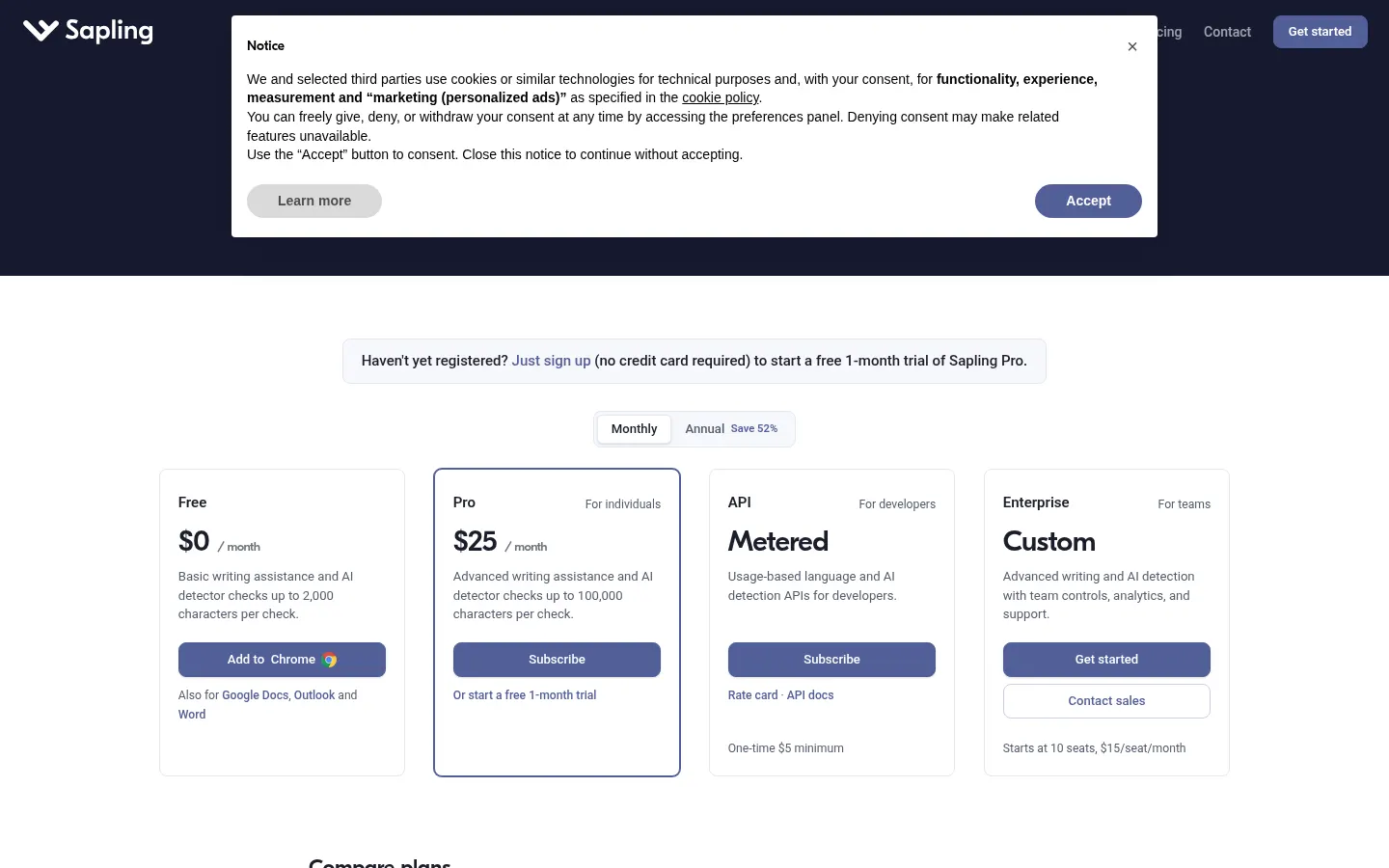
Prices in US dollars, billed monthly (Checked on: 08/11/2026). Annual billing saves 52%. Signing up gives you a free 1-month Pro trial with no card.
- Free: $0/month. Basic suggestions, AI detector up to 2,000 characters per check and 20 snippets.
- Pro: $25/month. Advanced suggestions, autocomplete, rephrasing, unlimited snippets, detector up to 100,000 characters and email support.
- Developer API: usage-based with a one-time $5 minimum.
- Enterprise: from 10 seats at $15 per seat per month; team analytics, SSO/SCIM, custom integrations and self-hosting.
- Its FAQ mentions discounts for students and nonprofits.
Sapling Screenshots
Sapling user reviews
Write a review
Checking your session...
Sapling Reviews
Loading reviews...
Sapling alternatives

ParagraphAI
ParagraphAI is an AI writing assistant for phone, browser and desktop that fixes grammar, drafts email replies in one tap, adjusts tone and translates.



Hemingway Editor
Hemingway Editor is a readability editor that color-codes hard-to-read sentences and, in Hemingway Editor Plus, rewrites them with AI.

DeepL Write
DeepL Write is DeepL's AI writing assistant: it fixes errors, suggests alternative words and sentences, and adapts your text's style and tone.