Share
What is Hemingway Editor?
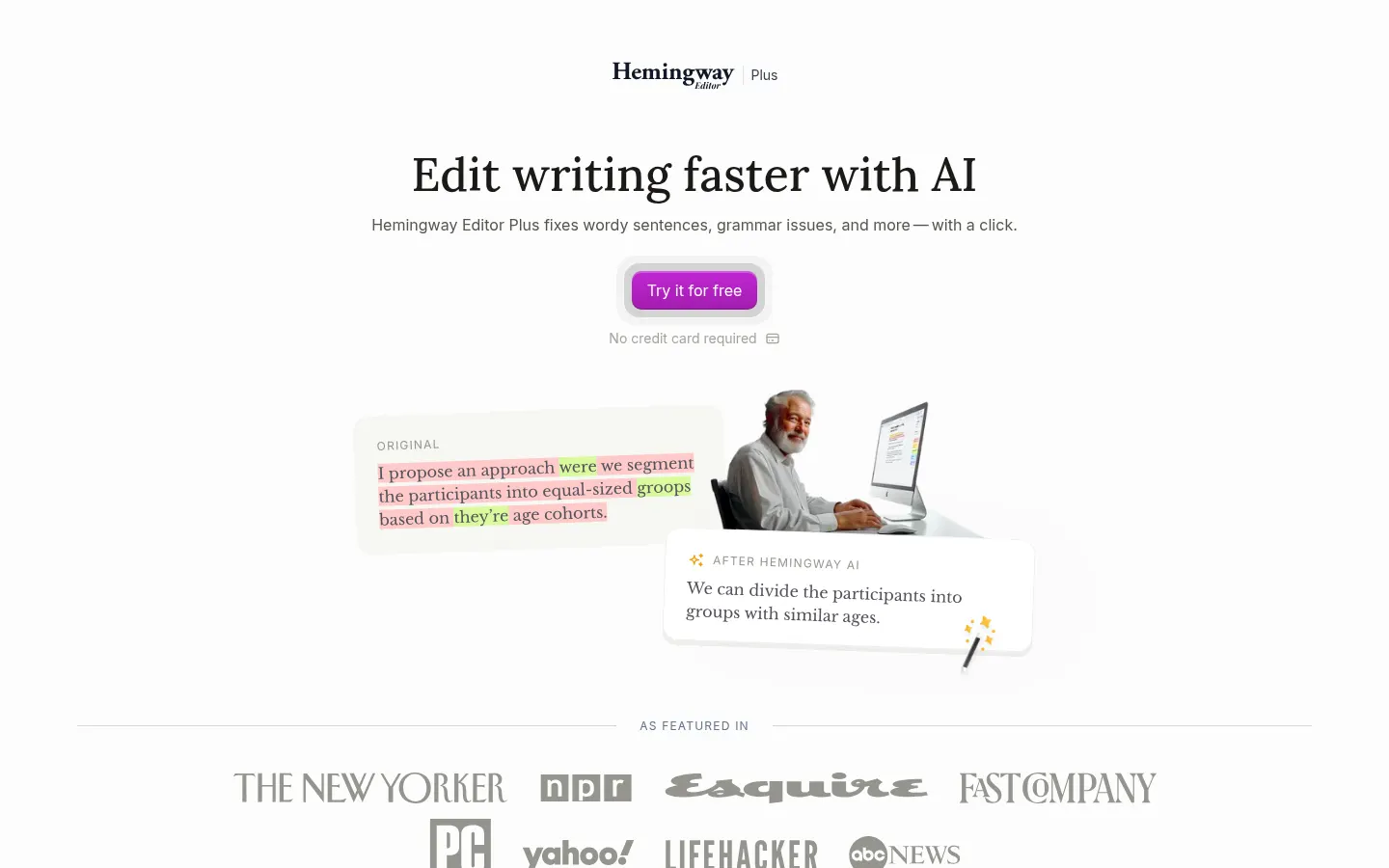
Hemingway Editor is a readability editor that scans your writing and color-codes what makes it hard to read: long sentences, complex words, adverbs and passive voice. Built by Boondoggle Studio since 2013, it now includes Hemingway Editor Plus, which uses AI to fix those issues automatically.
What is Hemingway Editor used for?
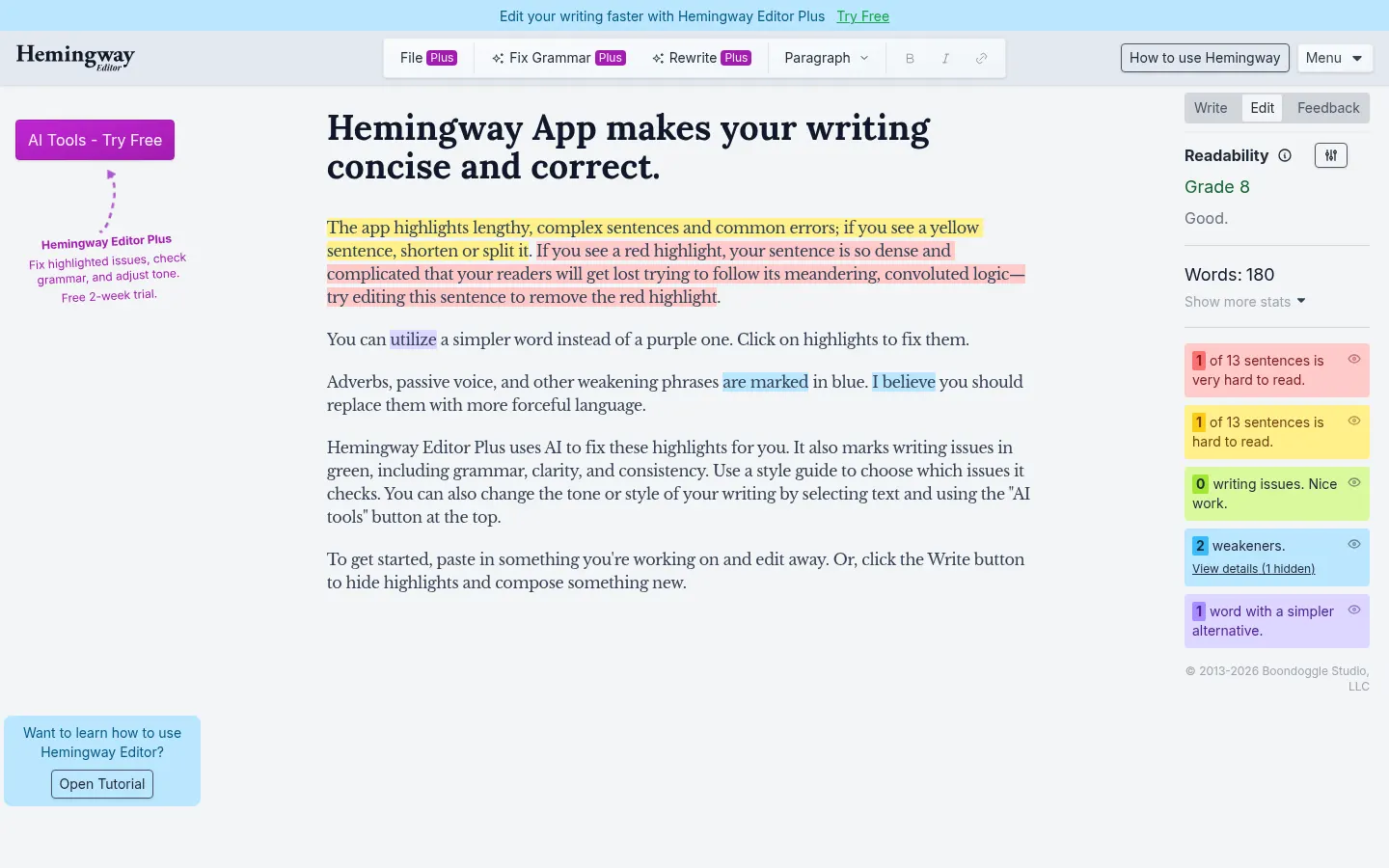
It helps you write clear, direct prose. Paste a draft and the editor highlights long sentences in yellow, very dense ones in red, words with simpler alternatives in purple, and adverbs and weakening phrases in blue. It also scores the readability grade level of your text.
What does Hemingway Editor Plus AI add?
- One-click rewrites of highlighted sentences or whole paragraphs.
- Grammar, clarity and consistency fixes, marked in green.
- Tone, length and style adjustments.
- A style guide to choose which issues get checked.
- Synonym suggestions and full document review.
How does Hemingway Editor work?
It has two modes: Write, which hides highlights so you can draft without distraction, and Edit, which shows them for revision. You can set a target reading level and import or export files. A desktop app for Mac and Windows is also available without AI.
Who is Hemingway Editor for?
Copywriters, bloggers, students, communications teams and anyone writing in English who wants text that is easier to read. Companies can manage team licenses and single sign-on.
Hemingway Editor pros and cons
- Pro: the color system teaches you to write better, not just fixes errors.
- Pro: simple web editor with no sign-up for basic analysis.
- Pro: unlimited grammar fixes in Plus.
- Con: built for English; it is not suited to Spanish text.
- Con: AI rewrites use monthly credits.
Hemingway Editor features and use cases
How to use Hemingway Editor
Hemingway Editor FAQ
What is Hemingway Editor?
It is a readability editor that flags hard sentences, complex words and passive voice, with AI rewrites in Hemingway Editor Plus.
Is Hemingway Editor free?
The classic web editor without AI is free. Hemingway Editor Plus starts at 10 USD a month or 100 USD a year, with a 2-week trial.
Does Hemingway Editor have an API?
It does not offer a public developer API; you use it on the web or in the desktop app.
Does Hemingway Editor work in Spanish?
It is not designed for Spanish: readability analysis and highlights are built for English text.
What do the colors mean?
Yellow is a long sentence, red a very dense one, purple a word with a simpler alternative, blue adverbs and passive voice, and green grammar and clarity issues in Plus.
What is an AI sentence credit?
Each sentence the AI rewrites uses one credit; grammar fixes do not use credits.
Is there a desktop version?
Yes, for Mac and Windows, without AI features and with a one-time payment.
Does it work for teams?
Yes, the Team plan supports up to 50 users on one bill with admin roles; Enterprise adds SSO.
What are the best Hemingway Editor alternatives?
On GptZone you can compare Grammarly, ProWritingAid and Wordtune to make your writing clearer.
Hemingway Editor pricing and plans
Reference price: 10 USD / month. Source · Verified: November 3, 2026
Hemingway Editor Screenshots
Hemingway Editor user reviews
Write a review
Checking your session...
Hemingway Editor Reviews
Loading reviews...
Hemingway Editor alternatives

DeepL Write
DeepL Write is DeepL's AI writing assistant: it fixes errors, suggests alternative words and sentences, and adapts your text's style and tone.

LanguageTool
AI grammar, spelling and style checker that reviews text in 30+ languages, including Spanish, and suggests rewrites.

ProWritingAid
AI grammar checker and style editor for novelists, with in-depth writing reports, chapter critiques, manuscript analysis and a virtual beta reader.

ReferenceChecker.ai
Verify academic citations and DOIs against scientific databases. Detect errors or fake references and correct bibliographies in multiple professional formats.