Share
What is RambleFix?
RambleFix is an AI writing tool that starts from your voice: you speak and get writing you could actually send, not a raw transcript. It runs on the web, iPhone and Mac, and the company presents it for email, notes and posts when typing feels too slow.
What is RambleFix used for?
It is used to dictate and get a draft that is already presentable. Besides a verbatim transcript, it offers grammar clean-ups and rewrites, one-click summaries, action-item lists and an option to mimic your writing style. On a Mac you can dictate into any app. You can also upload audio you already recorded.
How does RambleFix work?
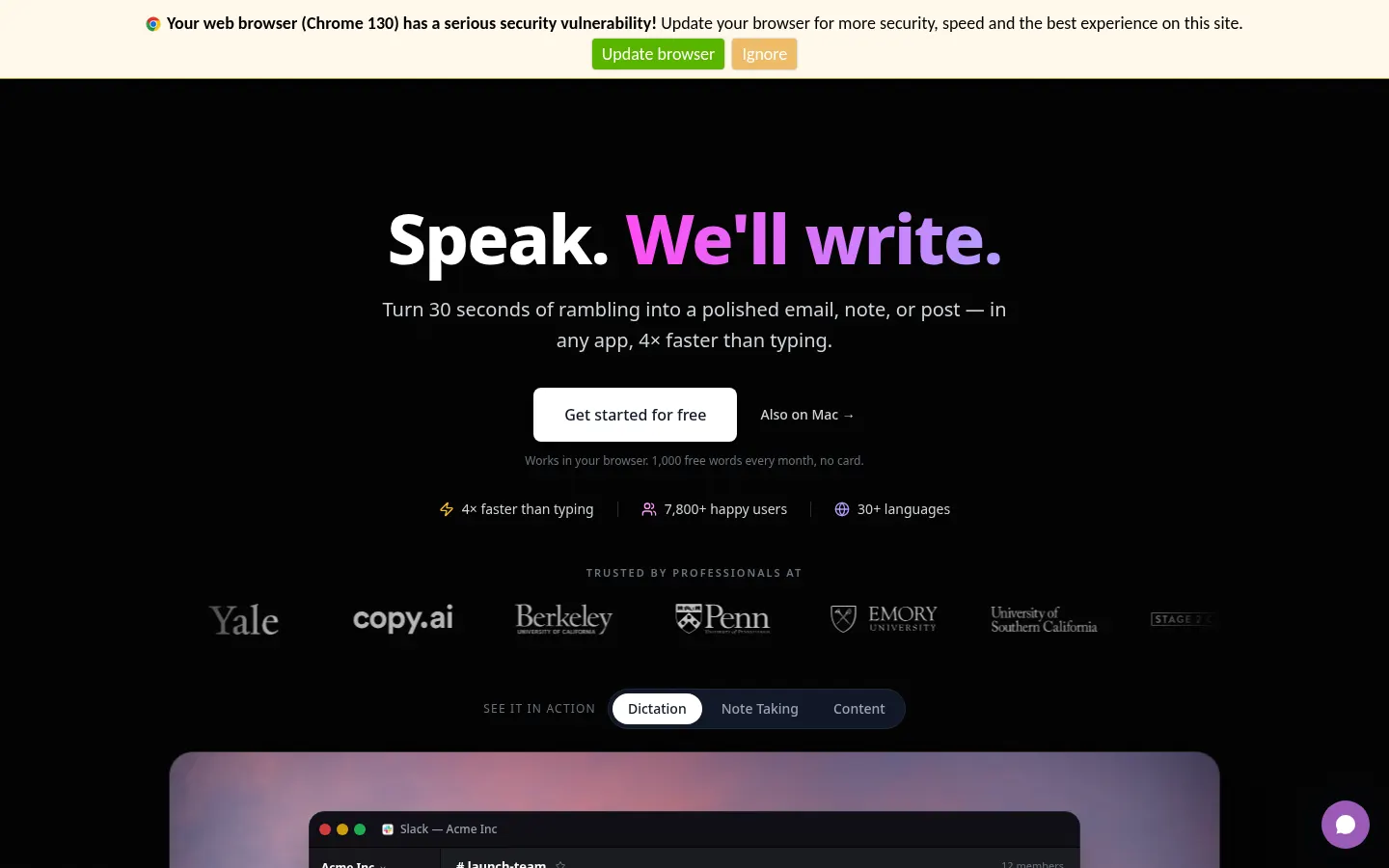
The flow on the site is straightforward: you talk for a few seconds and get a clean draft back. Beyond loose dictation, the site has sections for meetings and notes: transcribe, summarize and pull out minutes or action items. It advertises more than 30 languages. The Mac and iPhone apps sit alongside the web version. The company publishes comparisons with other dictation apps; those pages are not copied here.
Who is RambleFix for?
- People who often dictate email or notes and want a draft that is already presentable.
- Anyone who records meetings and needs a summary or a task list.
- Mac users who want to dictate into any app, not only into a box on the website.
RambleFix pros and cons
It stands out for returning writing you can send, not just a transcript, and for being available on the web, iPhone and Mac. On the downside, the unpaid option covers 1,000 monthly words on Mac and web, and paid options are distinguished mainly by the maximum length of each recording, not by a word cap, which they list as unlimited. Amounts appear later in this entry.
RambleFix features and use cases
How to use RambleFix
RambleFix FAQ
What is RambleFix?
It is a tool that turns what you dictate, or an audio file, into polished writing you can send, with transcripts, rewrites and summaries, on the web, iPhone and Mac.
Is RambleFix free?
Yes, there is a free plan of 1,000 words a month on Mac and web, with no card. If you need more, paid plans are described in the pricing section.
Which devices does it run on?
In the browser, on iPhone and on a Mac. On a Mac the company says you can dictate into any application.
Does it work for meetings?
Yes. Besides loose dictation, the site has sections for transcribing and summarizing meetings and notes, and for pulling out action items.
Can I upload audio I already recorded?
Yes. Paid plans, and the feature list on the site, include uploads of pre-recorded audio, not only live dictation.
How many languages does it support?
The site advertises more than 30 languages. The full list, if it changes, should be checked on the official site.
How do Personal, Plus and Pro differ?
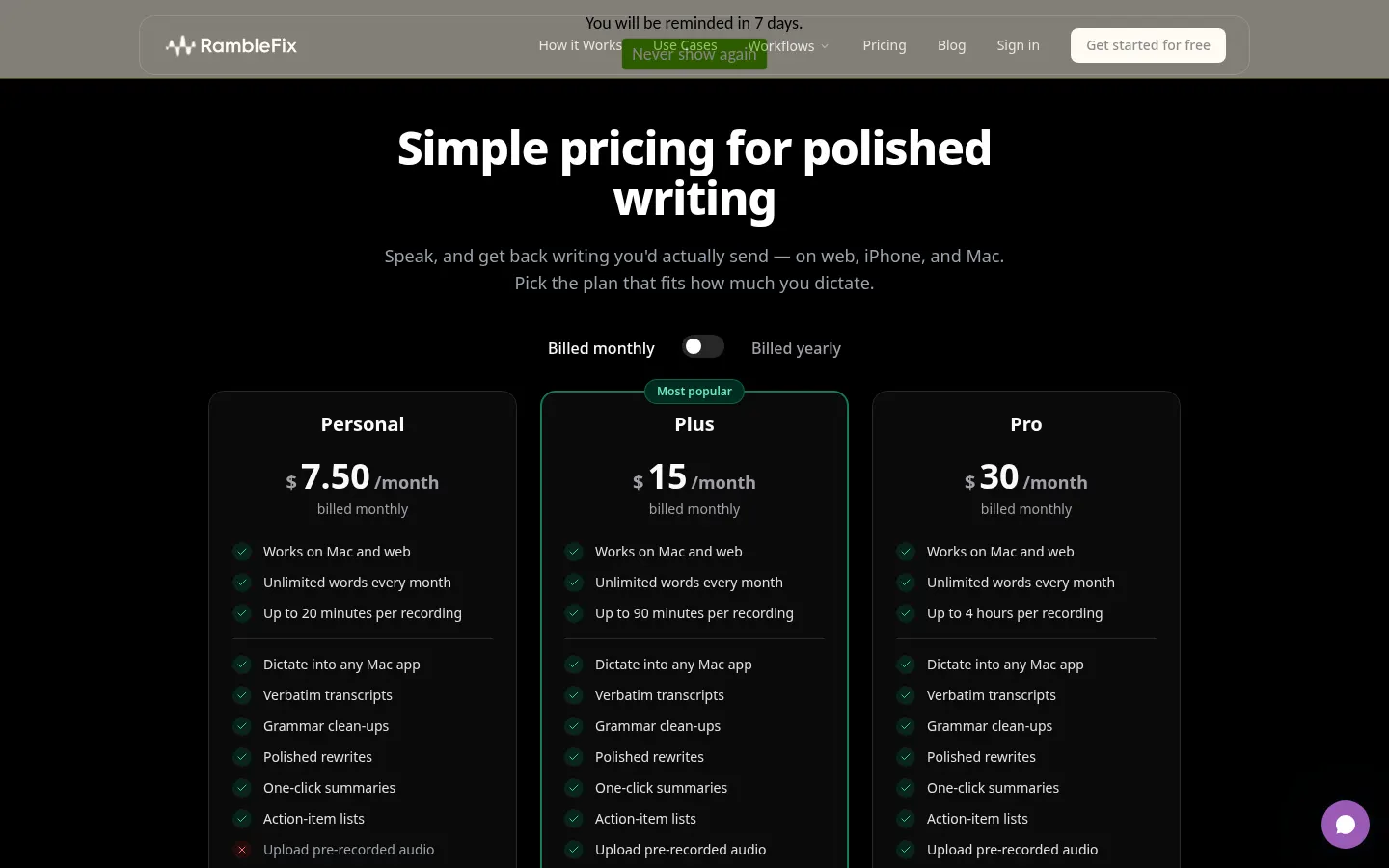
Mainly by the maximum length of each recording: 20 minutes, 90 minutes and 4 hours, according to the pricing page we checked.
Do paid plans cap the number of words?
No. On the pricing page, Personal, Plus and Pro are listed with unlimited words each month. The free plan is capped at 1,000 words.
Does it mimic my writing style?
The company lists a style-mimic option among its features, alongside grammar clean-ups and rewrites.
Is there a discount for yearly billing?
Yes. If you choose yearly billing they show a lower monthly equivalent and a yearly total; the amounts are in the pricing section.
RambleFix pricing and plans
Reference price: 7.5 USD / month. Source · Verified: November 10, 2026
Checked on: 10/11/2026, at ramblefix.com/pricing. Free plan: 1,000 words a month on Mac and web, no card. Billed monthly: Personal 7.50 USD/month (up to 20 minutes per recording), Plus 15 USD/month (up to 90 minutes; the featured plan) and Pro 30 USD/month (up to 4 hours). On yearly billing the monthly equivalents shown are 5, 10 and 20 USD (60, 120 and 240 USD a year, “save 4 months”). All three paid plans include unlimited words, Mac and web, dictation into any Mac app, verbatim transcripts, grammar clean-ups, rewrites, summaries, action-item lists, audio upload and style mimic. An Enterprise plan is available on request.
RambleFix Screenshots
RambleFix user reviews
Write a review
Checking your session...
RambleFix Reviews
Loading reviews...
RambleFix alternatives
AI Grammatic
AI Grammatic is a Mac app that rewrites selected text in any application with one shortcut so it sounds native, with tone control and translation built in.


ParagraphAI
ParagraphAI is an AI writing assistant for phone, browser and desktop that fixes grammar, drafts email replies in one tap, adjusts tone and translates.