
Share
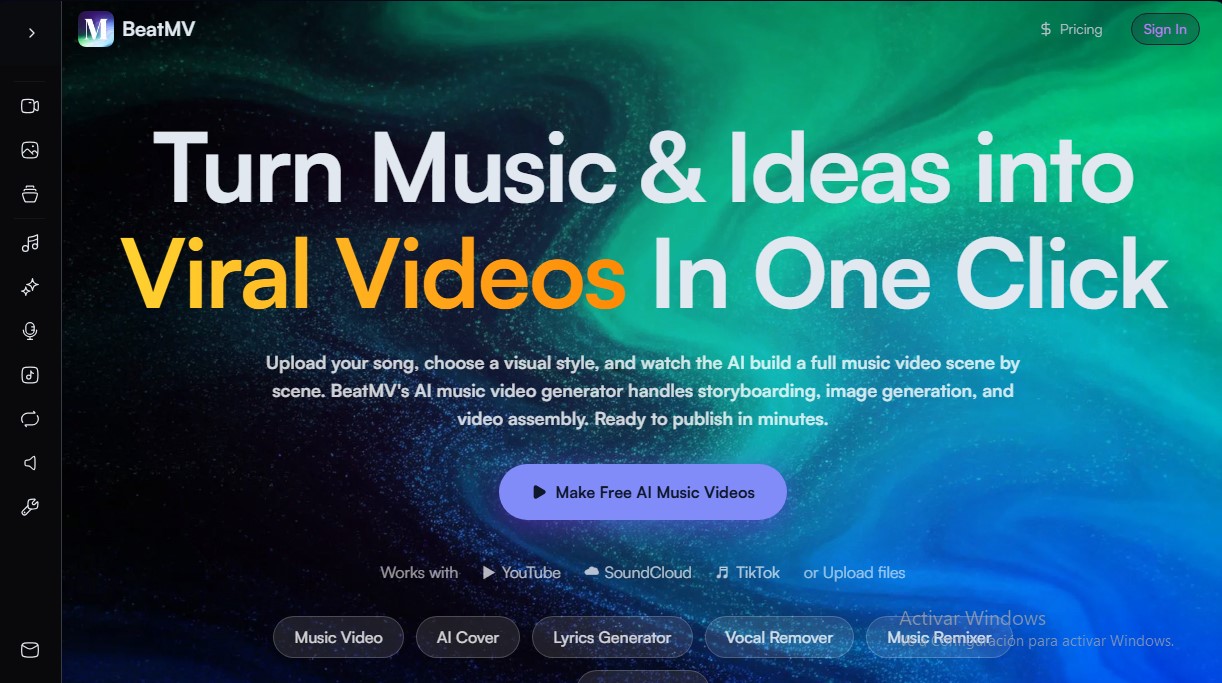
Create AI music videos by syncing scenes to the beat. Remix tracks, isolate vocals, generate lyrics, and design professional cover art.
What is BeatMV?
BeatMV is a comprehensive audiovisual content creation platform that uses artificial intelligence to transform songs and ideas into professional music videos. This tool is designed so that independent musicians, content creators, and brands can generate high-quality visual pieces without needing advanced technical video editing skills. Its core feature is the AI music video generator, which is capable of processing local audio files or direct links from platforms like YouTube and SoundCloud to create automatically synchronized scenes.
The functionality of BeatMV is based on advanced audio track analysis, where the AI detects the rhythm (BPM), song structure, and the sentiment of the lyrics. Through its AI Director Mode, the tool develops a storyboard, selects camera angles, and generates images that it assembles autonomously into a final video. For users seeking greater creative control, Custom Mode allows them to define specific scene descriptions, maintain character consistency using reference photos, and adjust the visual style frame by frame.
The tool's most notable capabilities include:
- Beat synchronization and transitions: Scene changes and visual effects automatically react to "drops" and shifts in the music's energy.
- AI Lip Sync: This allows generated characters to realistically synchronize their lip movements with the song's vocals and lyrics.
- Variety of visual styles: It offers more than 20 predefined styles, including anime, cinematic, cyberpunk, 3D render, and watercolor, adaptable to any musical genre.
- Specialized video modes: It features Story mode for cinematic narratives, Singing for close-up vocal performances, and Dancing for choreography with dynamic camera angles.
- Audio editing suite: Includes utilities such as a lyrics generator, an AI music remixer, a vocal remover for extracting clean tracks, and an AI Cover creator.
The versatility of BeatMV allows for exporting content in multiple formats (16:9, 9:16, and 1:1), optimizing the piece for publication on TikTok, Instagram Reels, or YouTube. In addition to video creation, the platform facilitates the generation of additional assets like album covers through its AI image generator and precise file adjustments via the integrated audio trimmer. It is an efficient solution for those who need to transform an MP3 file into a professional visual product from their computer in just a few minutes, eliminating traditional production barriers.
BeatMV features and use cases
How to use BeatMV
BeatMV FAQ
What exactly is BeatMV and what is it used for?
BeatMV is an AI platform designed to easily and automatically transform songs and ideas into professional music videos.
How do I create a music video from a song using BeatMV?
Simply upload your audio file or paste a YouTube link, and the AI will handle the rest—generating a storyboard and syncing the scenes to the beat.
Which audio platforms are compatible with the tool?
You can upload MP3 files directly or use links from popular platforms like YouTube, SoundCloud, and TikTok to start your project.
How many visual styles does BeatMV offer for customizing my videos?
The tool offers over twenty different styles—including options like anime, cinematic, cyberpunk, and watercolor—to fit any musical genre.
Can I export videos in specific formats for TikTok or Instagram?
Yes, you can choose from various aspect ratios like 16:9, 9:16, or 1:1, making your creations ready to post on any social media platform.
Can I use the videos generated with BeatMV for commercial purposes?
Users on paid subscription plans receive a commercial license, allowing them to publish and monetize their content without legal restrictions.
Is there a way to try BeatMV for free?
The platform offers a free plan that lets you experiment with basic music and lyric generation features before committing to a subscription.
Does the tool allow me to edit individual scenes in the video?
The BeatMV editor allows you to modify the storyboard scene by scene, so you can regenerate images or adjust descriptions to match your creative vision.
BeatMV pricing and plans
Free - 0 $ per month
- 10 credits.
- Music generation from text and lyrics.
- AI tools: lyrics generator, remixer, image generator, and instrument generator.
- MP3 and WAV file downloads.
- Access to the latest models and lyrics visualization.
- 7-day cloud storage and shared generation queue.
- Restriction: Audio file uploads not supported.
Starter Plan - 19,90 $ per month
- 300 monthly credits (estimated at 100 songs, 100 images, and 1+ min of video).
- Includes all features: AI music video generator, vocal remover, and stem splitter.
- Commercial license.
- Audio file uploads up to 4 minutes per track.
- Permanent cloud storage.
- Parallel generation for up to 3 simultaneous tasks.
Pro Plan - 59,90 $ per month
- 1,600 monthly credits (estimated at 533 songs, 533 images, and 8+ min of video).
- Full access to all AI music and video creation tools.
- Commercial license.
- Extended audio file uploads up to 8 minutes per track.
- Permanent cloud storage.
- Parallel generation for up to 3 simultaneous tasks.
BeatMV Screenshots
BeatMV alternatives

Lumina by ByteDance
Create cinematic videos, images, and music clips with AI. Design shots, edit with precision, and generate professional scenes from storyboards.
EasyMusic.AI
Generate professional songs, lyrics, and music videos with AI. Edit tracks, isolate vocals, and create soundtracks with no musical experience required.