

Share
Generate 4D volumetric videos via Gaussian Splatting. Optimize multi-camera shots for game engines, browsers, and XR headsets with photorealistic streaming support.
What is Gracia?
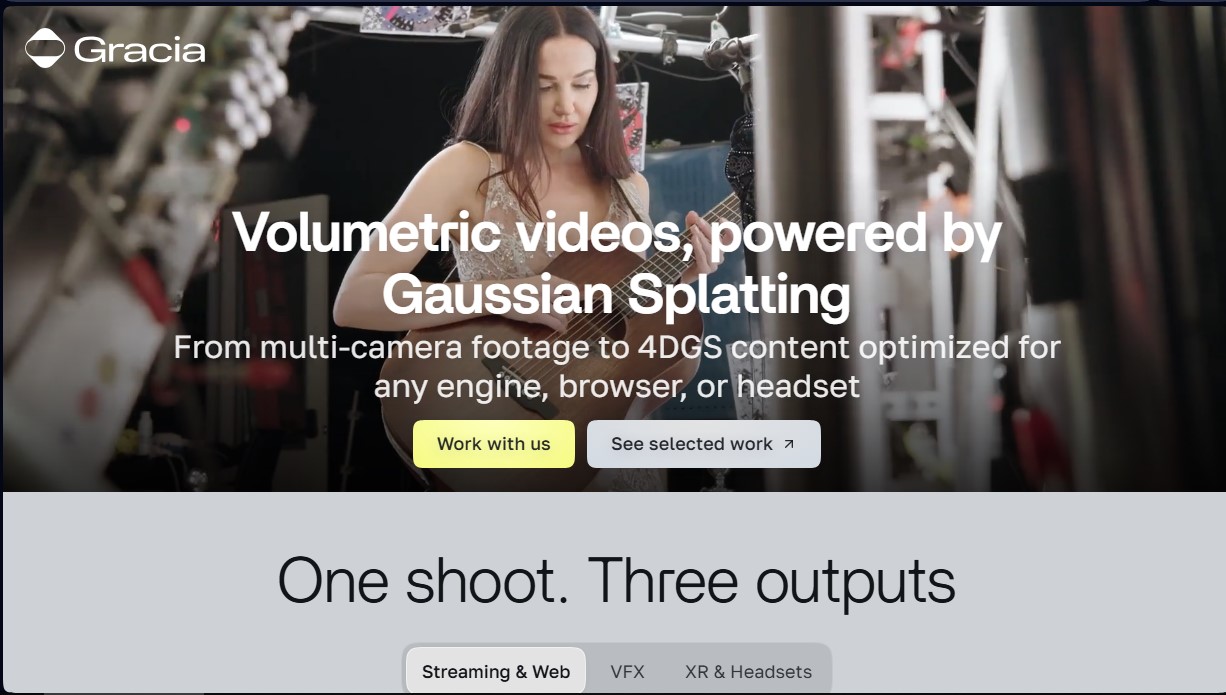
Gracia is an advanced volumetric video platform that utilizes Gaussian Splatting technology to transform multi-camera recordings into interactive 4DGS content. Its primary function is to enable the creation of photorealistic visual experiences that can be viewed across various environments, from computers or mobile devices via a browser to extended reality (XR) headsets. This tool is designed for production studios, VFX content creators, and developers looking to integrate real humans or scenes into digital environments with superior technical fidelity.
Gracia's operation is based on a process of spatial and temporal reconstruction. 4DGS (4D Gaussian Splatting) technology allows for the capture of not only geometry and color but also movement with optimized temporal stability. The workflow begins with capture in a 360° studio or using synchronized portable equipment. To ensure professional results, the system requires cameras with genlock and shutter synchronization, supporting equipment ranging from iPhones to professional Sony FR7 or Blackmagic cameras. Once processed, the content is distributed in formats such as .mint or .PLY sequences.
One of the tool's greatest advantages is its WebXR streaming capability, which allows access to content without the need to download additional applications. Gracia offers different quality levels based on the project's final destination:
- Streaming and Web: Optimized for fast loading with a density between 100K and 125K splats.
- XR and Headsets: Designed for virtual and mixed reality, with a resolution of up to 300K splats.
- VFX and Broadcast: Cinematic quality reaching up to 1 million splats for high-level post-production processes.
Using Gracia provides significant practical benefits in specific sectors. In sports, it allows for the generation of slow-motion replays by capturing every micro-movement with precision. In fashion, it maintains the fidelity of fabrics and textures, while in music, it enables the recording of artists' exact performances. For visual effects professionals, the tool offers total creative freedom, allowing the desired camera angle to be chosen after filming. Additionally, integration is seamless thanks to its SDKs for Unity and Unreal Engine, as well as compatibility with Blender and Adobe After Effects, facilitating the implementation of 4D video in video games or next-generation interactive experiences.
Gracia features and use cases
How to use Gracia
Gracia FAQ
What is Gracia and what technology does it use?
Gracia is a volumetric video creation platform that uses Gaussian Splatting technology to generate 4D content optimized for game engines, browsers, and headsets.
How much does it cost to process content with Gracia?
The cost is $800 per minute for streaming or VR content and $2,500 per minute for cinema-quality VFX productions.
Does Gracia handle the filming or just the processing?
The company focuses exclusively on data processing, so clients must handle the capture through a partner studio or with their own equipment following Gracia's technical guidelines.
What technical requirements must cameras meet for the Gracia system?
It is essential for cameras to feature hardware shutter synchronization and genlock; models such as the Sony FR7, Blackmagic, or iPhone 17 are recommended.
What file formats are provided after processing?
Files are delivered in a proprietary .mint format to ensure temporal stability or as a .PLY sequence, and they are compatible with Unity, Unreal Engine, and WebXR.
Is a free trial of the service available?
Yes, we offer free processing for one to two minutes of footage to validate the camera rig configuration and workflow before a project is finalized.
How many cameras are needed for a full 360-degree capture?
To achieve optimal volumetric reconstruction of the entire environment, a setup of approximately 60 synchronized cameras is typically required.
What capture devices should be avoided when working with Gracia?
GoPro or Insta360 cameras are not recommended because they do not provide reliable hardware synchronization for volumetric reconstruction.
Gracia pricing and plans
Free Trial
1 to 2 minutes of free processing.
Designed to validate capture rigs and workflows.
Available for new partners and international clients.
Streaming/VR Tier: $800 per processed minute
Optimized for web streaming and XR (Virtual Reality) devices.
100K–125K splat limit for the streaming version.
200K–300K splat limit for the VR version.
A minimum charge per processed segment applies.
3–5 day delivery in .mint or .PLY formats.
VFX Tier: $2,500 per processed minute
Professional quality for film or broadcast television.
Up to 1 million splats for maximum fidelity.
Post-production creative freedom to choose angles after filming.
Compatible with Unity, Unreal Engine, and WebXR SDKs.
Discounts and Additional Services
Volume discounts available for processing over 40–50 minutes per year.
Capture services are separate and managed through partner studios (estimated cost of $15,000 to $20,000 per day).
Gracia Screenshots
Gracia alternatives
AI Microdrama Generator by Picsart
Create vertical micro-drama series with consistent characters. Plan seasons, generate scripts, and produce AI-powered short episodes with cliffhangers.

DomoAI AI Drama Generator
Create AI vertical minidramas and short series. Use recurring characters and lip-synced dialogue to produce social media episodes in minutes.


Burning Bridges AI
Create custom videos by inserting your photos into preset scenes. Swap the lead and audience while keeping the original choreography and audio.


KiwiMotion AI
Generate videos, images, voices, and avatars with AI. Features motion control, voice cloning, background removal, and professional file upscaling.