Browserbeam
Share
Browserbeam
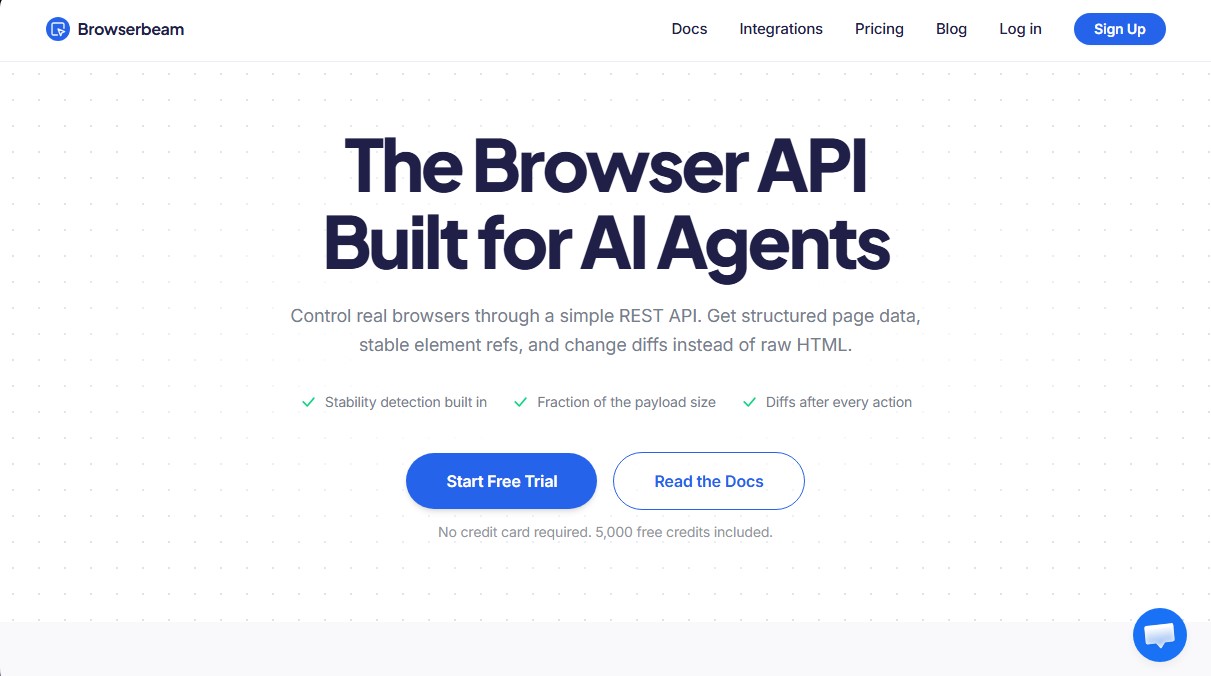
REST API for AI agents to control browsers and extract structured data. Delivers markdown content and detects changes to optimize token usage.
General Information about Browserbeam
Browserbeam is a RESTful Application Programming Interface (API) specifically designed to allow AI agents to control real browsers efficiently. Unlike traditional tools that return dense, hard-to-process HTML code, this platform provides structured page data, stable element references, and change comparisons (diffs), significantly optimizing token consumption for Large Language Models (LLMs).
Browserbeam’s operation focuses on simplifying the interaction between code and the web. With a single request, the system can navigate to a URL, automatically dismiss cookie notices or pop-ups, and return the content in Markdown format. This technology includes built-in stability detection, ensuring the AI agent only acts when the page is fully loaded and ready for interaction, preventing errors caused by miscalculated timeouts.
Key functional capabilities and practical benefits for AI tool development include:
- Interactive Element Registration: Assigns short, stable references (such as e1, e2) to buttons and fields, allowing the software to interact with the page without relying on brittle CSS selectors that often break when web designs change.
- Diff Tracking: After each action, the API identifies and returns only the added, removed, or modified elements, allowing the agent to process only the new information.
- AI Semantic Extraction: Uses smart selectors (via the ai >> syntax) to locate specific data based on natural language, facilitating web scraping on sites with dynamic classes or complex structures.
- Advanced Scroll Management (Scroll Collect): Automatically handles infinite scrolling and lazy loading, deduplicating content to deliver a unified observation of up to 50,000 characters.
- Workflow Automation: Includes features for simplified form filling, PNG screenshots, and custom JavaScript execution.
Browserbeam is an ideal solution for developers building autonomous AI agents, QA testing systems, or workflow automation processes. As an API-based solution, it eliminates the need to manage local browser infrastructures like Puppeteer or Playwright. Additionally, it offers native integration via SDKs for Python, TypeScript, and Ruby, as well as compatibility with MCP servers for coding assistants. Its architecture allows for cookie injection to maintain active sessions and automatic CAPTCHA solving, ensuring a smooth and professional browsing experience.
Features and Use Cases of Browserbeam
How Browserbeam Works
Frequently Asked Questions about Browserbeam
What is Browserbeam and what is it used for?
It is a REST API designed for AI agents to control real browsers, making it easy to extract structured data from websites and perform complex actions.
How does Browserbeam differ from tools like Puppeteer or Playwright?
Unlike those libraries, Browserbeam returns content directly in Markdown, detects page stability, and offers automatic change tracking to save tokens.
Do I need to manage servers or install Chrome to use Browserbeam?
No software installation or Chrome binary maintenance is required, as the entire browser infrastructure is managed remotely in the cloud.
How does Browserbeam handle cookie notices and pop-ups?
The tool includes an automatic dismissal feature that detects and closes cookie banners, subscription pop-ups, and chat widgets so they don’t interrupt navigation.
What is included in the Browserbeam free trial?
The trial offers 5,000 free credits to evaluate all API capabilities in real-world environments without needing to provide a credit card.
How does Browserbeam help reduce token usage in language models?
By sending only relevant content in Markdown and detected changes instead of the entire HTML code, the volume of data the AI needs to process is significantly reduced.
What happens to my data privacy during a session?
Each session runs in a fully isolated browsing context with its own cookies and storage, and all data is permanently deleted when the session ends.
How does Browserbeam’s credit system work?
Usage is based on a monthly credit pool that is consumed according to execution time, residential proxy usage, CAPTCHA solving, and the use of AI-powered selectors.
Can I use Browserbeam with programming languages that don’t have an official SDK?
Yes, since it is a standard REST API, any language capable of making HTTP requests can interact with the tool to control the browser.
What types of element selectors does the tool provide?
In addition to traditional selectors, it allows the use of AI-powered smart selectors that find elements by their semantic description and remember their location for future use.
Browserbeam Pricing
Free Trial: 0 $
5,000 free evaluation credits.
No credit card required.
Starter: 29 $ / month
500,000 credits per month.
Up to 5 concurrent sessions.
15-minute maximum session duration.
Residential and data center proxies included.
Access to AI selectors and semantic extraction.
Automated CAPTCHA solving.
Pro: 99 $ / month
2,000,000 credits per month.
Up to 50 concurrent sessions.
30-minute maximum session duration.
Residential and data center proxies included.
Access to AI selectors and semantic extraction.
Automated CAPTCHA solving.
Scale: 299 $ / month
10,000,000 credits per month.
Up to 100 concurrent sessions.
1-hour maximum session duration.
Residential and data center proxies included.
Access to AI selectors and semantic extraction.
Automated CAPTCHA solving.
Credit Consumption Rates:
Runtime: 1 credit per second.
Data center proxy traffic: 35 credits per MB.
Residential proxy traffic: 350 credits per MB.
AI Selectors: 15 credits per 1,000 AI tokens.
CAPTCHA Solving: 75 credits per successful resolution.
Unused credits expire at the end of the monthly period.
Browserbeam Screenshots