
Share
Open-source, self-hosted document processing API. Converts PDFs and Office files into structured content with OCR and table detection for AI applications.
What is ParseCrate?
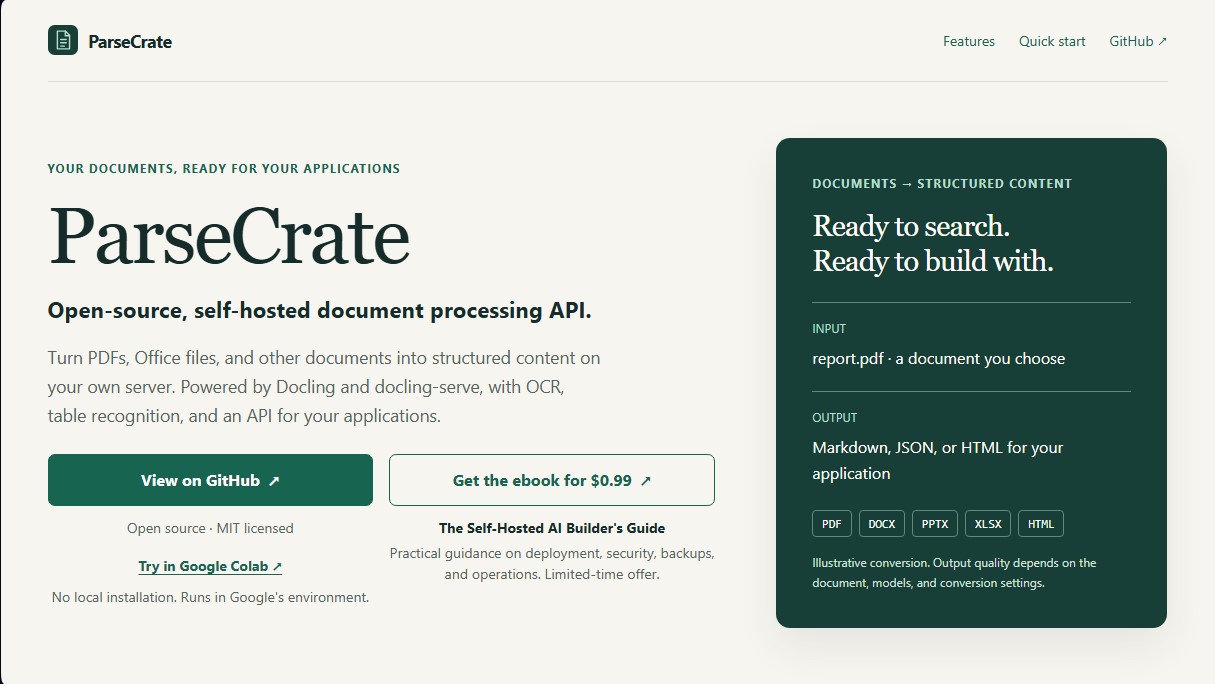
ParseCrate is an open-source solution designed for secure, local document processing. It is a self-hosted document processing API that allows you to transform PDFs, Office documents (such as DOCX, PPTX, and XLSX), and HTML into structured content. By running on the user's own server, it ensures that sensitive data never leaves their infrastructure, providing total control over privacy and information flow.
The technology powering ParseCrate is based on Docling and docling-serve, specialized engines for technical data extraction. The system utilizes advanced optical character recognition (OCR) and table recognition capabilities to interpret not only the text but also the visual structure and reading order of the files. Conversion results are delivered in Markdown, JSON, or HTML formats, facilitating easy integration into databases or search applications.
This tool is specifically geared toward developers who need to prepare data for Retrieval-Augmented Generation (RAG) systems. Its core features include:
- Multi-format Document Conversion: Supports everything from scanned PDFs to spreadsheets and presentations, converting them into usable structured text.
- Data Chunking: Offers specific endpoints for hierarchical and hybrid chunking, optimizing text fragments for subsequent conversion into embeddings.
- Flexible Processing: Enables synchronous task management for immediate responses or asynchronous processing for handling large volumes of documents in the background.
- Docker Deployment: Distributed as container images compatible with amd64 and arm64 architectures, allowing execution on both CPUs and NVIDIA GPUs via CUDA for accelerated performance.
- Offline Mode: Can be configured to operate without an internet connection, using pre-cached models to ensure complete data sovereignty.
ParseCrate acts as a cornerstone in a self-hosted AI stack, serving as a bridge between raw documents and end-user applications. Its ability to extract tables and maintain document hierarchy ensures that information retrieved by language models is accurate and contextualized. Additionally, it includes an optional web playground that allows users to interactively test extraction quality before automating processes via the API. It is a robust option for those seeking a professional alternative to cloud-based extraction services while maintaining performance and security on their own computer or enterprise server.
ParseCrate features and use cases
How to use ParseCrate
ParseCrate FAQ
What exactly is ParseCrate, and what is its purpose?
It is an open-source, self-hosted solution that converts PDF and Office documents into structured formats such as Markdown, JSON, or HTML via an API.
What file formats can ParseCrate process?
The tool supports PDF, DOCX, PPTX, XLSX, and HTML files, efficiently extracting text, tables, and document structure.
Do I need to pay for a license to use ParseCrate?
No. The project is distributed under the MIT license and is free to use. Users are only responsible for their own hardware or cloud hosting costs.
Can the tool be run offline?
Yes. You can process files locally using the included or cached models by enabling the offline-only configuration.
Does ParseCrate include Optical Character Recognition (OCR) features?
Yes. It features OCR and table recognition capabilities to extract data from scanned documents while preserving the original layout.
Does ParseCrate support GPU hardware acceleration?
The tool works with standard CPUs and also provides a specific Docker image to leverage the power of NVIDIA GPUs.
How is API access managed?
The system automatically generates an API key during installation, which must be included in the request headers to perform conversions.
Can ParseCrate be used to build a full information retrieval application?
The tool handles document conversion and chunking, but the user must provide their own embedding model and vector database.
Can I try ParseCrate without installing it locally?
Yes. A demo is available on Google Colab, allowing you to process documents in a cloud environment before deploying the tool on your own servers.
What are the minimum technical requirements for deployment?
You need a Linux system with Docker installed, along with sufficient RAM and disk space to manage documents and processing models.
ParseCrate pricing and plans
Open Source Version: Free (Self-Hosted)
MIT open-source license for unlimited use on your own infrastructure.
Document conversion (PDF, Office, HTML) to Markdown, JSON, or HTML formats.
Includes OCR, table recognition, and document structure analysis.
Synchronous and asynchronous API processing.
Dedicated endpoints for hierarchical and hybrid chunking optimized for RAG.
Support for CPU execution and NVIDIA GPU acceleration.
Restrictions: The user is responsible for providing hardware or hosting and covering all associated costs.
"The Self-Hosted AI Builder's Guide": $0.99 (One-time payment)
Ebook providing practical guidance on deployment, security, backups, and operations for self-hosted AI builders.
Limited-time offer.
ParseCrate Screenshots
ParseCrate alternatives

Together Link
Connect coding agents to open models to cut costs. Keep your existing tools and settings while optimizing token usage in every session.


Optimus by Iacon Autonomics
Autonomous researcher designing experiments and evaluating algorithms to train AI models. Automates improvement cycles for LLMs, robotics, and various complex systems.


Sitelemetry
AI-powered web audit tool for security, SEO, accessibility, and AI visibility. Provides detailed evidence and technical remediation guides.

localscreenshot
localscreenshot is a screenshot API and MCP server for AI agents, returning clean captures of any web page on phone or desktop from 227 countries.