

Share
Cloud computer for building apps using natural language and managing AI agents. Unifies files, tools, and assistants in a private and secure environment.
What is Matrix OS?
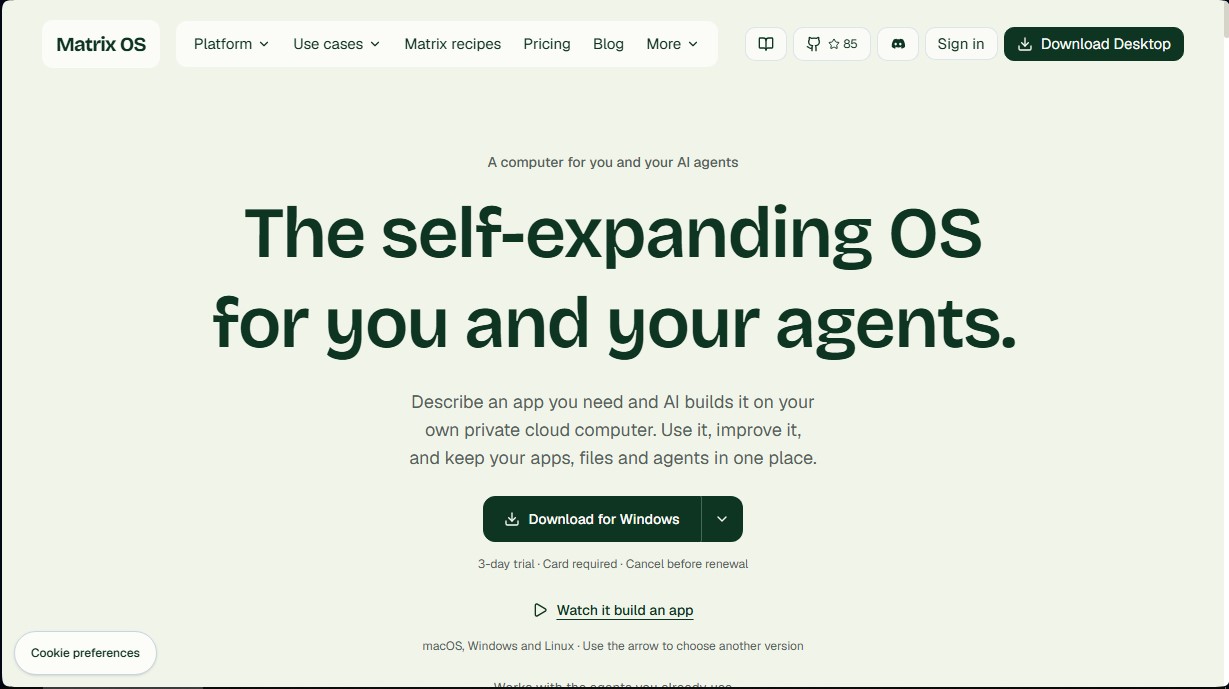
Matrix OS is a cloud operating system designed specifically for seamless interaction between users and AI agents. It is defined as a self-expanding platform where users can describe an application using natural language, and the AI takes over building, deploying, and maintaining it within a private remote computer. This environment centralizes files, tools, and agents into a single persistent workspace, eliminating data fragmentation across different services.
The functionality of Matrix OS is built on an ecosystem of computing, inference, and integrations. Through an interface that combines a terminal, chat, and browser, users can request specific features, such as a task manager or a custom dashboard. AI agents execute the code and manage the required database in real time. Since it is an always-on cloud computer, tasks and processes can continue running in the background even if the user logs out of their local computer.
In terms of technological compatibility, the tool allows for the integration of industry-leading external agents such as Claude Code, Codex, Gemini CLI, Cursor, or Pi. Additionally, it offers specialized native agents: Hermes, designed for workflows connected to third-party tools, and Symphony, focused on coordinated programming. The execution core is open-source under the AGPL-3.0 license, which ensures transparency and allows for self-hosting by technical users.
Key capabilities and benefits of Matrix OS:
- On-demand software creation: Generate functional applications like trackers, planners, or custom dashboards without the need to write code manually.
- Unified workspace: Agents, files, and applications share the same context, making it easier for the AI to access the information needed to perform complex tasks.
- Advanced connectivity: Direct integration with external services like GitHub, Google Drive, Gmail, Slack, and Calendar to automate workflows.
- Multi-platform access: The system is accessible via native applications for Windows, macOS, and Linux, as well as through web browsers and a command-line interface (CLI).
- Data privacy: Each user has an isolated instance where their files and databases reside, maintaining full control over their information.
This tool is particularly useful for developers, productivity professionals, and teams that require a cloud computing environment where artificial intelligence is more than just a chatbot—it's an agent capable of building and operating useful tools autonomously. Matrix OS transforms the way personal software is managed, allowing the system to grow and adapt according to the user's needs.
Matrix OS features and use cases
How to use Matrix OS
Matrix OS FAQ
What exactly is Matrix OS and how does it work?
It’s a cloud-based operating system that lets you build custom apps and manage files using AI agents just by describing what you need.
Do I need a powerful computer to use Matrix OS?
No, because all the heavy lifting happens on your private cloud computer. You simply access it through the desktop app or your web browser.
Are AI agent subscriptions included in the monthly price?
No. Your Matrix OS payment covers the cloud computer usage, while access to models like Claude or Gemini is managed independently through their respective providers.
Will my agents keep working if I close the Matrix OS app?
Yes. Our plans include always-on computers, allowing your tasks and agents to keep running in the background even when you're offline.
What happens to my data and files on the platform?
Your files and databases live on an isolated, private cloud computer under your control, ensuring both data security and portability.
Can I try Matrix OS before committing to a paid plan?
We offer a three-day free trial for your account's first cloud computer. A credit card is required, but you can cancel anytime before you're charged.
Is Matrix OS open source?
Yes. The runtime engine is open source under the AGPL license. It even supports manual self-hosting for advanced users who prefer to manage their own servers.
What kind of agents can I use in my workspace?
You can bring your own accounts for tools like Claude Code, Codex, Cursor, or Gemini CLI to work directly on your cloud-based files and applications.
Matrix OS pricing and plans
3-day free trial
Available for Starter, Builder, and Max plans. Requires a credit card; the selected plan will be automatically billed at the end of the trial period unless canceled.
Starter ($20/mo)
One concurrent agent or task.
Always-on cloud computer.
Automatically assigned region.
Standard startup queue.
Limited storage and snapshot history.
Note: AI model costs are billed separately by the chosen provider.
Builder ($100/mo)
Continuous execution.
Three parallel agents.
Scheduled tasks and background execution.
Server region selection available.
Increased storage capacity.
7-day snapshot history.
Fast startup and priority access capacity.
Note: AI model costs are billed separately by the chosen provider.
Max ($200/mo)
Six to eight parallel agents.
Maximum compute capacity.
Multiple workspaces.
30-day snapshot history.
Static IP and custom images.
Priority support and access capacity.
Note: AI model costs are billed separately by the chosen provider.
Enterprise (Custom pricing)
Tailored compute capacity.
Security review and custom deployment.
Dedicated support and capacity for the organization.
Deployment planning adapted for teams.
Matrix OS Screenshots
Matrix OS alternatives






Agent-Native
Agent-Native is an open-source TypeScript framework for building AI agents with a proper UI, where the agent and the interface share actions, data and state.