Share
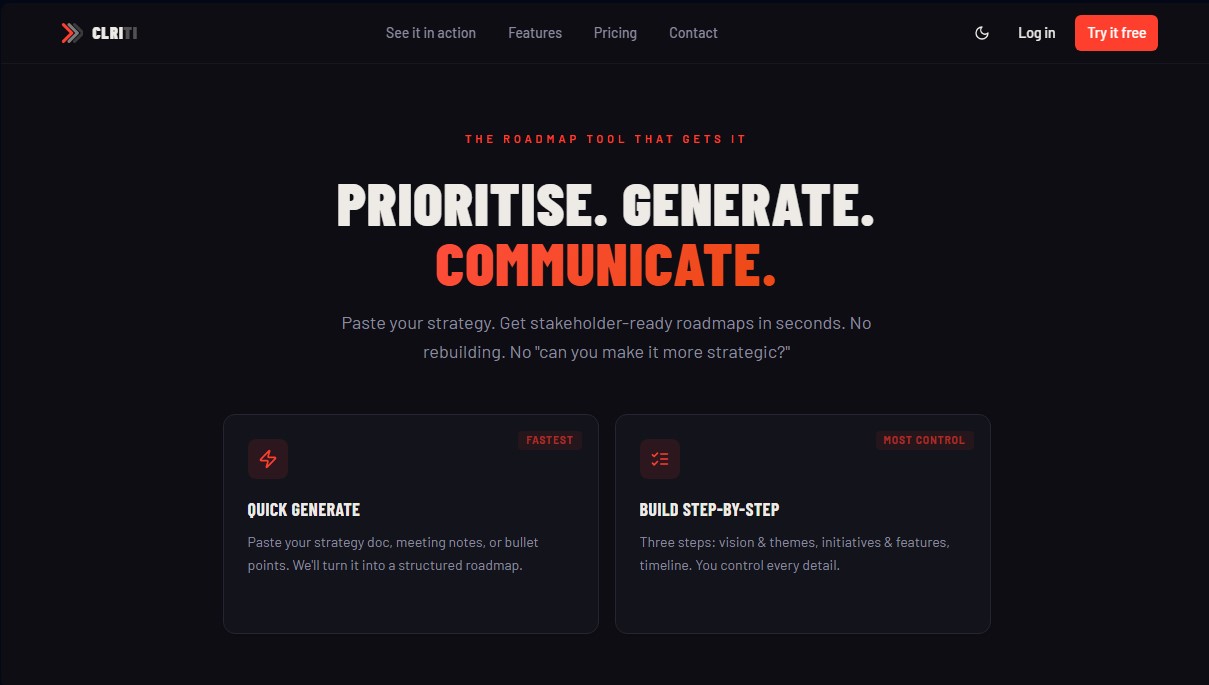
Create professional roadmaps by pasting your strategy or documents. Prioritize goals with AI and build custom views for every audience with zero extra effort.
What is CLRITI?
CLRITI is an AI-powered product roadmap management tool that transforms strategy documents into structured visual plans in seconds. Its core function is to eliminate the manual labor of reconstructing timelines, allowing product teams to instantly turn an idea, meeting minutes, or text document into a stakeholder-ready presentation.
CLRITI works by leveraging its AI’s natural language processing capabilities to extract logical structures from unorganized text. Users simply paste their strategy documents, meeting notes, or bulleted outlines into the platform. The tool analyzes the content and automatically generates various roadmap views. Additionally, it features an AI command bar that allows for quick edits via simple instructions—such as adding initiatives, shifting timelines, or reprioritizing items—without having to navigate complex menus.
Key technical capabilities include the integration of industry-standard prioritization methodologies, such as RICE scoring (Reach, Impact, Confidence, and Effort) and the MoSCoW matrix (Must, Should, Could, Won't). This makes it easier for the product manager to make decisions based on data and quantitative logic before committing to dates. The platform also supports PDF document uploads to automatically extract the structure of existing projects.
One of CLRITI’s operational advantages is its multi-audience focus. From a single data source, the software generates specific versions for different profiles:
- Strategic views for executives, centered on high-level objectives.
- Gantt charts and dependency chains for engineering and development teams.
- Sales views featuring key launch dates for commercial departments.
- Dynamic formats such as Now/Next/Later, Swimlanes, and quarterly delivery timelines.
The tool optimizes corporate communication through an integrated presentation mode and the ability to export results into professional formats like PowerPoint (PPTX), PDF, or PNG with customizable visual styles. To protect sensitive information, it includes an external mode that automatically hides internal dates, private notes, and technical dependencies before sharing a link with clients or external partners.
CLRITI is designed for product teams, project managers, and CTOs who need to align multiple departments under a single strategic vision. Its collaborative environment allows for real-time work from a desktop, enabling users to invite editors and share read-only links, ensuring all stakeholders always have access to the most recent version of the work plan.
CLRITI features and use cases
How to use CLRITI
CLRITI FAQ
What is CLRITI and how does it help me create roadmaps?
It is a tool designed to transform your strategy documents or meeting notes into structured, visual roadmaps in a matter of seconds.
How does rapid AI generation work in CLRITI?
Simply paste your strategy document or key points, and the tool will process the text to automatically create a roadmap with multiple views.
Can I tailor the same CLRITI roadmap for different audiences?
Yes, you can switch between eight different display formats to present a strategic overview to executives or a technical level of detail to the engineering team.
Do I have to pay a subscription fee for each additional team member?
No, the pricing model is a flat rate per team rather than per seat, allowing you to invite multiple editors based on your chosen plan without extra per-person costs.
What prioritization methodologies does the tool include?
The system allows you to use the MoSCoW and RICE models to score and organize initiatives based on objective data such as impact or effort.
Is it possible to export my work to present it outside of the platform?
You can export your roadmaps in PDF, PowerPoint, or PNG formats to send them via email or include them in your corporate presentations.
What features does CLRITI's External Mode offer when sharing a link?
This option automatically hides internal dates, dependencies, and private notes to generate a version of the roadmap that is completely safe for clients.
What happens to my data if I decide to cancel my paid subscription?
Your roadmaps will be preserved and your account will simply move to the free plan, maintaining access to basic features and three AI generations per month.
How does CLRITI facilitate quick editing of timeline elements?
You can use the AI command bar to add initiatives or change priorities by typing natural language commands without navigating through complex menus.
CLRITI pricing and plans
Free Plan
Price: £0 per month (free forever).
- 1 roadmap.
- 2 view formats (feature audience and monthly horizon).
- PNG export with watermark.
- Individual use (no project sharing).
- Limit of 3 AI generations per month.
Pro Plan
Price: £19 per month (20% discount with annual billing).
- Unlimited roadmaps.
- Access to all view formats, audiences, and horizons.
- Invite up to 3 editors per project.
- Custom themes and branding.
- PDF and PPTX export without watermarks.
- AI command bar and shareable stakeholder links.
- Feature prioritization using the MoSCoW method.
- Priority view format.
- Limit of 30 AI generations per month.
Team Plan
Price: £49 per month (20% discount with annual billing).
- Includes all Pro plan features.
- Invite up to 6 editors per project.
- MoSCoW and RICE scoring systems.
- External mode (secure roadmap views for clients, excluding internal data).
- Presentation mode and delivery timeline.
- Read-only view links.
- Priority support.
- Limit of 100 AI generations per month.
Enterprise Plan
Price: Contact sales.
- Single Sign-On (SSO).
- Jira integration.
- Custom AI prompts.
- Service Level Agreement (SLA).
CLRITI Screenshots