
Share
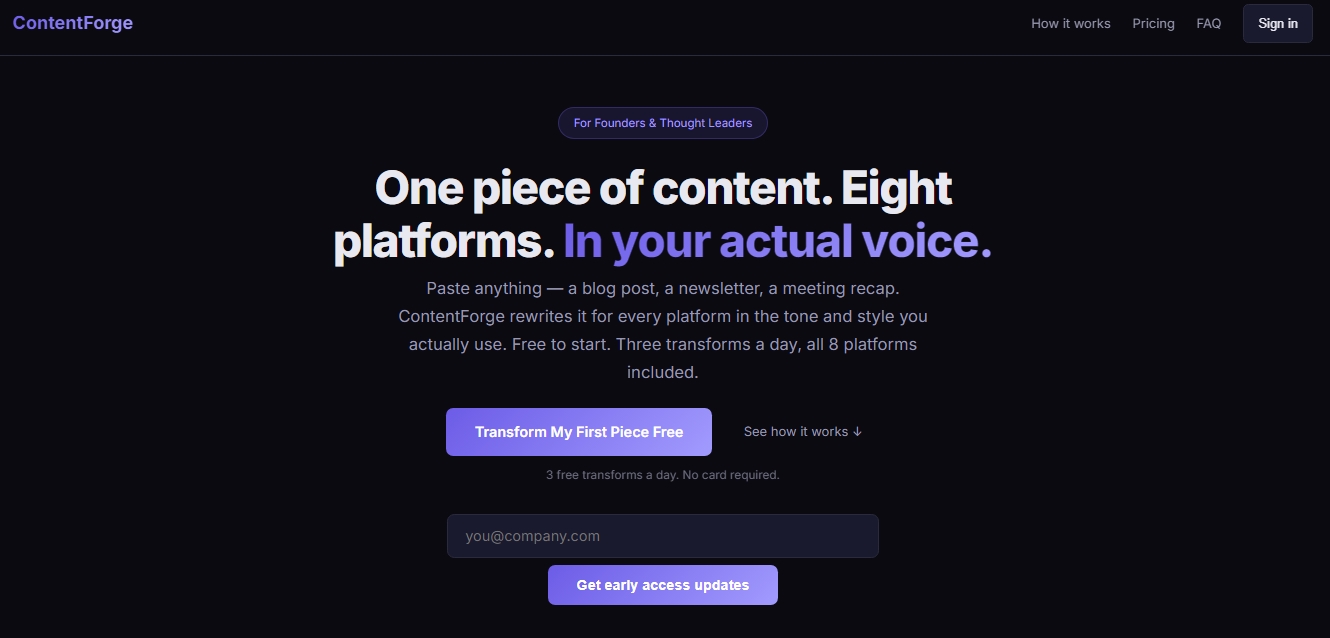
Adapt content for eight platforms in your own style. Generate social media posts and emails while always maintaining your personal voice.
What is ContentForge?
ContentForge is an AI tool designed for efficient and professional content repurposing. Its primary function is to transform a single piece of original text—such as a blog post, meeting summary, or newsletter—into optimized posts for up to eight different platforms. Unlike other generic generators, this application focuses on maintaining the user's personal voice and style, avoiding the typical robotic tone of conventional AI through a personalized learning system.
ContentForge's operation is structured into a streamlined three-step workflow. First, the user inputs the source material into the dashboard, which can range from a long draft to a video transcript or an email thread. Second, the destination channels are selected, including LinkedIn, X (Twitter), Instagram, Facebook, TikTok, YouTube, and email newsletters. Finally, the tool generates ready-to-publish versions that respect the length, tone, and native structure of each social network.
One of the platform's standout technologies is its Voice Wizard. This feature allows the AI to be trained by analyzing the user's previous writing samples to capture their syntactic patterns, vocabulary, and tone preferences. Thanks to this personalized voice modeling approach, the resulting content retains the author's essence, which is essential for founders, thought leaders, and professionals looking to scale their digital presence without losing authenticity.
Key capabilities and benefits of ContentForge include:
Multi-platform transformation: Instant adaptation of long-form content into X threads, LinkedIn posts, or Instagram captions.
Tone customization: The ability to adjust output to specific styles, whether professional, casual, witty, or inspirational.
Native optimization: Each piece of generated text automatically conforms to the rules of each platform, eliminating the need to manually edit formatting from a computer.
Varied source processing: Allows working with meeting notes, blog outlines, or product summaries to generate derivative content.
ContentForge acts as an advanced writing assistant that eliminates the manual workload in content distribution. It is an ideal solution for digital marketers, social media managers, and entrepreneurs who need to maintain a consistent presence across multiple channels. By automating the translation of a core idea into various formats, the tool facilitates the execution of a coherent, multi-channel content strategy, optimizing the time spent on daily post creation.
ContentForge features and use cases
How to use ContentForge
ContentForge FAQ
What is ContentForge and how can it help my content strategy?
ContentForge is a tool that transforms a single piece of text into optimized posts for eight different platforms while always maintaining your personal style and voice.
How many free transformations does ContentForge allow per day?
The free plan allows up to three daily transformations across all available platforms without the need to enter your credit card information.
Which social media networks can I publish content to using this tool?
You can create specific posts for LinkedIn, X, email, Instagram, Facebook, TikTok, and YouTube, as well as generate outlines for blog articles.
How does ContentForge’s Voice Wizard work to mimic my writing style?
This feature analyzes samples of your previous writing to identify your patterns and vocabulary, creating a unique voice profile that avoids generic AI-generated results.
What kind of content can I paste into ContentForge to start the transformation?
You can use blog posts, meeting notes, video transcripts, email threads, or any substantial text that you want to adapt for other networks.
What is the difference between using this platform and using ChatGPT directly?
Unlike generic tools, this platform is specifically designed to learn your unique voice and ensure content is consistent across all channels without the need to write complex prompts.
Is my content saved or used to train AI models?
We do not store your content on our servers or use it to train AI models; texts are processed in real time and belong exclusively to you.
Can I use ContentForge to manage my clients' social media accounts?
Yes, the Creator and Business plans are designed for professionals and agencies that need to adapt third-party content quickly and professionally.
What is the refund policy and trial period for the tool?
We offer a seven-day free trial for paid plans and a 30-day money-back guarantee if you decide the tool isn't the right fit for you after subscribing.
ContentForge pricing and plans
Free
$0 per month forever. The starter option for creators who want to try the tool without a credit card.
3 transformations per day.
Access to 8 integrated platforms.
Tone customization.
Creator
$19.99 per month (includes a 7-day free trial). Designed for creators who regularly automate their content adaptation.
50 transformations per day.
Access to 8 integrated platforms.
Tone customization.
Content history.
Priority processing.
1 custom Voice Profile.
Business
$49 per month (includes a 7-day free trial). Focused on teams that need to manage multiple brands or high workloads.
Unlimited transformations.
5 Voice Profiles for different brands or writers.
Batch processing (CSV).
API access.
Team accounts.
ContentForge Screenshots
ContentForge alternatives





EditTextInImage
Edit and replace text in any image while preserving the original font and background. Ideal for fixing typos or translating signs and screenshots.