Csong.ai
Share
Csong.ai
Turn text, lyrics, and ideas into original songs with vocals and music. Compare versions, extract vocals, extend tracks, and export in high-quality formats.
General Information about Csong.ai
Csong.ai is a specialized platform for AI song creation that allows you to transform text, lyrics, and original ideas into complete musical compositions featuring both vocals and instrumental accompaniment. This tool is designed to provide a comprehensive workflow for content creators, musicians, and hobbyists looking to generate personalized music without the need for a professional recording studio or advanced composition skills.
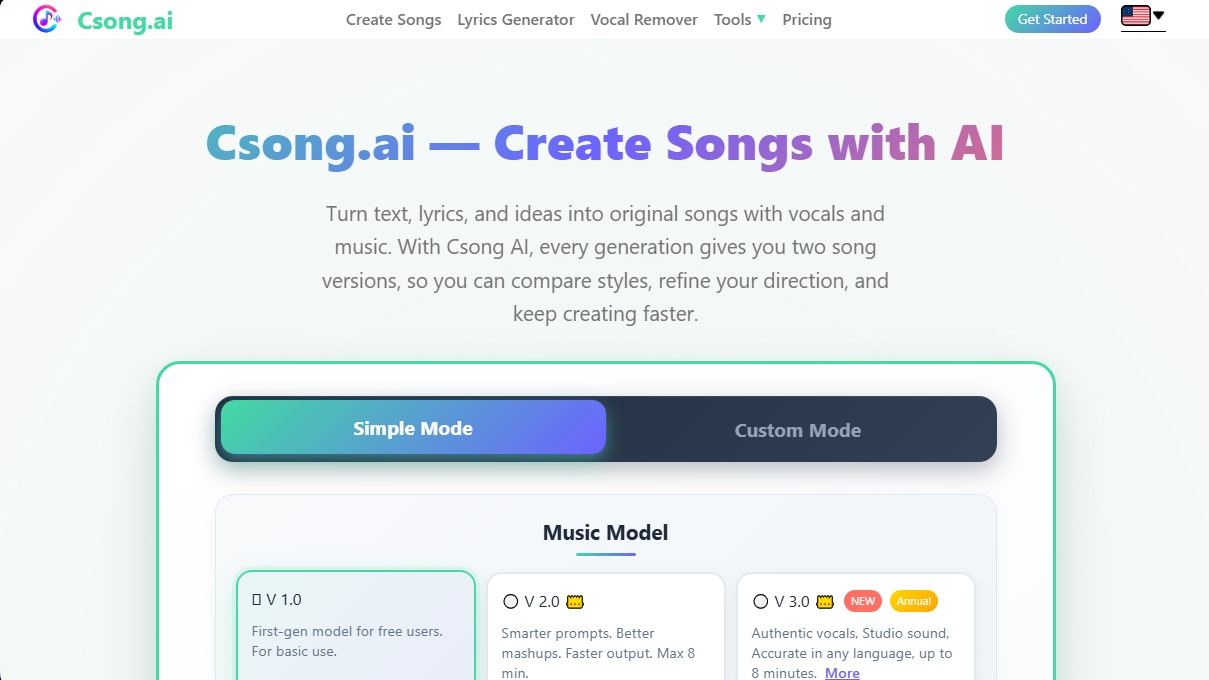
The operation of Csong.ai is primarily divided into two modes. Simple Mode allows users to generate tracks from a text description or prompt, where the user defines the style and theme. On the other hand, Custom Mode offers precise control over the final result, allowing users to input their own lyrics and adjust parameters such as tempo, musical genre, and the overall mood of the piece. A standout feature of this tool is that for every request, the system generates two versions of the song, making it easy to compare structures, melodic hooks, and vocal performances.
Regarding its technology, the platform utilizes evolutionary models to ensure high audio quality. Its most advanced model, V3.0, is capable of generating tracks up to 8 minutes long with authentic vocals and high-fidelity sound, maintaining linguistic accuracy in any language. The Csong.ai ecosystem goes beyond initial generation, including post-production and editing tools:
- Lyric Generator: Creates text based on emotions or stories to integrate them directly into the composition process.
- Vocal Remover: Allows you to isolate the instrumentation or remove vocals from a track for use in remixes or karaoke.
- Extend Music: A feature to extend the duration of a previously generated musical idea while maintaining sonic consistency.
- Audio to MIDI: Facilitates the conversion of audio tracks into MIDI files for further editing on a computer using specialized software (DAWs).
- Music Video Generator: Creates synchronized visual content to help share tracks on social media.
The practical utility of Csong.ai ranges from creating quick demos to producing musical assets for commercial projects. Users can export their files in MP3 and WAV formats, ensuring compatibility with various editing workflows. Additionally, the platform offers commercial licensing management for tracks created under annual subscriptions, which is essential for professionals who require legal protection when monetizing their content. With an efficiency-oriented interface, the tool centralizes all phases of algorithmic music production within a single digital environment.
Features and Use Cases of Csong.ai
How Csong.ai Works
Frequently Asked Questions about Csong.ai
What exactly is Csong.ai?
It is an AI platform that allows you to easily transform text, lyrics, and ideas into original songs with professional-grade music and vocals.
Can I use my own lyrics on Csong.ai?
Yes, Custom mode lets you paste your own lyrics and define the style, tone, and rhythm, ensuring the tool generates the song exactly as you envisioned.
How many versions of a song does the tool generate each time?
Every generation on Csong.ai provides two different versions of the song so you can compare styles and choose the one that best fits your creative vision.
Is it possible to download Csong.ai songs in high quality?
Yes, the platform allows you to download files in MP3 format for quick use and WAV format for maximum professional quality in your projects.
What is the difference between Simple mode and Custom mode?
Simple mode quickly creates songs based on a brief description, whereas Custom mode provides full control over lyrics and specific musical parameters.
Does Csong.ai include a tool to separate vocals from the music?
Yes, the platform features a vocal remover that allows you to isolate vocals or generate clean instrumental tracks from any song.
Can I create instrumental music without vocals?
Yes, you can enable instrumental mode in both Simple and Custom modes to generate audio tracks that do not include any vocals or lyrics.
Do I have commercial rights to the songs created with Csong.ai?
Users with an annual Basic or Premium subscription plan receive a commercial license for any songs generated during their active subscription period.
Can I extend the length of a song that has already been generated?
Yes, the Extend Music tool allows you to build on an existing musical idea or lengthen a short track without having to start the creation process from scratch.
What advantages does the Csong.ai V 3.0 model offer?
This advanced model provides more authentic vocals, studio-quality sound, and improved linguistic accuracy in any language for songs up to eight minutes long.
Csong.ai Pricing
Free Plan
0 $ forever
2 free credits per day.
4 songs per day (up to 2 generations daily).
Exclusive access to Model V1.0 only.
10 lyric generations per day.
Vocal Remover (fast separation).
Audio-to-MIDI conversion (3 times per day).
30-day cloud storage.
Basic Plan
11,90 $/mo (or 7,40 $/mo with 89,00 $ annual billing)
150 credits per month (300 songs or 150 generations).
Access to Csong.ai 2.0.
Advanced Model 3.0 access (annual plan only).
Commercial license for songs (annual plan only).
Unlimited WAV downloads and MP4 lyric video creation (annual plan only).
Unlimited MP3 downloads and song extensions.
Vocal Remover (fast and HD separation).
Synced lyrics download and unlimited lyric generation.
Audio-to-MIDI conversion and custom cover art uploads.
24/7 priority customer support.
Premium Plan
25,90 $/mo (or 12,90 $/mo with 155,00 $ annual billing)
500 credits per month (1,000 songs or 500 generations).
Supports up to 3 simultaneous users.
Access to Csong.ai 2.0.
Advanced Model 3.0 access (annual plan only).
Commercial license for songs (annual plan only).
Unlimited WAV downloads and MP4 lyric video creation (annual plan only).
Unlimited MP3 downloads, song extensions, and synced lyrics.
Vocal Remover (fast and HD separation) and unlimited lyric generation.
Audio-to-MIDI conversion and custom cover art uploads.
24/7 priority customer support.
Csong.ai Screenshots