DocsToAudio
Share
DocsToAudio
Convert PDF, EPUB, DOCX, and TXT files into free MP3 or M4B audiobooks. No registration or size limits to transform your text documents into audio.
General Information about DocsToAudio
DocsToAudio is a specialized web tool for converting text documents to audio, designed to make creating audiobooks quick and easy. This application allows you to transform files in EPUB, PDF, DOCX, and TXT formats into downloadable audio files in MP3 or M4B. Its primary focus is accessibility and productivity, allowing any user to convert their reading materials into audio content to listen to on their computer, smartphone, or tablet without the need for prior registration or subscriptions.
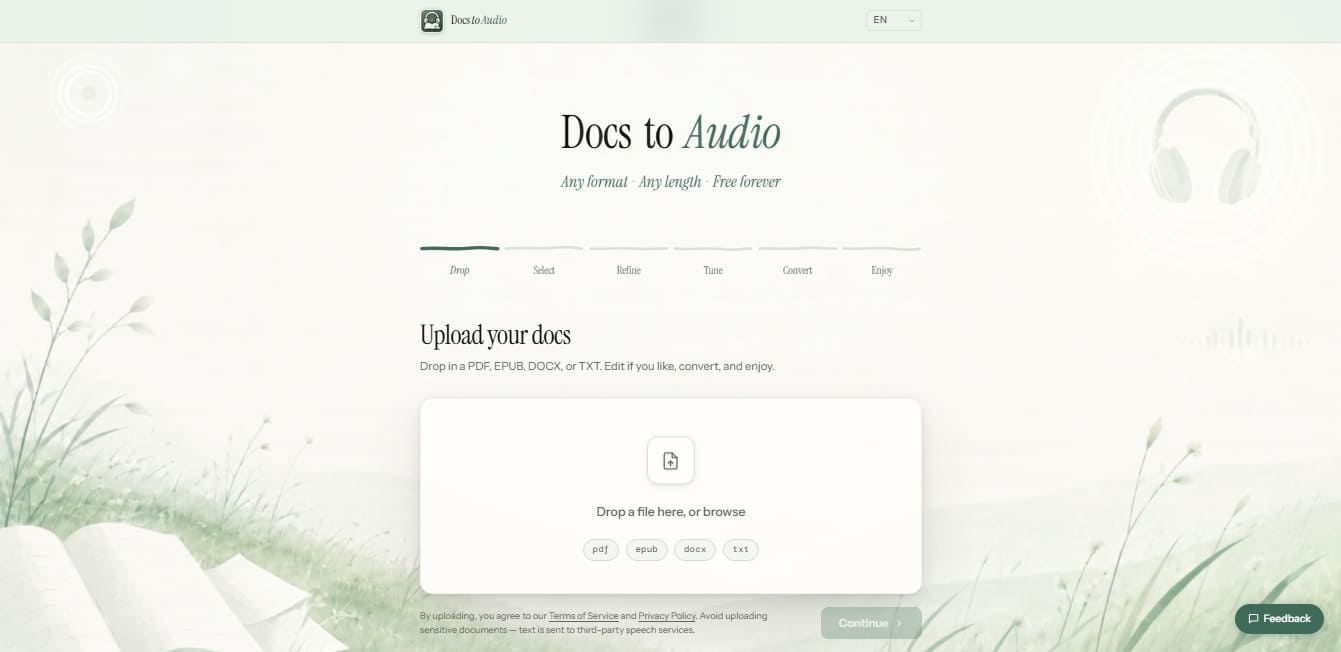
The operation of DocsToAudio is based on a structured six-stage process: file upload, content selection, text refinement, voice parameter adjustment, conversion, and download. The platform initially processes documents locally within the user's browser, ensuring an immediate upload. To generate the narration, the tool uses advanced text-to-speech (TTS) technology via third-party services, resulting in clear and natural audio quality.
This AI audiobook tool stands out by removing the usual barriers to entry for this type of software, as it does not impose file size limits or require the creation of a personal account. The versatility of DocsToAudio makes it an ideal solution for students who need to review study materials, professionals looking to optimize their time by consuming documents while multitasking, or individuals with visual impairments who require voice assistance to access written content.
Its core capabilities and practical benefits include:
Editing and refinement: Allows you to review and edit the text extracted from the document before starting the conversion, ensuring the final audio is coherent.
Optimized output formats: Offers the option to export in MP3 for universal compatibility or M4B, the standard audiobook format that supports chapter management.
Privacy and security: Files are not permanently stored on external servers, as the initial reading and processing occur within the local browser environment.
Voice customization: Users can adjust and fine-tune voice characteristics to suit their listening preferences.
No usage restrictions: As a free-to-use tool with no registration required, it enables a streamlined workflow for users who need to convert text to speech on a recurring basis.
DocsToAudio is positioned as an efficient utility for digital content management, allowing entire libraries of electronic documents to be transformed into audio files ready for offline consumption. Its ability to handle multiple formats and its simplified interface make it a robust technical option for generating custom audiobooks for free and without technical complications.
Features and Use Cases of DocsToAudio
How DocsToAudio Works
Frequently Asked Questions about DocsToAudio
Is DocsToAudio completely free to use?
Yes, the tool is entirely free, allowing you to convert your documents with no hidden costs or subscriptions.
What input formats does DocsToAudio support?
You can upload PDF, EPUB, DOCX, and TXT files to transform them into high-quality audiobooks.
Do I need to register or create an account to use the tool?
No registration or personal information is required to access all of the converter's features.
Is there a file size limit on DocsToAudio?
There are no limits on file size or document length, allowing you to process entire books without restrictions.
Are my documents or audio files stored on a server?
No, files are read and processed directly in your browser to ensure the privacy and security of your information.
What audio formats can I download my files in?
Once the conversion is complete, you can download your content in MP3 or M4B format.
Can I close my browser tab during the conversion?
You must keep the tab open until the process is finished to ensure the audio file is generated and downloaded correctly.
What voices and languages are available on DocsToAudio?
The tool uses third-party voice services that offer a wide variety of languages and natural-sounding accents for your audiobooks.
DocsToAudio Pricing
Free Plan (0 € / Forever Free)
Convert EPUB, PDF, DOCX, and TXT files to MP3 or M4B audio formats.
No registration or account creation required.
No file size limits or document length restrictions.
Full in-browser processing (files are never uploaded to a server).
Tools to edit, refine, and adjust text before conversion.
Access to multiple languages and voices for audiobook generation.
DocsToAudio Screenshots