Share
Dokie
Generate professional presentations and interactive slides with AI. Convert files, links, or videos into structured visual content tailored to your brand.
General Information about Dokie
Dokie is an advanced AI presentation maker and slide generator designed to automatically transform ideas, documents, and data into professional presentations. This tool positions itself as an AI presentation agent that doesn't just handle design, but deeply understands content to structure it logically and effectively. It is a solution tailored for professionals who require agility and polished results, such as startup founders, strategy consultants, marketing managers, and educators who need to communicate complex concepts with visual clarity without spending hours on manual formatting.
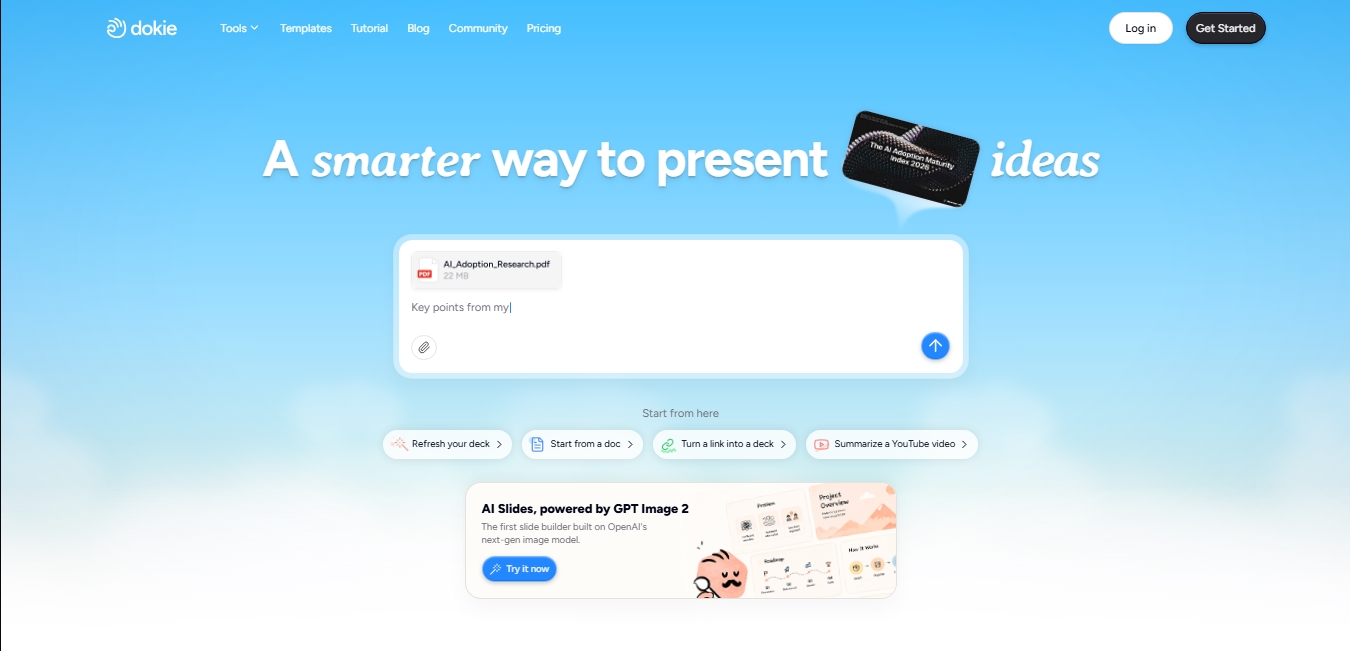
The way Dokie AI works is based on multi-format comprehension and powerful language and image models. Users can start a project in several ways: by describing a topic from scratch, uploading local files in PDF, DOCX, or PPTX format, inserting a web link, or even requesting a YouTube video summary to turn its content into structured slides. The platform uses cutting-edge technology, being one of the first creators to integrate OpenAI's next-generation image model to generate contextual, high-quality visuals that coherently reinforce the message of each slide.
Key functional capabilities and benefits include:
Interactive Storytelling Generation: It allows for the creation of animated and interactive presentations that guide the viewer's attention, turning static slides into memorable experiences.
Content-Driven Design: The tool automatically adapts the structure and visual style according to the nature of the text provided, ensuring each presentation is appropriate for its context.
Data Visualization and Logic: It automatically transforms technical information, scattered data, or complex ideas into clear charts and logical diagrams at a glance.
Advanced Personalized Editing: Users can request changes to the design, visuals, or structure simply by describing what they want to modify using text commands.
Brand Customization: It offers the possibility of using custom templates to ensure every pitch deck or report maintains the company's visual consistency.
For the professional who regularly works on their computer, Dokie eliminates the workload involved in design and image searching. By focusing on actual functionality rather than just surface-level aesthetics, the results are suitable for real business presentations, allowing the final work to be exported in standard formats like PPTX, PDF, and PNG. This AI presentation tool stands out for its ability to maintain a professional finish throughout revisions, allowing the user to focus exclusively on the message while the technology manages the visual expression and information hierarchy.
Features and Use Cases of Dokie
How Dokie Works
Frequently Asked Questions about Dokie
What is Dokie and what is it used for?
It is an AI-powered presentation maker that automatically transforms ideas, documents, or links into professional, structured slides.
What file types can I upload to Dokie to generate content?
The tool allows you to upload PDF, DOC, PPTX, and TXT files to instantly convert them into visual and logical presentations.
Is it possible to use Dokie for free?
Yes, the free plan offers fifty credits every day to create presentations and export them in formats like PDF, PPTX, or PNG.
Does Dokie allow me to customize slides with my brand identity?
Absolutely. You can upload your own templates so the AI maintains your brand’s design and corporate identity across every project.
Do I need design skills to use Dokie?
No prior experience is necessary, as the platform handles organizing the content, generating images, and applying a consistent visual structure for you.
What export options does the platform offer?
Once your presentation is complete, you can download the final file as a PDF, PowerPoint slides, or as PNG images.
How do credits work in Dokie's subscription plans?
Credits are used to generate projects and visual assets. They renew daily on the free plan or monthly on paid plans, depending on your subscription level.
Can Dokie summarize YouTube videos to create slides?
Yes, the tool has a specific feature that lets you convert a YouTube video link directly into a structured presentation.
Dokie Pricing
Free
$0 per month
50 free daily credits.
Export to PDF, PPTX, and PNG formats.
Limited access to premium features.
Create high-quality presentations.
Go
$9 per month (Save 15% with annual billing)
950 credits per month (includes the 50 free daily credits).
Image generation with powerful AI models.
Create custom themes.
Create high-quality presentations.
Plus
$19 per month (Save 15% with annual billing)
2,000 credits per month.
Includes all features from the Go plan.
Early access to beta features.
Pro
$59 per month (Save 15% with annual billing)
6,000 credits per month.
Includes all features from the Plus plan.
Priority customer support.
Enterprise
Request pricing on our official website
Custom credit limits tailored to your team's needs.
Enterprise-grade security.
Dedicated support.
Dokie Screenshots