

Share
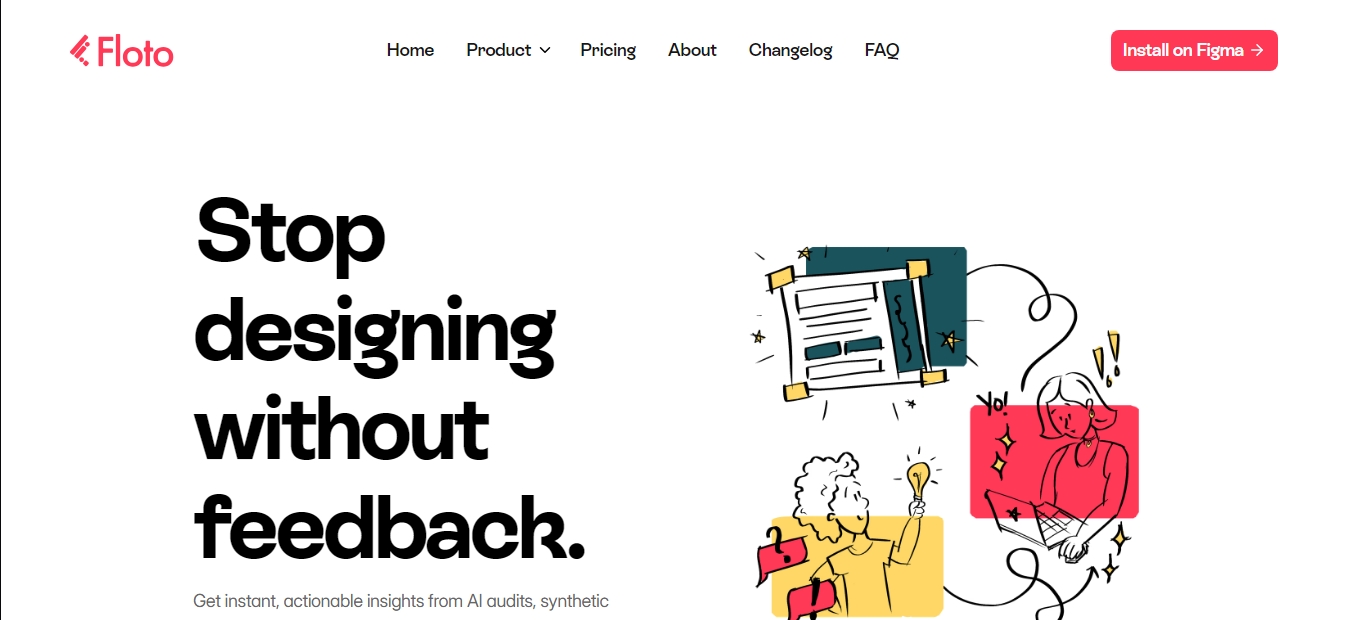
Figma plugin for AI audits, user interviews, and synthetic testing. Validate prototypes and improve usability with instant feedback.
What is Floto?
Floto is an advanced Figma plugin that integrates artificial intelligence to transform the interface and user experience validation process. Its core purpose is to provide designers with immediate, actionable feedback without them ever having to leave their workspace, allowing for design iterations based on objective data rather than just intuition. This tool positions itself as a critical assistant that audits, tests, and analyzes prototype usability through automation.
The technology behind Floto utilizes AI models to perform comprehensive design audits. These analyses identify structural and usability errors in seconds, providing a technical explanation of which elements are failing and how to fix them to improve conversion and accessibility. Additionally, the system uses synthetic personas—AI agents configured with specific demographic profiles and behaviors—to simulate how different types of real users would react to a given interface.
Key capabilities and practical benefits include the following features:
Flow Testing: Validates end-to-end user journeys within an interactive prototype, detecting friction points or navigation bottlenecks before the design moves to development.
AI Design Audit: Offers a detailed critique of visual components, ensuring the design is consistent and functional from a technical UX perspective.
Synthetic Persona Testing: Makes it easy to obtain diverse feedback through artificial profiles, helping to instantly predict how various market segments will receive the product.
Automated User Interviews: The system includes an AI researcher capable of conducting interviews with real users, handling the organization and summary of key findings, and eliminating the burden of manual transcription.
Design Diff: A feature designed to ensure the development team implements exactly what was designed on the desktop, maintaining the visual fidelity of the final product.
This solution is ideal for product designers, UX/UI specialists, and development teams looking to streamline their delivery cycles. By centralizing usability testing and insight collection directly within the Figma environment, Floto eliminates the logistical complexity of recruiting external users or manually managing session recordings.
The tool optimizes workflow by making feedback a constant part of the creative process. Users can easily install the plugin and start receiving project suggestions in minutes. Thanks to its focus on AI-powered prototype validation, teams can launch more robust products, minimizing risks and ensuring the final user experience is both satisfying and efficient.
Floto features and use cases
How to use Floto
Floto FAQ
What is Floto and how does it integrate into my design process?
It is a Figma plugin that uses artificial intelligence to provide audits, synthetic persona testing, and real user interviews without ever leaving the design tool.
How does the credit system work in Floto?
Each feature consumes a specific number of credits—such as twenty for an audit or fifty for a persona test—with a total of two hundred free credits that renew every week.
What are the benefits of the design audit feature?
This tool analyzes your designs in seconds to explain which elements aren't working and why, allowing you to make quick corrections based on objective data.
Is it possible to conduct interviews with real users through Floto?
Yes, an AI researcher conducts the interviews and delivers processed insights to you, saving you the time typically spent on manual scheduling and transcription.
What is the difference between the Free plan and the Pro plan?
The Free plan offers limited weekly credits to test out the features, while the Pro plan provides fifteen hundred monthly credits and removes usage speed restrictions.
How does Floto help validate navigation flows?
The Flow Testing feature allows you to verify entire journeys within your prototypes to pinpoint any areas of difficulty or friction before the design reaches end users.
What does synthetic persona testing involve?
This feature allows you to see your designs through the eyes of different AI-generated user profiles to get an immediate outside perspective on your work.
How do I install Floto to get started?
Search for the plugin in the Figma Community and install it directly to your account to start receiving feedback and analysis on your designs within minutes.
What is the Design Diff feature and what is it used for?
It is a tool designed to ensure the development team implements exactly what you’ve designed by comparing versions to prevent deviations in the final product.
Can teams share resources within the platform?
Yes, the Team plan allows for a shared credit pool and collaboration within shared contexts, such as audits and custom persona profiles.
Floto pricing and plans
Free
$0 per month
200 credits per week.
Design Audit: 20 credits per use.
Persona Testing: 50 credits per use.
Flow Testing: up to 200 credits per use.
Design Diff.
User interviews: 25 credits per use.
Pro
$10 per month
1,500 credits per month.
No rate limits.
Includes all Free plan features.
Ability to purchase additional credit top-up packs.
Team
Check official website for pricing
Shared credit pool for the entire team.
Shared context (personas, audits, and more).
Customizable features tailored to the team's workflow.
Floto Screenshots
Floto user reviews
Write a review
Checking your session...
Floto Reviews
Loading reviews...
Floto alternatives


Mel By Skymel
Tracks open-web signals to build knowledge graphs. Generates intelligence reports and databases, and monitors relevant changes for any target.



Velivo One
Monitor AI engine mentions, verify accuracy, and manage your brand's SEO, local presence, and social media to optimize visibility and digital reputation.
ParseCrate
Open-source, self-hosted document processing API. Converts PDFs and Office files into structured content with OCR and table detection for AI applications.