

Share
What is Flova AI?
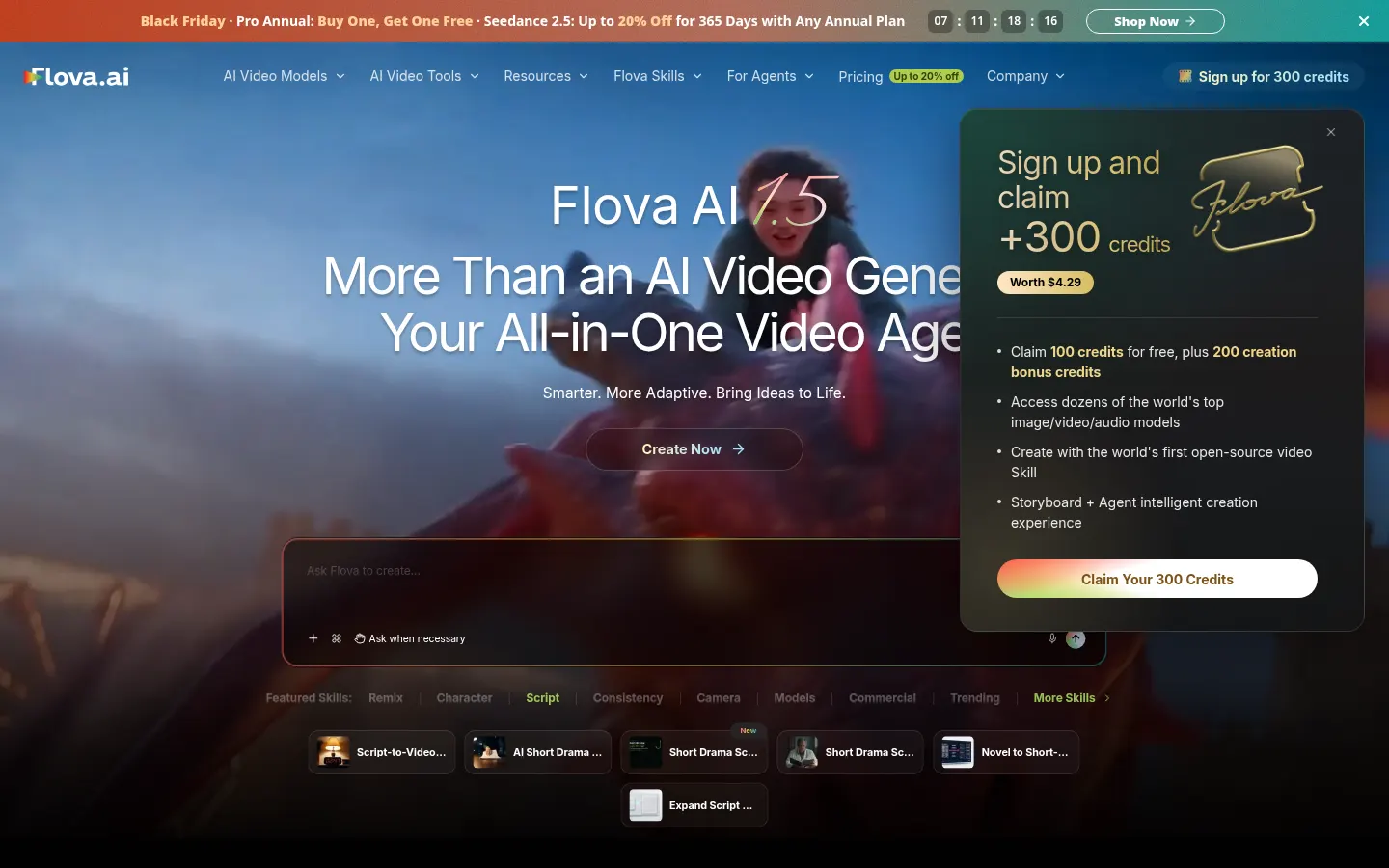
Flova AI is an AI video creation agent that takes a project from idea to final cut. You describe what you want in your own words and the agent breaks it into tasks: script, storyboard, characters, shots, music, narration and editing. It's used for short films, micro-dramas, music videos, product ads and social clips.
How does the Flova agent work?
The agent picks the right model for each piece from dozens of image, video and audio models, such as Seedance and Seedream, and places the results on a timeline you can review. Leave a comment on any shot or element and the agent changes only that part. Each episode or task can run in its own conversation inside the project, with list, grid and canvas views.
What are Flova Skills?
A Skill is a reusable creative method that guides the agent, for example script-to-video, a music video built around your track, or recreating a trending format with your product. Use the existing ones or build your own. The asset library stores characters, scenes, voices and style references to keep faces, outfits and locations consistent across shots, and Flova CLI connects the workflow with agents like Codex and Claude Code.
Flova AI pros and cons
- Pros: scripting, generation and editing in one workspace, several timelines per project, and exports without a watermark with commercial use.
- Cons: credit use swings widely with model, length and resolution, and realistic-style generation and high concurrency are limited to upper tiers.
Flova AI features and use cases
How to use Flova AI
Flova AI FAQ
What is Flova AI?
It's an AI video creation agent that plans, generates and edits complete videos from an idea.
Is Flova AI free?
New accounts get credits to try it; continued use requires a paid tier, detailed under pricing.
Which models does it use?
It brings together dozens of image, video, music and voice models, including Seedance and Seedream, and the agent chooses the best fit.
What is a Skill?
A reusable creative method that guides the agent through a type of video, such as script-to-video or a music video.
Does it keep characters consistent?
Yes, the asset library stores character, scene and style references for reuse in every shot.
Can I edit one part without redoing everything?
Yes, comment on a shot or element and the agent changes only that part.
Can I use the videos commercially?
Paid tiers include commercial use and watermark-free export.
Is there a team option?
Yes, the Team tier allocates credits per seat and manages project access and usage.
What are some Flova AI alternatives?
Other AI video generators in our directory include Runway, Pika and LTX Studio.
Flova AI pricing and plans
Reference price: 17 USD / month. Source · Verified: November 23, 2026
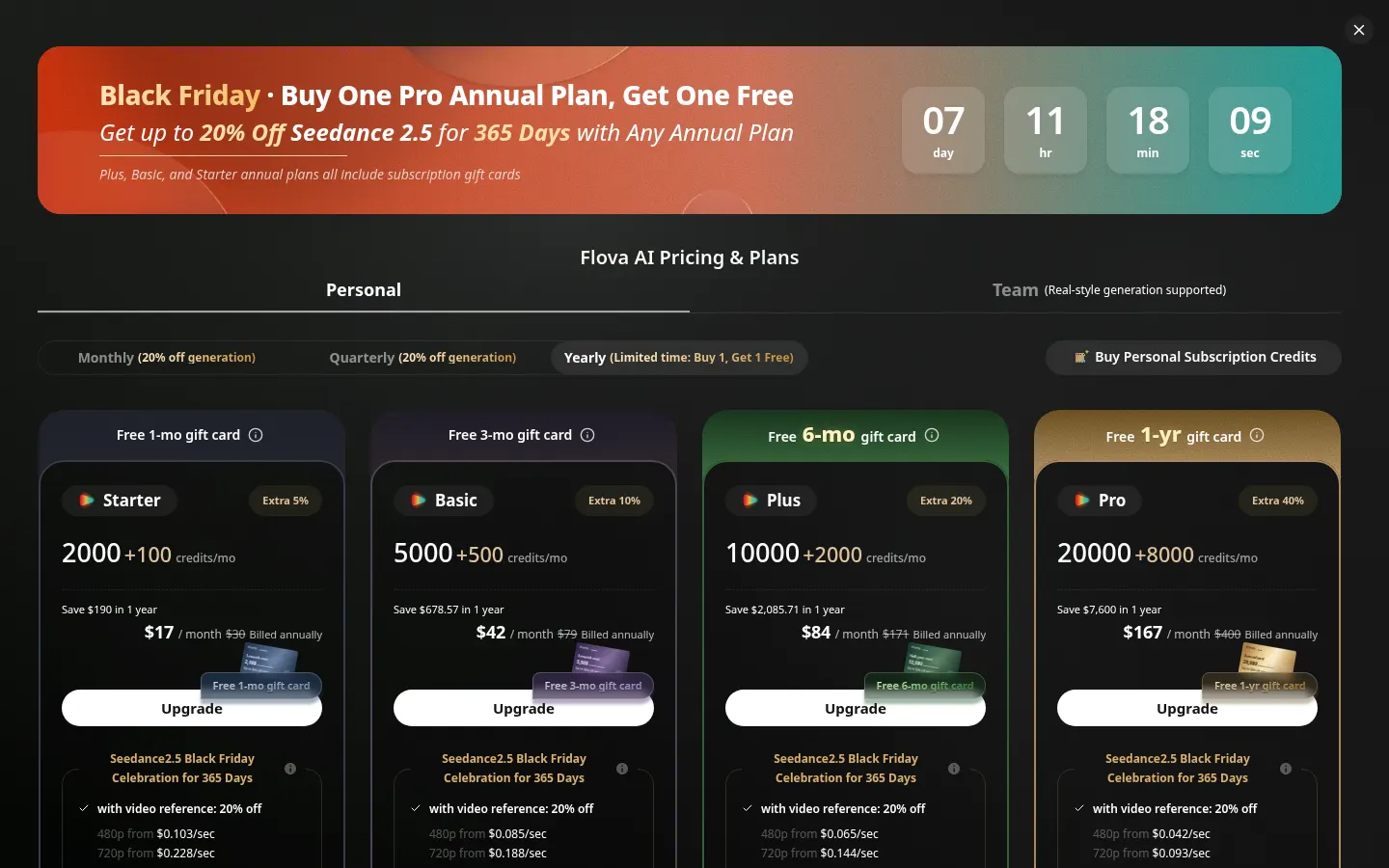
Prices in US dollars (USD) from the official website, for personal tiers billed annually with the Black Friday promotion running. Checked on: 23/11/2026. New accounts get 300 credits (100 free plus 200 creation bonus). Monthly and quarterly billing are also offered.
Starter: $17/month billed annually. 2,000 credits a month plus 100 extra.
Basic: $42/month billed annually. 5,000 credits a month plus 500 extra.
Plus: $84/month billed annually. 10,000 credits a month plus 2,000 extra.
Pro: $167/month billed annually. 20,000 credits a month plus 8,000 extra.
Team: $19 per seat a month ($220 per seat a year), with at least 2 seats on the first purchase.
Flova AI Screenshots
Flova AI user reviews
Write a review
Checking your session...
Flova AI Reviews
Loading reviews...
Flova AI alternatives






Influverse AI
Influverse AI generates images, reels and UGC ads featuring AI characters or your products, then schedules them to Instagram, TikTok, YouTube and more.