
Share
What is Yovid?
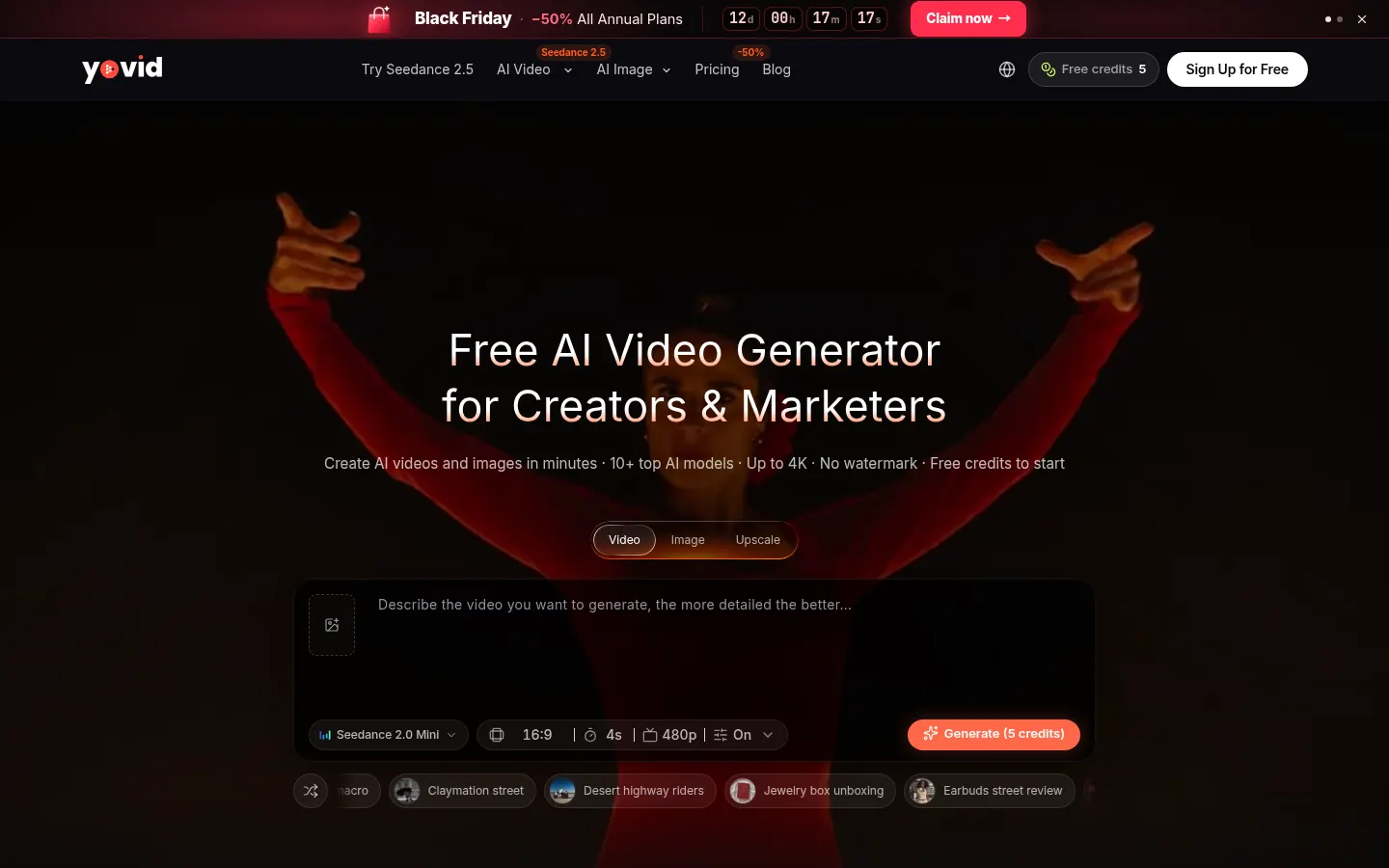
Yovid is an AI video generator that brings several leading video and image models, including Seedance, Kling, Veo, Hailuo (MiniMax) and Wan, into one workspace. It's aimed at creators, marketing teams and studios who want to go from idea to clip with no camera or editing software: describe the scene or upload an image, pick a model and download the MP4.
What kinds of video can you make with Yovid?
It handles text-to-video, image-to-video and video-to-video, with first and last frames to lock where a shot starts and ends. Seedance 2.5 produces clips up to 30 seconds using image, video and audio references, while Veo 3.1 adds dialogue and native audio. You set the aspect ratio (9:16, 16:9 or 1:1), length and resolution, from 480p up to 4K depending on the model. To keep a character consistent across takes, start each one from the same image or use reference images.
What else does it do beyond video?
There's image generation and editing with GPT Image, Nano Banana and Seedream, an image upscaler at 2×, 4× and 8×, a watermark remover, a background remover and an image extender. AI Canvas chains image and video steps on a visual board, and you can run one prompt on two models to compare takes side by side from a single credit balance.
Yovid pros and cons
- Pros: many top models under one account, you see the credits a clip needs before generating, and the first run works with no sign-up.
- Cons: it relies on third-party models with their own length and resolution limits, and there's no editing timeline.
Everything runs in the browser with nothing to install. The site suggests one scene per prompt, covering subject, action, setting and camera movement.
Yovid features and use cases
How to use Yovid
Yovid FAQ
What is Yovid?
It's a browser-based AI video generator that brings Seedance, Kling, Veo, Hailuo and Wan together, along with AI image tools.
Is Yovid free?
New accounts get free credits with no card to try it out; heavier use needs a plan or credit pack, listed under pricing.
Can I use it without signing up?
Yes, once: it makes a 4-second 480p clip on Seedance 2.0 Mini, with sound and a watermark.
Do videos have a watermark?
Only the no-sign-up trial clip. Videos made while logged in download without a Yovid watermark.
Which model should I pick?
The site suggests Seedance 2.5 for longer scenes with consistent characters, Kling 4.0 for expressive motion and Veo 3.1 for dialogue with audio.
Can I keep the same character across videos?
Yes, by starting each clip from the same first-frame image or adding reference images on models that support them.
Do I need video editing skills?
No. You describe the shot in plain words or upload an image, and the model handles motion, camera and lighting.
What resolution does it support?
It depends on the model and plan, from 480p up to 4K where the model and plan allow it.
What are some Yovid alternatives?
Other AI video generators in our directory include Kling IA, PixVerse and Invideo AI.
Yovid pricing and plans
Reference price: 14.9 USD / month. Source · Verified: November 23, 2026
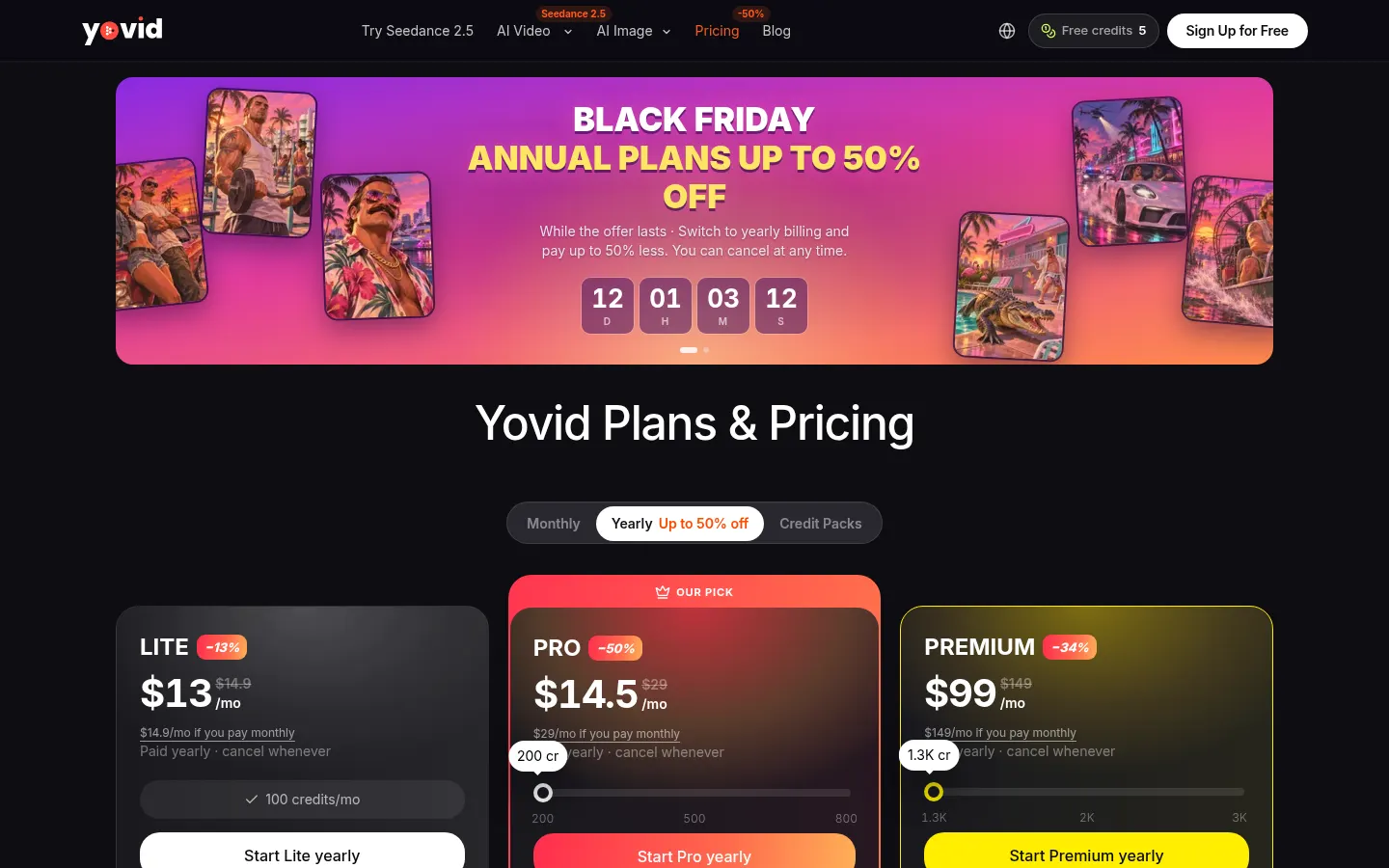
Prices in US dollars (USD) from the official website, excluding VAT and local taxes. Checked on: 23/11/2026. New accounts get free credits with no card, and there's a no-sign-up trial (4-second 480p clip with a watermark). Plan credits last 30 days. A limited-time yearly offer was running when checked.
Lite: $14.9/month billed monthly ($13/month yearly). 100 credits a month, up to 1080p.
Pro: $29/month billed monthly ($14.5/month yearly). 200 credits a month.
Premium: $149/month billed monthly ($99/month yearly). 1,300 credits a month, up to 4K and 7 days of unlimited Seedance at 720p.
Credit packs: one-time payment, credits valid for 180 or 365 days with no renewal.
Yovid Screenshots
Yovid user reviews
Write a review
Checking your session...
Yovid Reviews
Loading reviews...
Yovid alternatives



Influverse AI
Influverse AI generates images, reels and UGC ads featuring AI characters or your products, then schedules them to Instagram, TikTok, YouTube and more.