MossImage
Share
What is MossImage?
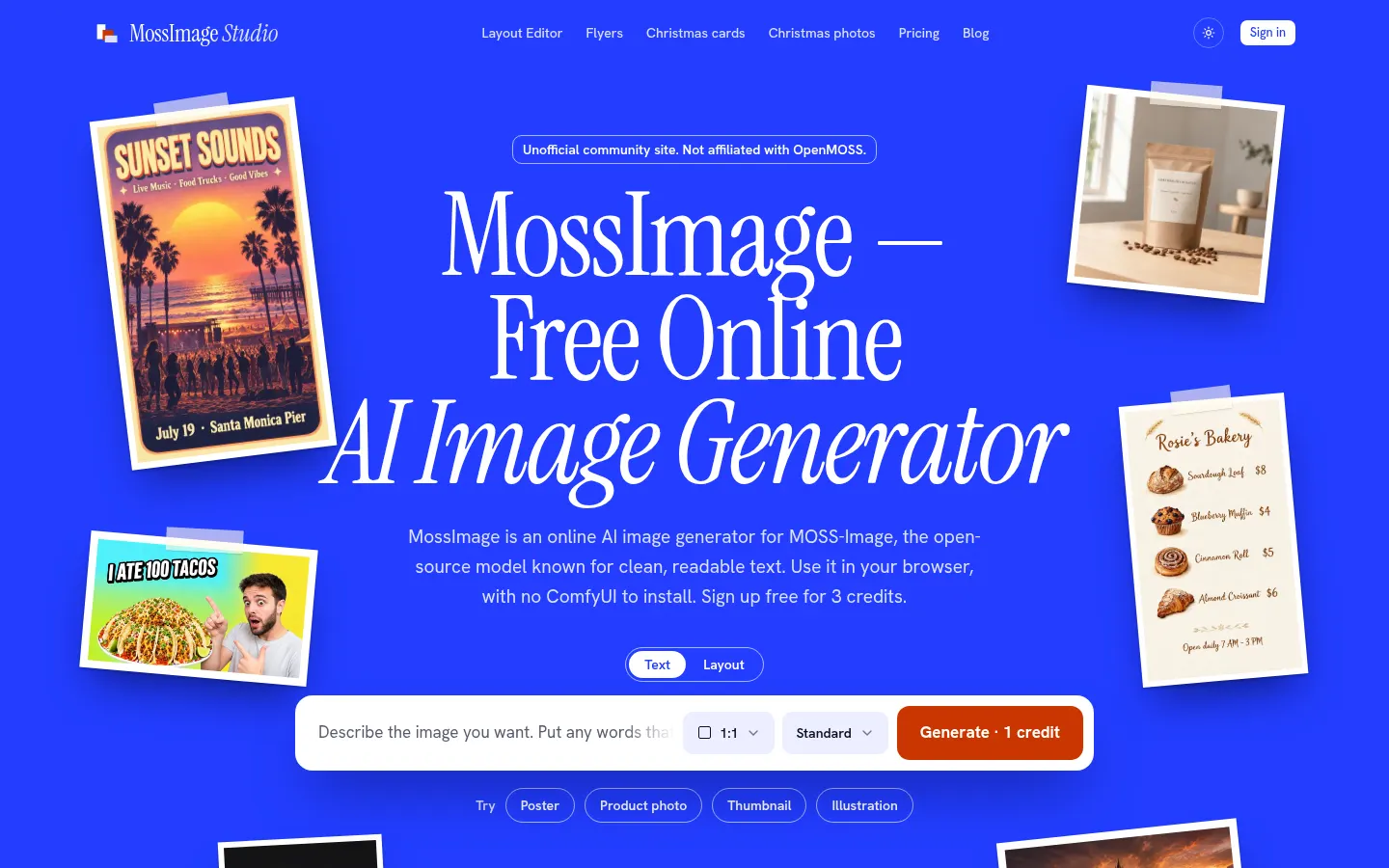
MossImage is a browser-based AI image generator that runs MOSS-Image, the open-source text-to-image model released by OpenMOSS. Its strength is placing readable text inside the image, in English and Chinese, which makes it a good fit for posters, flyers, product labels and thumbnails. It is an independent, unofficial site and is not affiliated with OpenMOSS.
How does MossImage work?
You write a prompt in English and put the exact words you want in the image inside quotation marks. Then you pick an aspect ratio (1:1, 16:9 or 9:16) and a quality level, Standard at about 1 MP or HD at about 2 MP, and hit generate. The image usually arrives in under a minute and can be downloaded from the result panel. If you'd rather not start from scratch, the gallery has examples with their prompts that you can load and tweak.
What does the layout editor add?
The layout editor lets you drag boxes to place text and objects, export the composition as MOSS-Image JSON, or fix a single word and regenerate with the same seed. That keeps the composition close, although some details may shift. There are also themed generators for flyers, Christmas cards and holiday photos.
Who is MossImage for?
- Creators who need thumbnails and covers with headlines that actually read well.
- Small businesses making posters, menus or product labels.
- Anyone who wants to try MOSS-Image without a GPU or a ComfyUI install.
MossImage pros and cons
Pros: nothing to install, text comes out clean and the images can be used commercially. Cons: it runs a single model, very small or long text can still contain mistakes, and images made with the welcome credits carry a small watermark.
MossImage features and use cases
How to use MossImage
MossImage FAQ
What is MossImage?
MossImage is a browser-based AI image generator that runs the open MOSS-Image model and stands out for rendering readable text inside images.
Is MossImage the official MOSS-Image site?
No. It is an independent, unofficial site; MOSS-Image is published by OpenMOSS on GitHub and Hugging Face under Apache-2.0.
Is MossImage free?
You can try it with 3 free credits on sign-up; after that you buy one-time credit packs starting at $4.99.
Do I need ComfyUI or a GPU?
No. The model runs in the cloud, so all you need is a free account and a browser.
Can it put text inside images?
Yes, that is its main strength: put the text in quotation marks in your prompt. Very small or long text can still contain mistakes.
Can I use the images commercially?
Yes, the images belong to you and can be used commercially, though you are responsible for not infringing third-party rights.
Which image formats does it offer?
1:1, 16:9 and 9:16 ratios at Standard (about 1 MP) or HD (about 2 MP) quality.
Do credits expire?
No. Packs are one-time payments and the credits never expire.
What is the layout editor?
A tool for placing text and objects with draggable boxes and exporting the composition as MOSS-Image JSON.
What are the alternatives to MossImage?
For images with text you can also look at Ideogram, Recraft or the Black Forest Labs models.
MossImage pricing and plans
Reference price: 4.99 USD · one-time payment. Source · Verified: November 21, 2026
Prices in US dollars (USD) from the official website; taxes may be added at checkout. Checked on: 21/11/2026.
Free: 3 credits on sign-up (3 standard images), with a small watermark.
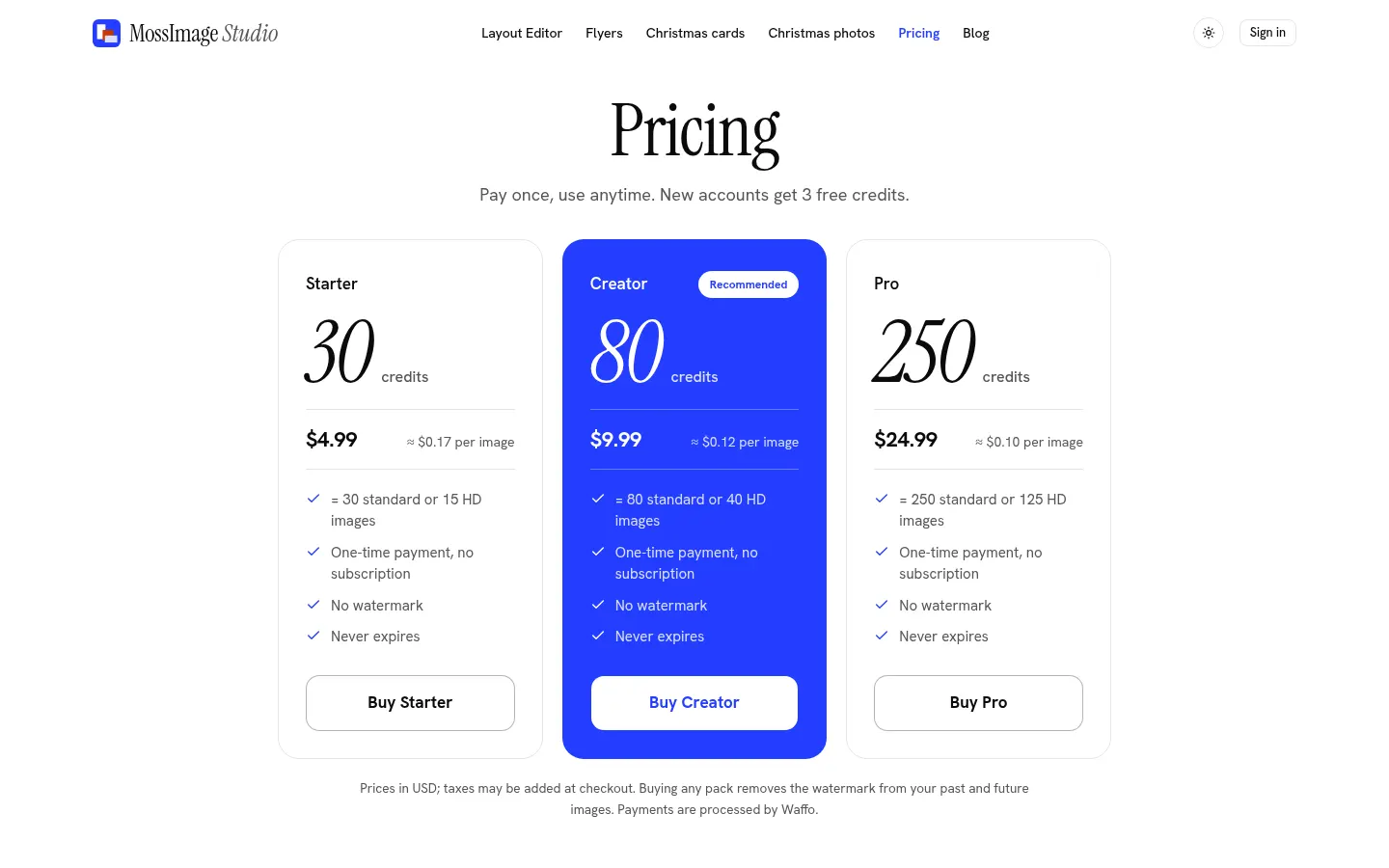
Starter: $4.99 for 30 credits (about $0.17 per image).
Creator: $9.99 for 80 credits (about $0.12 per image).
Pro: $24.99 for 250 credits (about $0.10 per image).
All packs are one-time payments with no subscription; credits never expire and any purchase removes the watermark. A standard image costs 1 credit and an HD image 2. Unused packs can be refunded within 7 days.
MossImage Screenshots
MossImage user reviews
Write a review
Checking your session...
MossImage Reviews
Loading reviews...
MossImage alternatives
Mew Design
Mew Design is an AI agent that turns a brief into posters, ads and editable layouts, with chat-based edits and reusable design rules you can save.
InkStudio.ai
InkStudio.ai is an AI tattoo generator: describe your idea, pick a style and body spot, see it on a model, then try the design on a photo of yourself.
Text to GIF
Text to GIF is an AI GIF generator that creates looping animations from a written description, with frame and timing control, plus sticker packs and SVG files.