

ImgRemix
Share
What is ImgRemix?
ImgRemix is an AI image-to-image tool that transforms a photo, sketch or artwork from a text instruction while keeping the elements you want to preserve. It is built for creators, marketers and designers who need variations of an image without starting from scratch.
How does ImgRemix work?
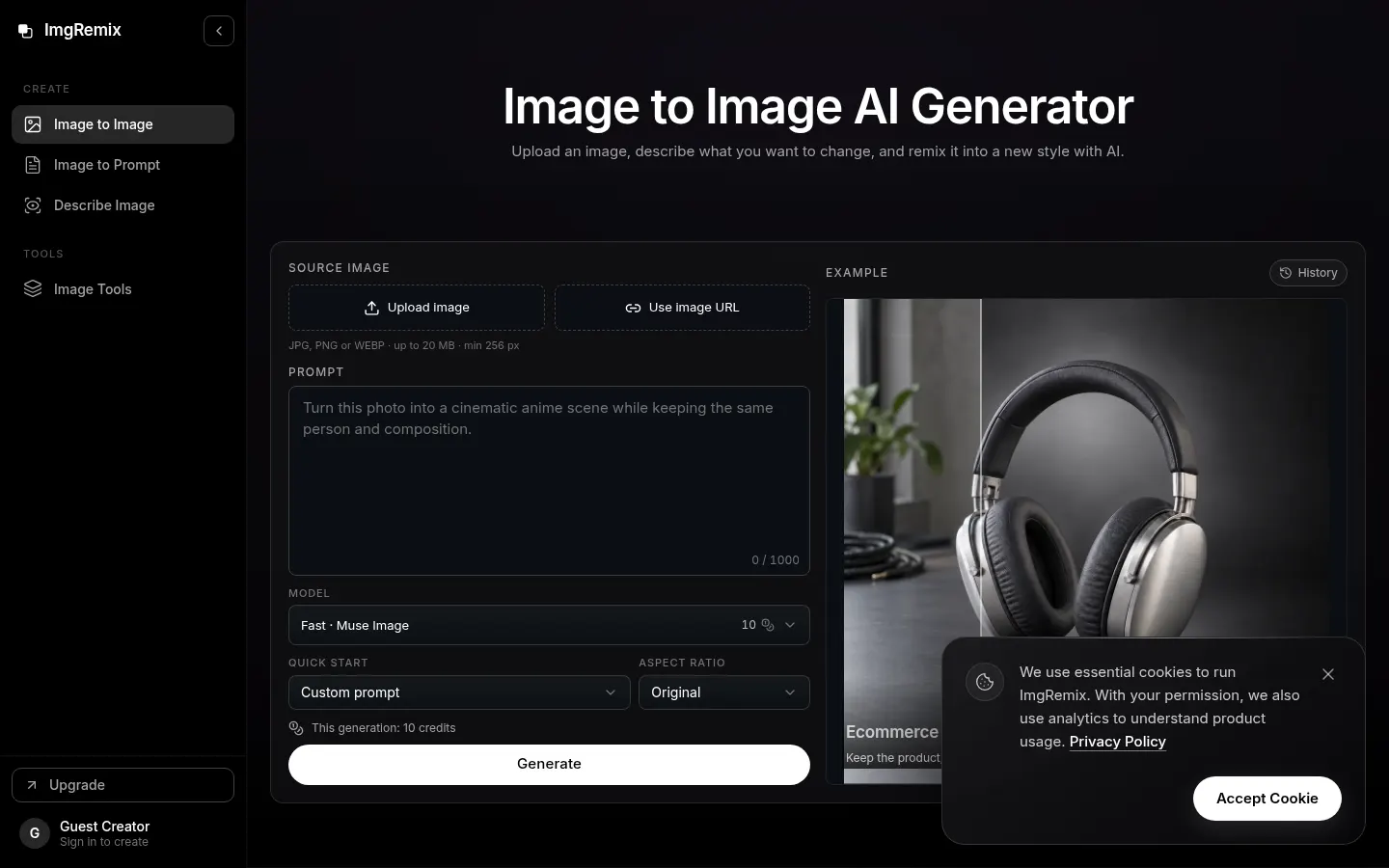
You upload a reference image (JPG, PNG or WebP up to 20 MB) or paste its URL, describe what to change and what to keep, choose a model and aspect ratio, and generate. The AI keeps the pose, a product's shape or the camera angle while changing style, lighting or surroundings. If something drifts, a more specific instruction and another run usually fix it.
What can you do with ImgRemix?
- Turn a photo into anime style or a pencil sketch.
- Change the background while keeping the subject and framing.
- Create a studio-style headshot from a selfie.
- Produce product photos on white or in a new setting.
- Visualize new furniture and materials in the same room.
What other tools does it include?
Besides the main generator there is Image to Prompt, which turns a picture into a structured prompt with parameters for Midjourney, Stable Diffusion or Flux, and Describe Image, which returns a description, alt text or answers to questions about the picture. There is also an image-to-sketch tool.
ImgRemix pros and cons
On the plus side, you can choose among several AI models, the credits each run will use are shown before you generate, and downloads carry no ImgRemix watermark. On the downside, results depend heavily on how precise your instruction is, you should check the details you asked to keep, and the more advanced models use far more credits per image.
ImgRemix features and use cases
How to use ImgRemix
ImgRemix FAQ
What is ImgRemix?
ImgRemix is an AI image-to-image generator that transforms a photo or sketch from a text instruction while keeping what you specify.
Is ImgRemix free?
Signing in gives you 25 welcome credits to try it; after that it runs on monthly plans or credit packs. See the pricing section.
How many credits does one image use?
Between 10 and 150 credits per image depending on the model; the cost is shown before you generate.
Which image formats does it accept?
JPG, PNG or WebP up to 20 MB and at least 256 pixels, or an image from a URL.
Do images carry a watermark?
No, downloads carry no ImgRemix watermark.
Can it write prompts from an image?
Yes. Image to Prompt produces a structured prompt with parameters for Midjourney, Stable Diffusion or Flux.
Does ImgRemix have an API?
The official site does not mention a public API; it runs as a web app.
Does ImgRemix work in Spanish?
The interface is in English; you can try writing instructions in Spanish, but the site does not state which languages it supports.
What are the alternatives to ImgRemix?
On GptZone you can compare it with Krea or Leonardo, which also generate and transform images with AI.
ImgRemix pricing and plans
Reference price: 9.99 USD / month. Source · Verified: November 15, 2026
Prices in US dollars (USD) as listed on the official site. Checked on: 15/11/2026. Image to Image costs 10 to 150 credits per image depending on the model; Image to Prompt, 5; Describe Image, 3.
Free: 25 one-time welcome credits.
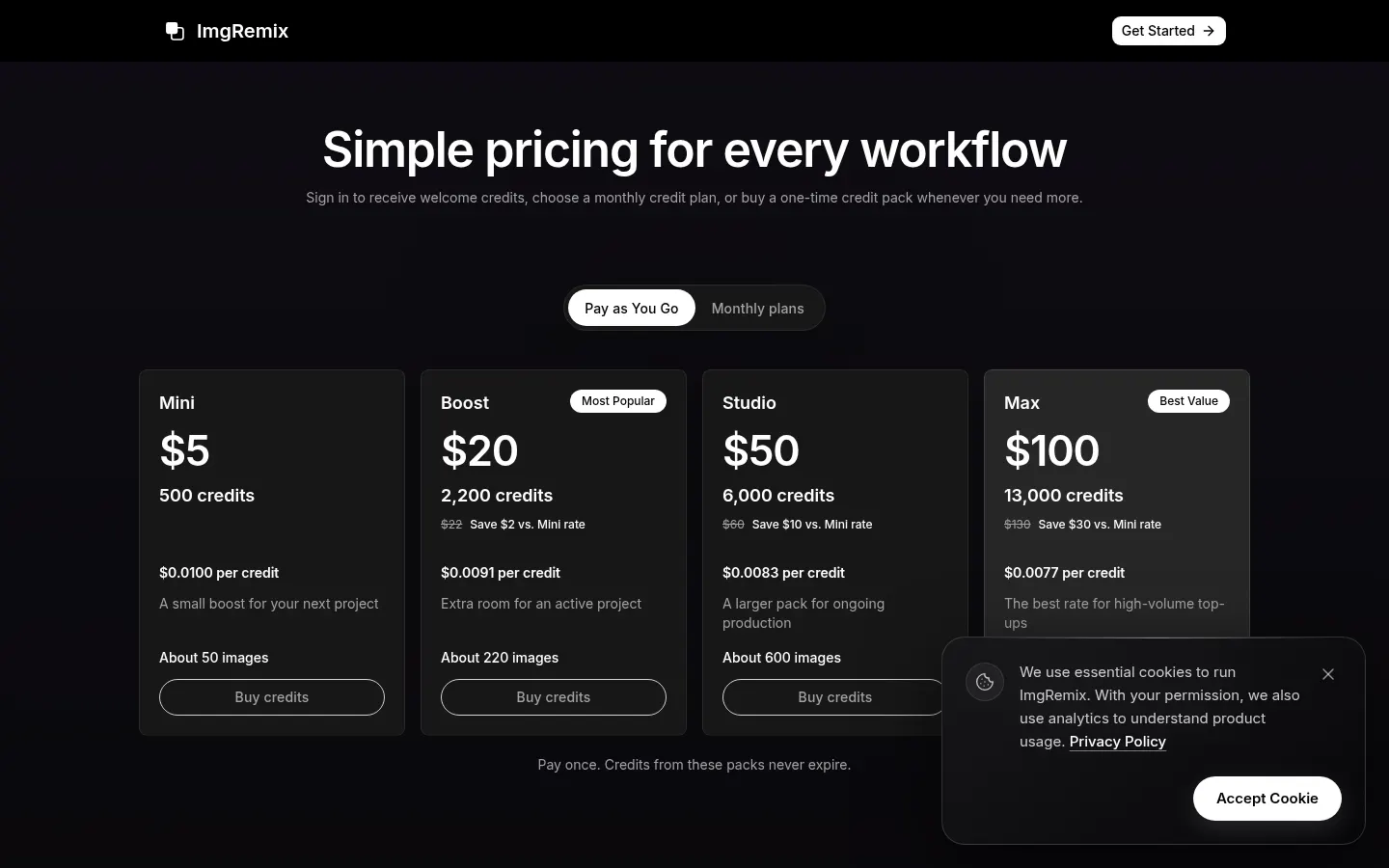
Monthly plans: Starter, $9.99/month (1,500 credits); Pro, $24.99/month (5,000); Business, $59.99/month (15,000). Monthly credits expire at the end of each cycle.
One-time packs (never expire): 500 credits for $5 (Mini), 2,200 for $20, 6,000 for $50 and 13,000 for $100.
ImgRemix Screenshots
ImgRemix user reviews
Write a review
Checking your session...
ImgRemix Reviews
Loading reviews...
ImgRemix alternatives
Mew Design
Mew Design is an AI agent that turns a brief into posters, ads and editable layouts, with chat-based edits and reusable design rules you can save.

InkStudio.ai
InkStudio.ai is an AI tattoo generator: describe your idea, pick a style and body spot, see it on a model, then try the design on a photo of yourself.

Text to GIF
Text to GIF is an AI GIF generator that creates looping animations from a written description, with frame and timing control, plus sticker packs and SVG files.


CaughtTheMagic
CaughtTheMagic is an AI tool that creates Santa cam photos and videos in your own living room, styled as doorbell, night vision or home security camera footage.