
CaughtTheMagic
Share
What is CaughtTheMagic?
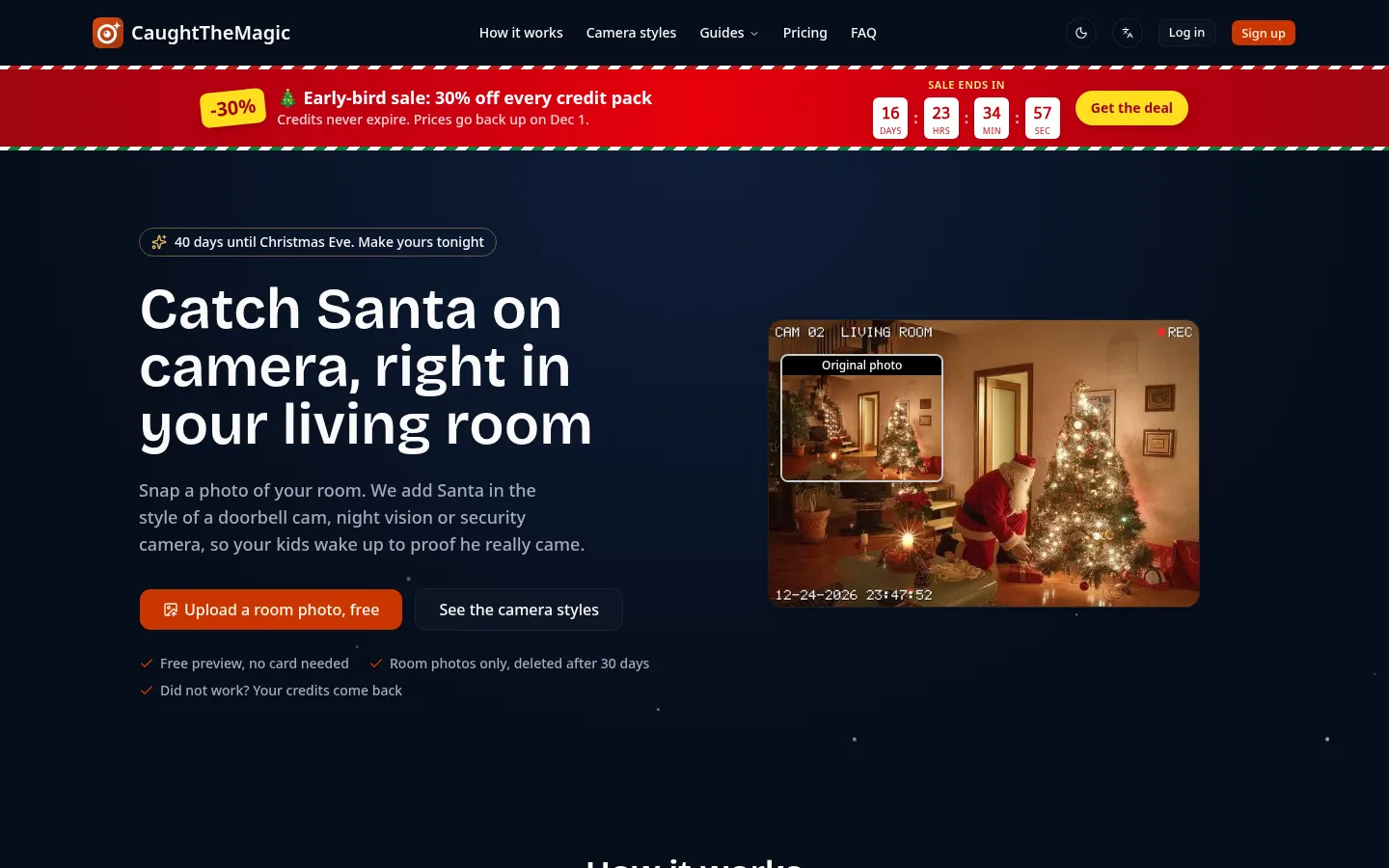
CaughtTheMagic is an AI tool that creates Santa caught-on-camera photos and videos inside your own home, built for families who want proof for their kids that Santa really visited on Christmas Eve. Upload a photo of the room, choose a camera style and the AI places the character so it fits the space.
What is CaughtTheMagic used for?
It sets up a Christmas surprise that looks like real footage. There are four camera styles: a wide-angle video doorbell, grainy infrared night vision, a security cam with REC and camera number, and a slightly blurry phone snapshot. Besides Santa it can catch an elf or reindeer; the reindeer cam works from photos of your yard, porch or driveway, and the Elf on the Shelf mode gives you a new scene every night in December.
How does CaughtTheMagic work?
Three steps: take a photo of the room with no people in it, pick a style and download the result in about a minute. Any photo can become an eight-second clip of Santa moving through the room, including a vertical 9:16 version. The North Pole evidence kit bundles three shots of the same camera minutes apart, a video of Santa vanishing in sparkles, a printable surveillance report with a case number and, optionally, your child's name on a gift tag.
Who is CaughtTheMagic for?
- Parents who want to keep the Christmas magic alive.
- Families following the Elf on the Shelf tradition through December.
- Grandparents and relatives who want a fun clip to share in group chats.
CaughtTheMagic pros and cons
You can see a preview with no account or email, photos only show the room and are deleted after 30 days, and nothing is public unless you tap share. Failed images return their credits and you can retake a shot once. The limits are clear: it is a seasonal product focused on Christmas (with a few extras such as the Tooth Fairy), the preview carries a watermark, and results depend on a well-lit room photo with nobody in it.
CaughtTheMagic features and use cases
How to use CaughtTheMagic
CaughtTheMagic FAQ
What is CaughtTheMagic?
CaughtTheMagic is an AI tool that creates photos and videos of Santa caught on a camera inside your own home.
Is CaughtTheMagic free?
The first photo is a free watermarked preview; full-size images and videos use paid credits, as detailed in the pricing section.
Which photo should I upload?
A photo of the room Santa "visits" with no people in it; the security cam style works best with a photo taken from up high.
What happens to the photos of my home?
Only the room photo is used, it is deleted automatically after 30 days, and nothing is public unless you share it.
Can I make a video?
Yes, any photo can become an eight-second clip of Santa moving through the room.
Does it work for Elf on the Shelf?
Yes, a dedicated mode shows where the elf moved each night in night vision, security cam or phone snapshot style.
What if the result does not work?
If a photo or video fails, the credits return automatically, and each photo can be retaken once for free.
Does CaughtTheMagic have an API?
No, the official site does not offer an API; it is used directly in the browser.
Does CaughtTheMagic work in Spanish?
The site has a language switcher; the output is visual, with camera overlays such as a timestamp or REC.
What are the alternatives to CaughtTheMagic?
To build similar scenes from a prompt you can try image generators listed on GptZone such as Leonardo AI, Ideogram or Midjourney.
CaughtTheMagic pricing and plans
Reference price: 4.99 USD · one-time payment. Source · Verified: November 14, 2026
Prices in US dollars (USD) as listed on the official site. Checked on: 14/11/2026. Until 1 December 2026 every pack is 30% off.
Free preview of one photo, no account: up to 1,024 px with a watermark.
One-time credit packs that never expire (1 photo = 1 credit; 1 eight-second video = 4 credits):
Santa Proof: $4.99 ($3.49 on sale), 5 credits.
Christmas Morning: $9.99 ($6.99 on sale), 12 credits.
Whole Family: $19.99 ($13.99 on sale), 30 credits.
- The evidence kit uses 6 credits.
- Unused credits refunded on request within 14 days.
- 10 bonus credits if you send a video of your child's reaction.
CaughtTheMagic Screenshots

CaughtTheMagic user reviews
Write a review
Checking your session...
CaughtTheMagic Reviews
Loading reviews...
CaughtTheMagic alternatives

Mew Design
Mew Design is an AI agent that turns a brief into posters, ads and editable layouts, with chat-based edits and reusable design rules you can save.

InkStudio.ai
InkStudio.ai is an AI tattoo generator: describe your idea, pick a style and body spot, see it on a model, then try the design on a photo of yourself.

Text to GIF
Text to GIF is an AI GIF generator that creates looping animations from a written description, with frame and timing control, plus sticker packs and SVG files.