Share
What is InkStudio.ai?
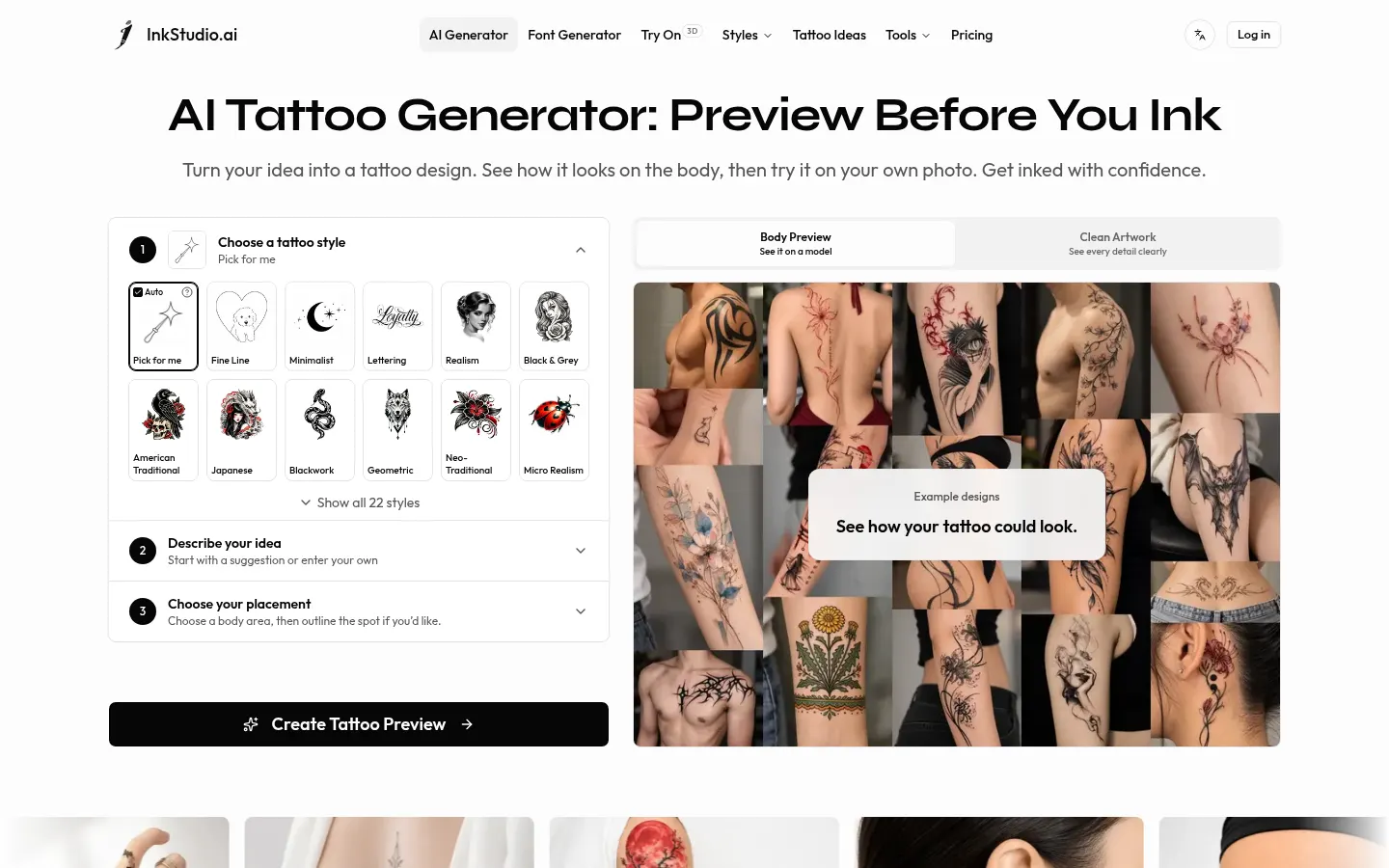
InkStudio.ai is an AI tattoo generator that creates tattoo designs from a text description for people planning new ink who want to walk into the studio with a clear idea. You pick a style, describe what you have in mind, mark the body area and get a realistic preview of the tattoo in place, plus clean artwork to show your artist.
What is InkStudio.ai used for?
It turns a rough idea into something you can discuss. There are 22 tattoo styles, including fine line, minimalist, lettering, realism, black and grey, American traditional, Japanese, blackwork, geometric, neo-traditional and micro realism, or you can let it choose. You control placement and size, and the company runs top-tier image models with tattoo-specific prompts and agents so results land closer to your vision.
How do you try a tattoo before getting it?
The workflow has four steps. First you generate a body preview on a model to judge placement and style on a real body; then you extract the design as clean, flat artwork. Next you upload your own photo, drop the design on it and adjust size and position with the photo try-on, which includes AI enhancement. Extras include 3D try-on on body templates, 3D lettering previews and a font generator built for script and lettering tattoos.
Who is InkStudio.ai for?
- People planning their first tattoo who are unsure about style.
- Anyone checking how a design looks on an arm, back or ankle.
- Clients who need images to explain their idea to an artist.
- Tattoo artists showing quick variations during consultations.
InkStudio.ai pros and cons
Pros: generation, on-body preview and photo try-on in one place, with usable clean artwork at the end. Cons: the output is a visual concept that doesn't replace your artist's judgment on size, skin or technique, and every generated image uses credits.
InkStudio.ai features and use cases
How to use InkStudio.ai
InkStudio.ai FAQ
What is InkStudio.ai?
InkStudio.ai is an AI tattoo generator that creates the design, shows it on the body and lets you try it on a photo of yourself.
Is InkStudio.ai free?
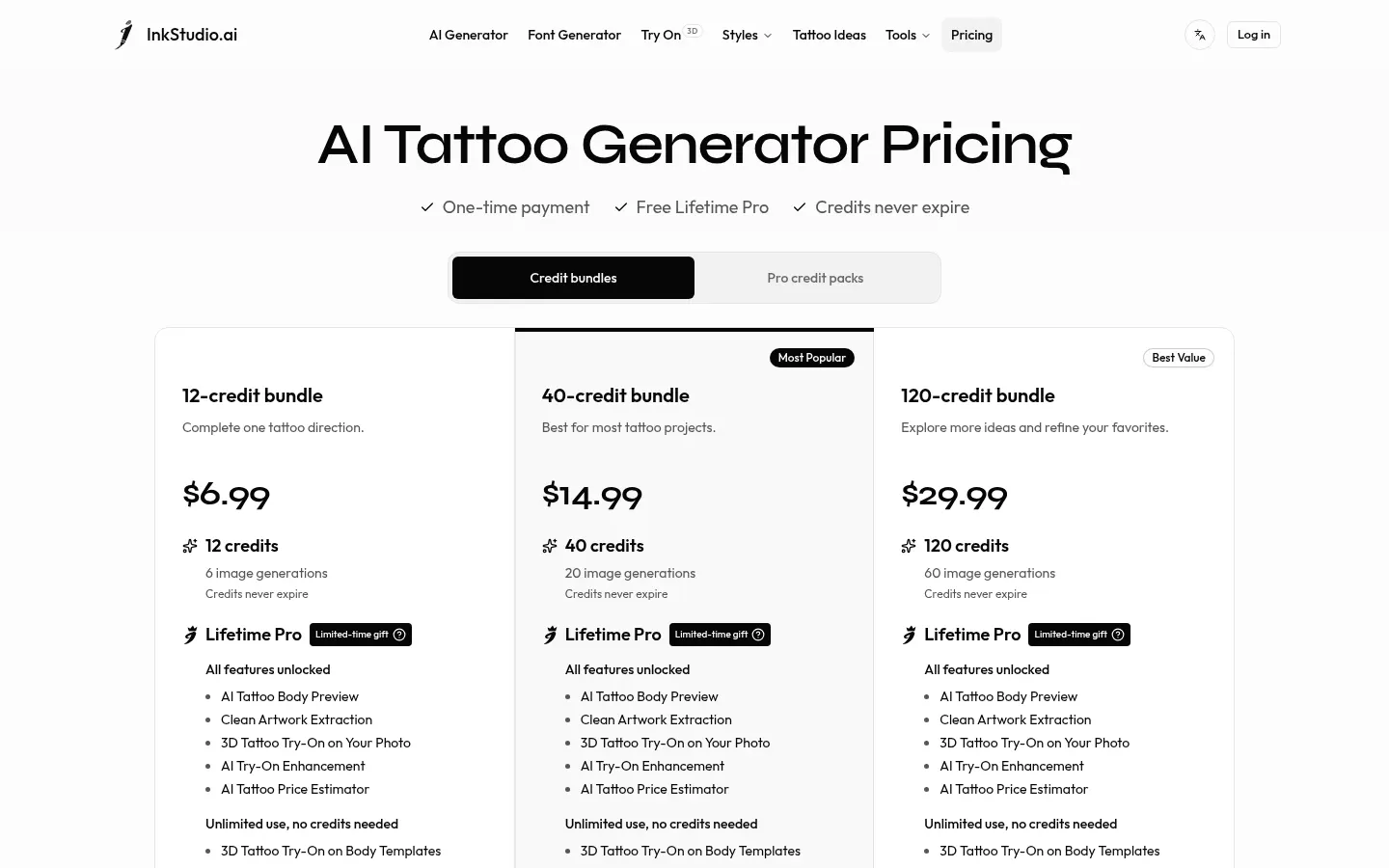
It isn't free: it uses one-time credit bundles that never expire. Amounts are in the pricing section.
Which tattoo styles does it offer?
There are 22 styles, such as fine line, minimalist, lettering, realism, Japanese, blackwork, geometric and micro realism, plus an auto option.
Can I see how the tattoo looks on me?
Yes. Upload a photo of yourself, place the design and adjust size and position, in addition to on-model and 3D template previews.
Do I get artwork I can bring to my artist?
Yes. It extracts the design from the preview as clean, flat artwork you can download and review with your tattoo artist.
Do credits expire?
No. According to the official site, credits from the bundles never expire.
Does InkStudio.ai have an API?
The official site doesn't mention a public API; it's designed to be used directly in the browser.
Does InkStudio.ai work in Spanish?
Yes. The site has a language switcher with a Spanish version, and you can describe your tattoo idea in your own words.
Does it replace a tattoo artist?
No. It's a visual aid for deciding and explaining your idea; your artist still judges size, skin and technique before tattooing.
What are the alternatives to InkStudio.ai?
On GptZone you can compare it with AI Tattoo Studio or TattooCoverUp.AI, which also generate tattoo designs with AI.
InkStudio.ai pricing and plans
Reference price: 6.99 USD · one-time payment. Source · Verified: November 18, 2026
Prices in US dollars (USD) as listed on the official site. Checked on: 18/11/2026. One-time credit bundles that never expire, no subscription. Each image uses 2 credits; a body preview plus clean artwork uses 4.
12-credit bundle: $6.99 (6 images).
40-credit bundle: $14.99 (20 images).
120-credit bundle: $29.99 (60 images).
As a limited-time gift, buying credits includes Lifetime Pro: body preview, clean artwork, 3D photo try-on, AI enhancement and the price estimator.
InkStudio.ai Screenshots
InkStudio.ai user reviews
Write a review
Checking your session...
InkStudio.ai Reviews
Loading reviews...
InkStudio.ai alternatives

Artbreeder
Artbreeder is an AI creative tool for generating characters and artworks by mixing images, tweaking their traits and building collages, with a large community.