

Share
Platform for orchestrating AI agents and models in video, 3D, and music software. Control professional tools and automate creative workflows.
What is Voyager?
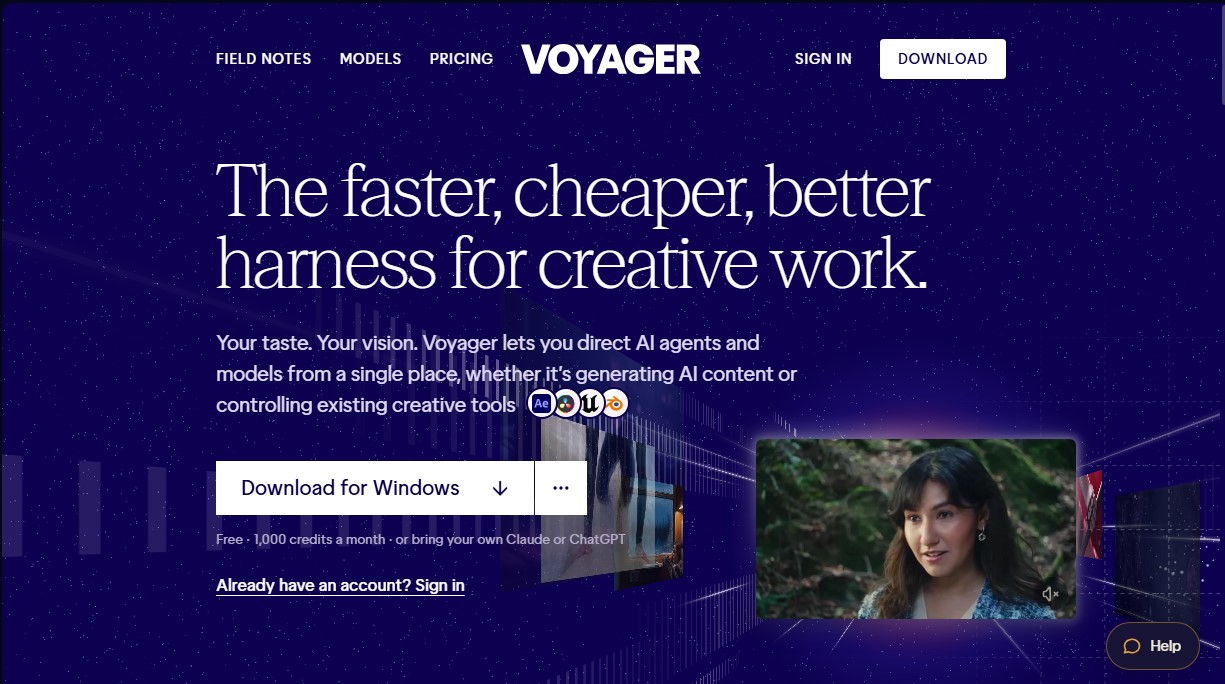
Voyager is an advanced control environment designed to centralize and manage AI agents and generative models from a single interface. This tool serves as a technical bridge, allowing creative professionals to integrate the power of AI directly into their standard workflows, facilitating both content generation and the management of external software applications. Its primary function is to act as a command center, optimizing productivity by automating complex tasks across various multimedia sectors.
Voyager's architecture is notable for its flexibility, allowing users to connect leading language models like Claude or ChatGPT, while also utilizing the platform’s own specialized agent. This technology empowers models to interact with and execute precise commands across more than 100 creative tools installed on the user’s computer. Compatible applications include industry standards such as DaVinci Resolve, Unreal Engine, Blender, Adobe, and Ableton, enabling seamless interoperability between AI and professional production software.
The tool operates by interpreting detailed instructions to execute technical actions. Voyager does more than just generate content from scratch; it can perform operational tasks such as:
- Creating shot lists and cinematic blockouts in 3D within Blender.
- Generating photorealistic images and style transfers for video footage.
- Analyzing and editing meshes, materials, and dimensions in 3D modeling environments.
- Assembling audiovisual pieces using specific source files based on continuity criteria.
- Digital color grading and color correction through camera metadata analysis.
- Transforming static designs into motion graphics with editable structures.
This solution is particularly valuable for graphic designers, video editors, 3D artists, and production studios seeking a technical collaborator capable of translating creative visions into the language of AI models. By operating as an integrated part of the user’s system, Voyager ensures a direct connection to the file system and existing editing tools. Its ability to handle multiple generations in parallel, combined with its compatibility with various rendering engines, speech synthesis, and models like DeepSeek or MiniMax, positions it as a versatile tool for executing commercial and artistic projects that demand a high degree of control and technical precision.
Voyager features and use cases
How to use Voyager
Voyager FAQ
What is Voyager and what can I use it for?
Voyager is a platform that lets you manage AI agents and control over a hundred professional creative tools from a single dashboard.
Is there a free version of Voyager?
Yes, you can download the app for free and receive 1,000 free credits every month to start working on your projects.
Can I use my own language models with Voyager?
The tool allows you to connect your own Claude or ChatGPT API keys to use them as agents within your creative workflow.
Which operating systems is the app available on?
Voyager is currently available for download and installation on Windows PCs.
What kind of content can I create with Voyager?
You can create images, video clips, 3D models, sound effects, and voiceovers by integrating AI into your existing software.
How are credits managed in Voyager’s paid plans?
Each plan includes a monthly credit allowance. If you need more, you can purchase add-on packs or set up auto-reloads based on your needs.
Can Voyager be used for teamwork?
We offer plans specifically designed for teams, featuring a shared credit pool and collaboration tools for studios and creative groups.
Which external tools can Voyager control?
The platform can manage popular applications like DaVinci Resolve, Unreal Engine, and Blender, as well as various graphic and music editing tools.
Voyager pricing and plans
Free
$0 per month
- 1,000 monthly workspace credits.
- Limit of up to 500 credits per 5-hour window.
- Chat with agents (all models included).
- Access to all image models.
- Stock music, sound effects, and narration.
- Video using your own API keys (fal, Google, and others).
- Connect your own Claude or ChatGPT keys at no extra cost.
Starter (Individual)
$19 per month (or $16.15 per month billed annually)
- 1,800 monthly credits (2,700 launch bonus for the first 3 months).
- 6 concurrent generations.
- GPU Instances: 1 GPU (one machine at a time).
- Access to all models.
- Managed voices.
Creator (Individual)
$49 per month (or $41.65 per month billed annually)
- 4,900 monthly credits (7,350 launch bonus for the first 3 months).
- 12 concurrent generations.
- GPU Instances: up to 2 GPUs.
- Access to all models.
- Managed voices.
Ultra (Individual)
$149 per month (or $126.65 per month billed annually)
- 16,000 monthly credits (24,000 launch bonus for the first 3 months).
- 24 concurrent generations.
- GPU Instances: up to 4 GPUs.
- Access to all models and managed voices.
- Real faces in Seedance.
- Coming soon: voice cloning and early access to new models.
GigaMax (Individual)
$500 per month (or $425 per month billed annually)
- 60,000 monthly credits (75,000 launch bonus for the first 3 months).
- 36 concurrent generations.
- GPU Instances: up to 4 GPUs.
- Priority support.
- Includes all Ultra plan features.
Teams
Starting at $75 per month (annual billing option with a 10% discount)
- Starter Team ($75/mo): 6,900 shared credits, 6 concurrent generations.
- Creator Team ($177/mo): 16,500 shared credits, 12 concurrent generations.
- Ultra Team ($537/mo): 51,000 shared credits, 24 concurrent generations, and includes advanced Seedance features.
- Credits are managed in a shared pool for the entire team.
Enterprise
Contact sales for pricing
- For groups of 26 or more people.
- Includes all Team plan features.
- Single Sign-On (SAML SSO).
- Invoicing.
- Priority support.
Voyager Screenshots
Voyager user reviews
Write a review
Checking your session...
Voyager Reviews
Loading reviews...
Voyager alternatives

AppLaunchFlow
Generate screenshots, ASO copy, icons, videos, and mockups for app stores. Includes localization, social graphics, and app ranking tracking.



utilz Background Remover
Remove image backgrounds for free with total privacy in your browser. Create transparent or colored backgrounds without uploading files while maintaining original resolution.


Osmo Studio
AI animation studio for professional motion graphics and videos. Control every detail, collaborate with teams, and export with transparent backgrounds.