Share
What is CreArt?
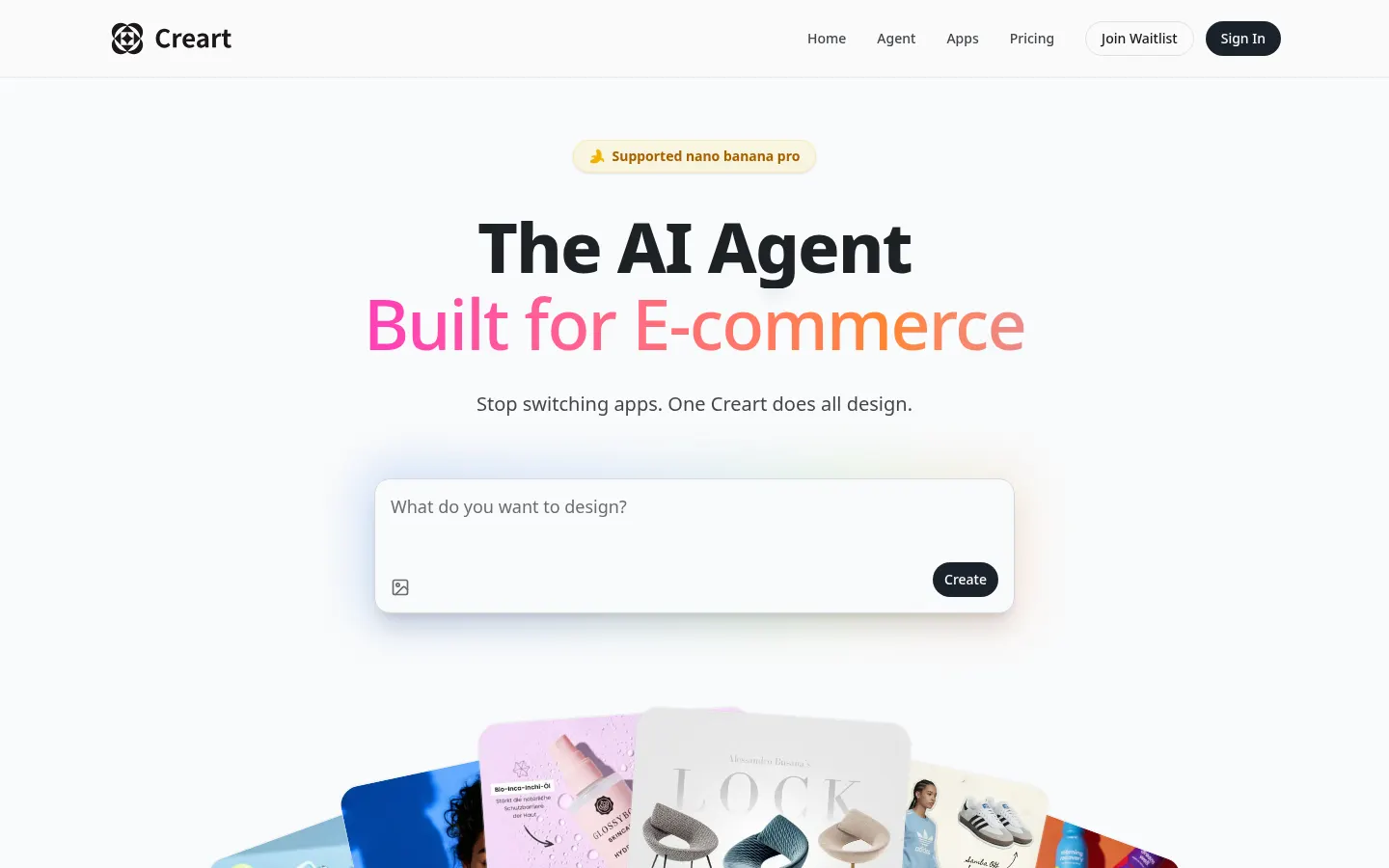
CreArt is an AI design agent for e-commerce that generates and edits product images on an infinite canvas, built for marketplace sellers, fashion brands and design teams. It is developed by New Motors LLC.
What is CreArt used for?
It produces the visuals for a store listing without a photo shoot. Templates cover product scenes, model shots, selling points, posters, outfit breakdowns, banners, detail close-ups, white backgrounds, product descriptions, 2D and 3D dimension diagrams and competitor comparisons. It also removes backgrounds.
How does CreArt work?
You drop the product photo onto the canvas and describe what you want. You can annotate the image, make precise selections, work in layers and reference the selected image in your prompt with @. In one click a design is translated into other languages such as French, Korean or Simplified Chinese and resized to 9:16, 3:4 and 4:3. Under the hood it uses several image models: Nano Banana Pro and 2, Seedream 5.0 lite and 4.5, and Qwen Image 2.0 Pro, 2.0 and Plus.
Who is CreArt for?
- Amazon, Shopify and marketplace sellers who need many images per product.
- Fashion brands that want model shots and full looks.
- Teams selling in several countries and languages that adapt every asset.
CreArt pros and cons
Pros: e-commerce templates, precise editing and multi-language adaptation in one canvas, with a commercial license for generated images and access to all models. Cons: daily credits cap how many images you can make, the website is English-only, and some entry points still show a waitlist, so check availability when you sign up.
CreArt features and use cases
How to use CreArt
CreArt FAQ
What is CreArt?
An AI design agent for e-commerce that creates and edits product images on an infinite canvas.
Is CreArt free?
There is no published free plan; it runs on paid plans. Details are in the pricing section.
Can I use CreArt images commercially?
Yes. Every plan includes a commercial license for generated images.
Which AI models does CreArt use?
Nano Banana Pro and 2, Seedream 5.0 lite and 4.5, and Qwen Image 2.0 Pro, 2.0 and Plus.
Does CreArt have an API?
It does not advertise a public API; you use it through the web canvas and templates.
Can CreArt translate images into other languages?
Yes. It translates the text in your designs into languages such as French, Korean and Simplified Chinese in one click.
Which image sizes does CreArt support?
It resizes one design to 9:16, 3:4 and 4:3 in one click, handy for social media and marketplaces.
What happens if I run out of credits?
Credits are allotted per day and per month by plan; once used up, you wait for the refill or upgrade.
Does CreArt offer refunds?
CreArt states a 7-day money-back guarantee on its pricing page.
What are the best CreArt alternatives?
In this directory you can compare Pixelcut, ProductAI and AI Product Photography.app, which also focus on product images.
CreArt pricing and plans
Reference price: 12 USD / month. Source · Verified: October 27, 2026
Prices in US dollars (USD). Checked on: 27/10/2026.
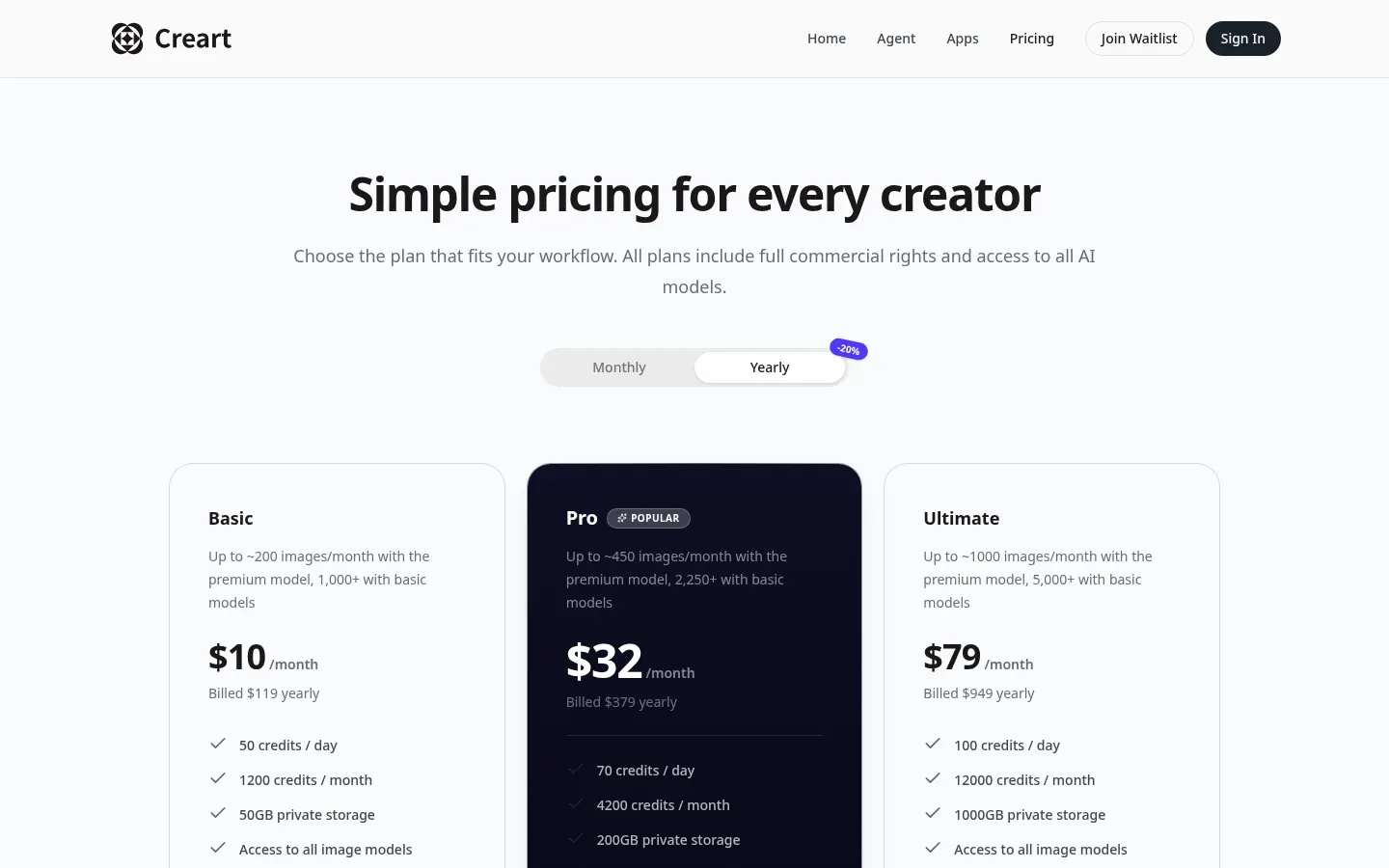
Basic: $12/month, or $119/year (about $10/month); 50 credits a day, 1,200 a month and 50 GB. Up to about 200 images a month with the premium model.
Pro: $39/month, or $379/year (about $32/month); 70 credits a day, 4,200 a month and 200 GB.
Ultimate: $99/month, or $949/year (about $79/month); 100 credits a day, 12,000 a month and 1,000 GB.
Every plan includes a commercial license and access to all models. Annual billing saves 20%.
CreArt Screenshots
CreArt user reviews
Write a review
Checking your session...
CreArt Reviews
Loading reviews...
CreArt alternatives


utilz Background Remover
Remove image backgrounds for free with total privacy in your browser. Create transparent or colored backgrounds without uploading files while maintaining original resolution.