Share
AI animation studio for professional motion graphics and videos. Control every detail, collaborate with teams, and export with transparent backgrounds.
What is Osmo Studio?
Osmo Studio is an AI-native motion graphics and video creation platform designed to unify design, storytelling, and audiovisual production into a single professional workflow. Unlike other generative video editors that limit user intervention, this tool focuses on precise creative control, allowing you to adjust every pixel and animation property. It is an advanced solution for tech companies, brand designers, and creative directors who need to produce launch videos, product demos, or high-quality ads without the friction of traditional animation software.
Osmo Studio’s operation is based on an approach where AI acts as a technical production assistant. Users can import reference images, videos, or designs directly from tools like Figma, and the system interprets the style to generate cohesive animations. The platform utilizes advanced models like Seedance 2.5, Grok, and Nano Banana for generating clips, images, and visual effects. Additionally, it integrates a cloud agent and a command-line interface (CLI) that allows for the automation of creation processes through code, treating every video element as a programmable and editable property.
Key capabilities include:
- Total Property Control: Allows for manual or assisted manipulation of keyframes, easing curves, 3D transformations, and precise canvas positioning.
- Time-Based Editing: Includes a professional timeline editor to sync movements with the rhythm of music or AI-generated voiceovers.
- High-Fidelity Exporting: Supports professional formats like 4K ProRes 4444 with transparent backgrounds (WebM and MP4), facilitating integration into other post-production workflows on your computer.
- Asset and Effects Library: Access to shaders, film effects, text animations, and compatibility with SVG and GLB files, along with custom font uploads.
- Real-Time Collaboration: Teams can work simultaneously via shared links, perform live edits, and add timestamped comments to streamline reviews.
The practical utility of Osmo Studio lies in its ability to eliminate the visual inconsistency typical of conventional generative AI. By combining local GPU rendering with assisted VFX tools, the user maintains authority over the final aesthetic. This allows visual concepts to be transformed into final pieces in a fraction of the usual time, making it a key tool for creating launch spots, UI tutorials, and advertising content that requires pinpoint precision in every transition.
Osmo Studio features and use cases
How to use Osmo Studio
Osmo Studio FAQ
What is Osmo Studio and what is its primary use?
It is an AI-native storytelling platform that combines design, video, and animation into a single collaborative tool for professionals.
Can I try Osmo Studio for free?
Yes, you can start using the tool for free to develop your first idea without needing to provide a credit card.
What advanced editing features does Osmo Studio include?
The tool offers a full timeline with keyframe control, easing curves, 3D transformations, and a library of effects and shaders.
Does Osmo Studio allow for exporting files with transparency?
Yes, you can export your projects with transparent backgrounds in formats such as 4K ProRes 4444 for easy integration into other workflows.
How does the credit system work in Osmo Studio plans?
Each plan allocates a monthly amount of credits that can be redeemed to generate video clips, images, music, sound effects, or voiceovers.
What are the benefits of real-time collaboration in Osmo Studio?
It allows you to share project links, leave comments at specific timestamps on the timeline, and conduct live reviews with other team members.
Which external applications does Osmo Studio integrate with?
The platform features integrations for Figma, Claude Code, Codex, and Cursor, making it easy to import designs and handle technical coding tasks.
What file formats can I import into an Osmo Studio project?
The tool supports a wide variety of imports, including SVGs, images, video clips, audio, GLB 3D files, and custom fonts.
Does Osmo Studio support local rendering?
Yes, the platform allows for rendering via the user's local GPU, which speeds up the export process for high-resolution videos.
How does Osmo Studio's AI assist in the creative process?
The AI can generate assets from scratch or interpret reference images to automatically create animations that follow a specific visual style.
Osmo Studio pricing and plans
Free Plan: $0/month (no credit card required).
$10 in monthly recurring credits.
Access to cloud agents (Astra and Opus 5.5).
Osmo CLI for agent-powered video creation.
Timeline editing, keyframes, and easing.
Free library of shaders, 3D assets, and cinematic effects.
Basic Plan: $19/month (billed annually at $228). Designed for personal projects.
1× usage capacity.
Estimated generation of ~6 finished 30-second videos.
Approximate limits: 15 Seedance 2.5 clips, 76 Grok clips, 283 Nano Banana images, and 633 Seedream images.
Audio: ~31 min of music, 237 sound effects, and 95,000 voice characters.
Pro Plan: $45/month (billed annually at $540) or $60/month if paid monthly. Designed for regular client work.
5× usage capacity.
Estimated generation of ~20 finished 30-second videos.
Approximate limits: 50 Seedance 2.5 clips, 240 Grok clips, 895 Nano Banana images, and 2,000 Seedream images.
Audio: ~100 min of music, 750 sound effects, and 300,000 voice characters.
Max Plan: $100/month (billed annually at $1,200) or $130/month if paid monthly. Designed for high-volume production.
12× usage capacity.
Estimated generation of ~43 finished 30-second videos.
Approximate limits: 108 Seedance 2.5 clips, 520 Grok clips, 1,940 Nano Banana images, and 4,333 Seedream images.
Audio: ~216 min of music, 1,625 sound effects, and 650,000 voice characters.
All plans include:
Integrations with Figma, Claude Code, Cursor, and Codex.
Real-time collaboration, time-stamped comments, and shareable links.
4K ProRes 4444 (MOV), MP4, and WebM export with transparent backgrounds.
Advanced editing tools: local GPU rendering, custom font uploads, and SVG and GLB file imports.
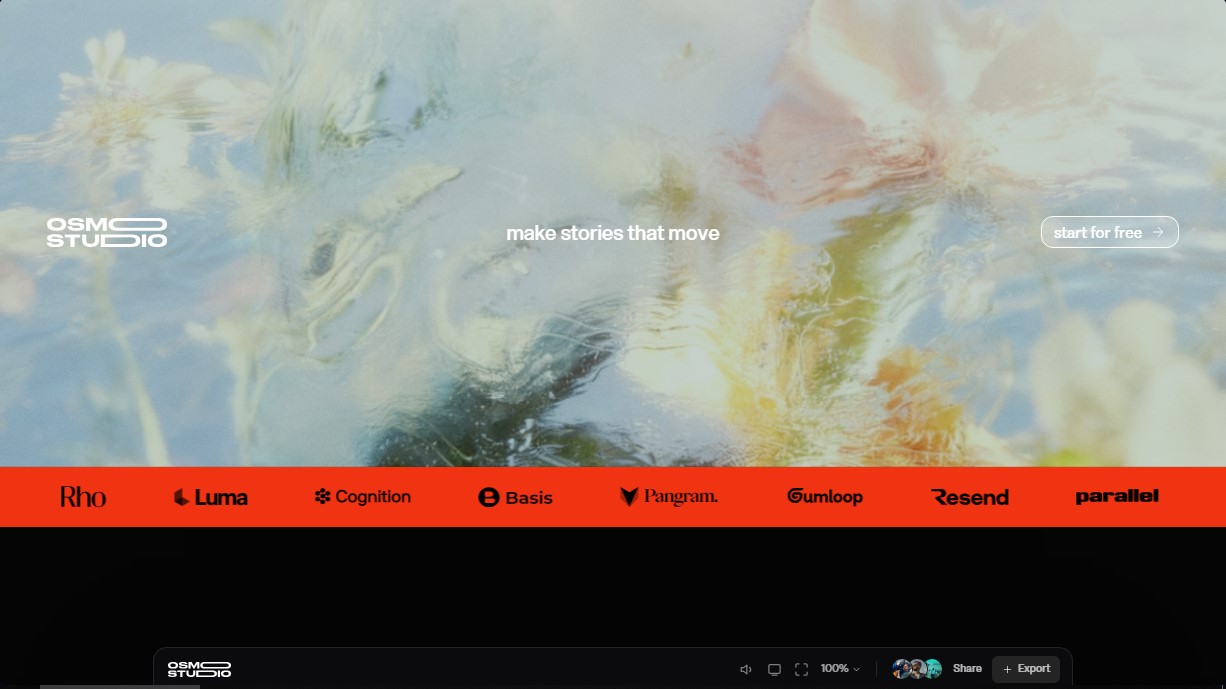
Osmo Studio Screenshots
Osmo Studio alternatives

ColorCraft
Create Amazon KDP books. Generate coloring pages, stories, puzzles, and print-ready full covers, plus promotional mockups in a single workflow.


NeotypeLab
NeotypeLab uses AI to plan paint schemes for Gunpla, mecha girls and Zoids, with real hobby paint codes, a spraying sequence, a shopping list and an HD preview.