

Share
Multi-model workspace for professionals. Compare AI models, build expert assistants with memory, run autonomous research, and generate exportable charts or documents.
What is HaloMate?
HaloMate is an advanced AI workspace specifically designed for professionals requiring a native multi-model environment. Unlike platforms limited to a single engine, this tool allows you to integrate and switch between the market's most powerful models, including GPT, Gemini, Claude, DeepSeek, and Grok. Its primary function is to centralize complex workflows into a single interface, making it easy to compare responses side-by-side to mitigate hallucinations and ensure maximum precision for critical tasks from your computer or compatible devices.
The application's architecture is built on the creation of Mates, which act as a team of specialized agents. Each of these assistants features independent memory and a defined technical personality, preventing context contamination between different projects. This segmentation allows a "Legal Assistant" profile to keep its guidelines separate from a "Strategy Consultant," evolving autonomously based on specific user goals and remembering historical preferences without the need to re-enter commands.
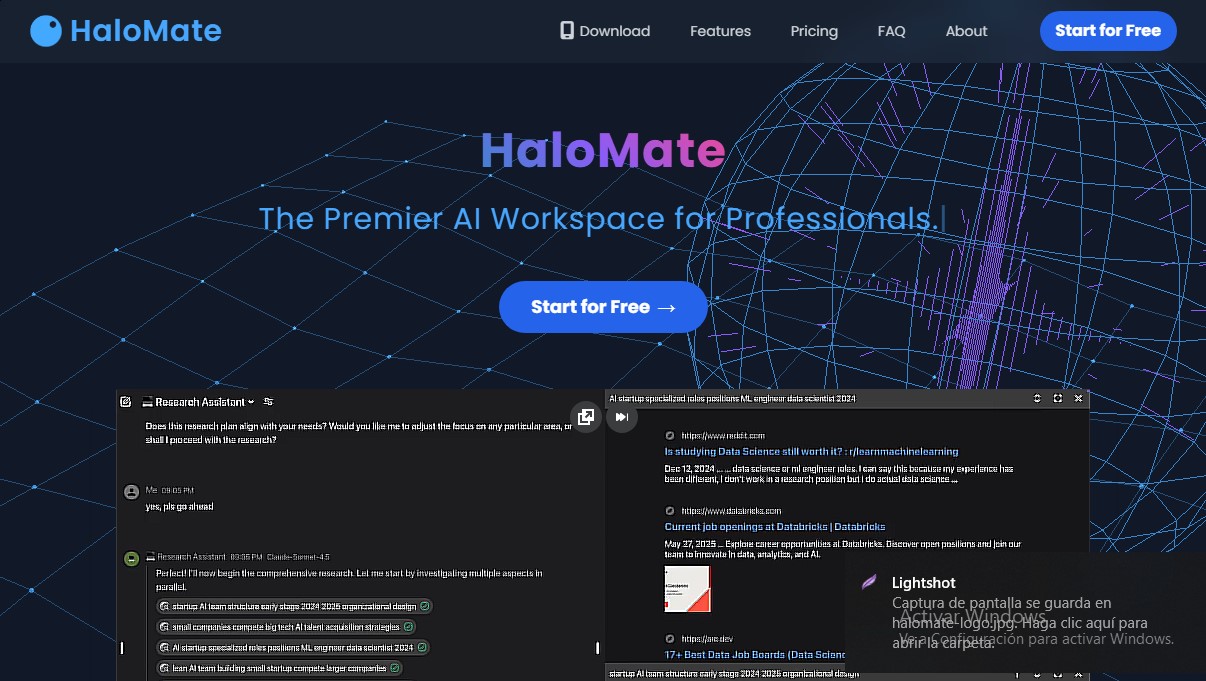
To obtain rigorous information, HaloMate implements the AutoPilot feature, an autonomous research agent. This system goes beyond simply summarizing conventional search results; it plans, iterates, and cross-references data from the open web, news sources, and academic journals. This technological approach allows users to supervise the research process in real-time, automatically obtaining proven and structured insights.
The tool stands out for its ability to transform dense blocks of text into interactive visualizations and functional deliverables. Thanks to Artifacts support, the following can be generated and previewed directly within the workflow:
- Mind maps and flowcharts (Mermaid, Markmap).
- Professional data charts and logic diagrams (Plotly, ECharts).
- HTML website prototypes, slide presentations, and SVG graphics.
- Music notation and complex mathematical formulas in LaTeX.
HaloMate’s operational flow is geared toward peak productivity, allowing for split-screen editing and the conversion of conversations into distribution-ready files. The platform supports exporting in multiple professional formats, including PDF, DOCX, Markdown, and PNG, as well as audio files in WAV or MIDI. This eliminates the need to copy and paste content between different applications, consolidating the entire process from ideation to the final deliverable within a single AI ecosystem. It is an ideal solution for analysts, developers, and project managers looking for a professional AI tool with customization and multivariable analysis capabilities.
HaloMate features and use cases
How to use HaloMate
HaloMate FAQ
What is HaloMate and what are its benefits for professionals?
It is an AI workspace that integrates multiple advanced models into a single interface to enhance productivity and precision for complex tasks.
Can I use different AI models on HaloMate?
Yes, the platform allows you to switch between models like GPT, Claude, Gemini, and DeepSeek within the same chat to compare responses and ensure you always get the best possible result.
What does the AutoPilot tool do?
AutoPilot transforms your chats into research agents that browse the web and academic sources for up-to-date information to autonomously generate detailed reports.
What are HaloMate "Mates" and why should I use them?
Mates are specialized virtual experts with dedicated persistent memory that allow you to separate work contexts, preventing information from different projects from getting mixed up.
Is it possible to create visuals from a conversation?
The tool automatically generates mind maps, flowcharts, and interactive data visualizations to make complex logic easy to understand at a glance.
What file types can I export from the platform?
You can turn your conversations into final deliverables by exporting content in professional formats such as PDF, Word, PNG images, or even source code.
How are usage limits managed on HaloMate?
The service uses a daily credit system that varies depending on your chosen plan, providing access to different levels of processing power and analytical capacity.
Does HaloMate offer a free version for new users?
There is a free plan that includes 1,000 daily credits and access to standard models, allowing any professional to start optimizing their workflow at no cost.
HaloMate pricing and plans
Free
$0/month
- 1,000 daily credits.
- Access to Air, Pro, and Max models.
- Maximum of 5 AI team members.
- 50k context limit.
- Max 1 attachment per message (10 MB limit).
- AutoPilot with Air and Pro models.
Plus
$9.9/month
- 5,000 daily credits.
- Unlock access to Ultra models.
- Up to 50 AI team members.
- Up to 500k context limit.
- Up to 5 attachments per message (30 MB each).
- AutoPilot with GPT, Grok, and R1 models.
- Credit rollover.
Pro
$19.9/month
- 10,000 daily credits.
- Includes all Plus plan features.
- Unlimited AI team members.
- Up to 2M context limit.
- Up to 10 attachments per message (50 MB each).
- AutoPilot with Max models.
Pro+
$39.9/month
- 20,000 daily credits.
- Includes all Pro plan features.
- AutoPilot with Ultra models.
Max
$99.9/month
- 50,000 daily credits.
- Includes all Pro+ plan features.
HaloMate Screenshots
HaloMate user reviews
Write a review
Checking your session...
HaloMate Reviews
Loading reviews...
HaloMate alternatives



HannahDream
Chat with virtual partners for adults with customizable memory. Build romantic bonds, evolve your relationship, and generate realistic photos with no explicit content.


SayLingo.ai
Practice 30 languages with AI tutors. Improve your pronunciation and grammar through real conversations, guided lessons, and official exam preparation.

JapanesePal
Practice Japanese conversation with an AI tutor. Improve your fluency and pronunciation for travel, work, or culture with instant corrections.