
Share
Manage tasks, notes, and reminders via AI on WhatsApp or Telegram. Sync calendars, generate meeting minutes via voice, and organize teams in a unified dashboard.
What is Hello Aria?
Hello Aria is an AI-powered productivity tool designed to centralize task management, notes, and reminders through a chat interface. Its primary function is to eliminate information fragmentation by allowing users to capture any relevant data via common messaging apps, transforming informal conversations into organized action items. It is a solution geared toward high-performance professionals, work teams, freelancers, and students looking to optimize their workflow without constantly switching between multiple complex applications.
The app’s functionality is based on the integration of advanced language models that understand the user's natural context. By sending a text or voice message to Hello Aria through channels like WhatsApp, Telegram, or Slack, the AI processes the information to schedule alerts or create lists. Real-time synchronization technology ensures that any entry made from a mobile device is instantly reflected on its web dashboard and iOS app, maintaining a unified data ecosystem accessible from any computer or device.
Key functional capabilities include:
- Smart reminder management: Allows for setting up one-time or recurring alerts simply by typing the instruction in the chat, eliminating the need to navigate through complicated menus.
- MOM (Minutes of Meeting) Mode: This feature processes voice notes from meetings to generate automatic summaries and extract action items immediately.
- Voice and image capture: Uses language and vision processing to convert audio into tasks and upload files or photos directly to cloud storage services.
- Collaboration Circles: Facilitates team or group coordination through shared reminders, allowing for task assignment and schedule synchronization without the need for additional meetings.
- Ecosystem integration: Connects natively with Google Calendar, Drive, and Gmail, as well as Microsoft Outlook and OneDrive tools, consolidating calendars and files in one place.
The practical benefit of Hello Aria lies in its ability to act as a digital second brain. By automating administrative work and deadline tracking, users reduce their cognitive load and can focus on critical tasks. The tool stands out for its conversational interface, which leverages the familiarity of chat apps to manage AI productivity workflows. Additionally, its smart memory capability personalizes the experience, adjusting notifications and information organization based on habits and preferences detected through daily interactions.
Hello Aria features and use cases
How to use Hello Aria
Hello Aria FAQ
What is Hello Aria and how can it help improve my daily productivity?
It’s an AI assistant designed to manage tasks, reminders, and notes directly within your favorite messaging apps without having to switch platforms.
Which messaging platforms can I use Hello Aria on?
You can use the tool natively through WhatsApp, Telegram, and Slack. It also features an iOS app and a web dashboard.
Can I set up recurring reminders with Hello Aria?
Yes, the Pro version allows you to set reminders that repeat periodically to help you stay on top of your routines and responsibilities.
How does MOM mode work for meeting management?
This feature allows you to send voice notes from your meetings so the AI can automatically generate a summary with key points and action items.
Does Hello Aria integrate with Google and Microsoft calendars?
The tool fully syncs with Google Calendar and Outlook, ensuring your events and important dates are always up to date across all your devices.
What are Circles and how do they help with team coordination?
Circles are collaborative spaces where you can share task lists and assign reminders to others to keep the entire group aligned.
Can I convert voice messages into to-do items?
Yes, you can send audio clips directly to the chat, and the AI will transcribe them and organize the information into concrete actions on your list.
What is the difference between the Hello Aria Basic and Pro plans?
The Pro plan includes advanced features such as recurring reminders, Google Drive and Calendar integrations, AI memory, and web search capabilities.
Is it safe to use Hello Aria to manage my files and personal data?
The platform uses advanced security systems and is backed by tech acceleration programs from major companies to guarantee the privacy of your information.
Hello Aria pricing and plans
Free Trial: 14-day free trial to test out the tool's features with no credit card required.
Basic Plan: 4 $ per month (3 $ per month if billed annually).
Unlimited messages.
Unlimited one-time reminders.
Support for over 100 languages.
5 voice notes per month limit.
5 image analyses per month limit.
Receive circle reminders.
Access via WhatsApp and Telegram.
Pro Plan: 5 $ per month (4 $ per month if billed annually).
Includes everything in the Basic plan.
Recurring reminders.
Integrations with Google Drive, Calendar, Gmail, and Google Meet.
Unlimited voice notes.
Unlimited image analysis.
Ability to send and receive circle reminders.
AI memory.
30 web searches per month limit.
List creation and management.
Enterprise Plan: Custom pricing (contact us via the official website).
Includes everything in the Pro plan.
Unlimited meeting minutes (MOM).
Custom integrations.
Dedicated support.
Advanced security and compliance.
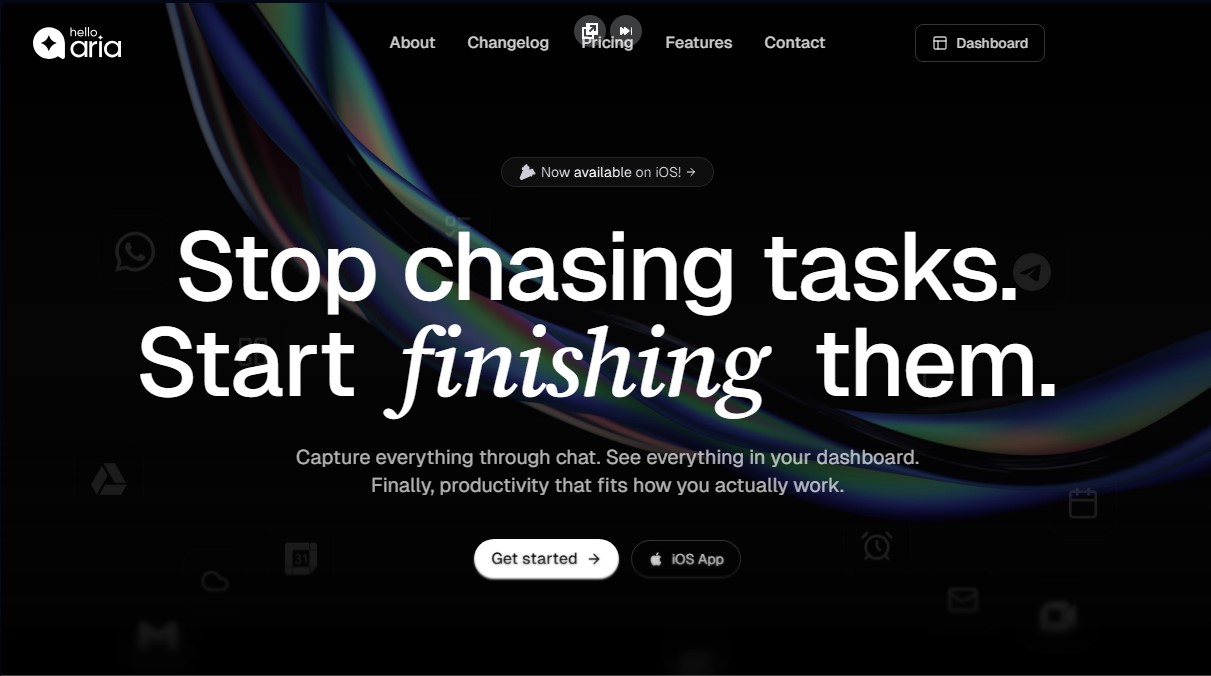
Hello Aria Screenshots
Hello Aria user reviews
Write a review
Checking your session...
Hello Aria Reviews
Loading reviews...
Hello Aria alternatives


HannahDream
Chat with virtual partners for adults with customizable memory. Build romantic bonds, evolve your relationship, and generate realistic photos with no explicit content.

SayLingo.ai
Practice 30 languages with AI tutors. Improve your pronunciation and grammar through real conversations, guided lessons, and official exam preparation.
JapanesePal
Practice Japanese conversation with an AI tutor. Improve your fluency and pronunciation for travel, work, or culture with instant corrections.