

Share
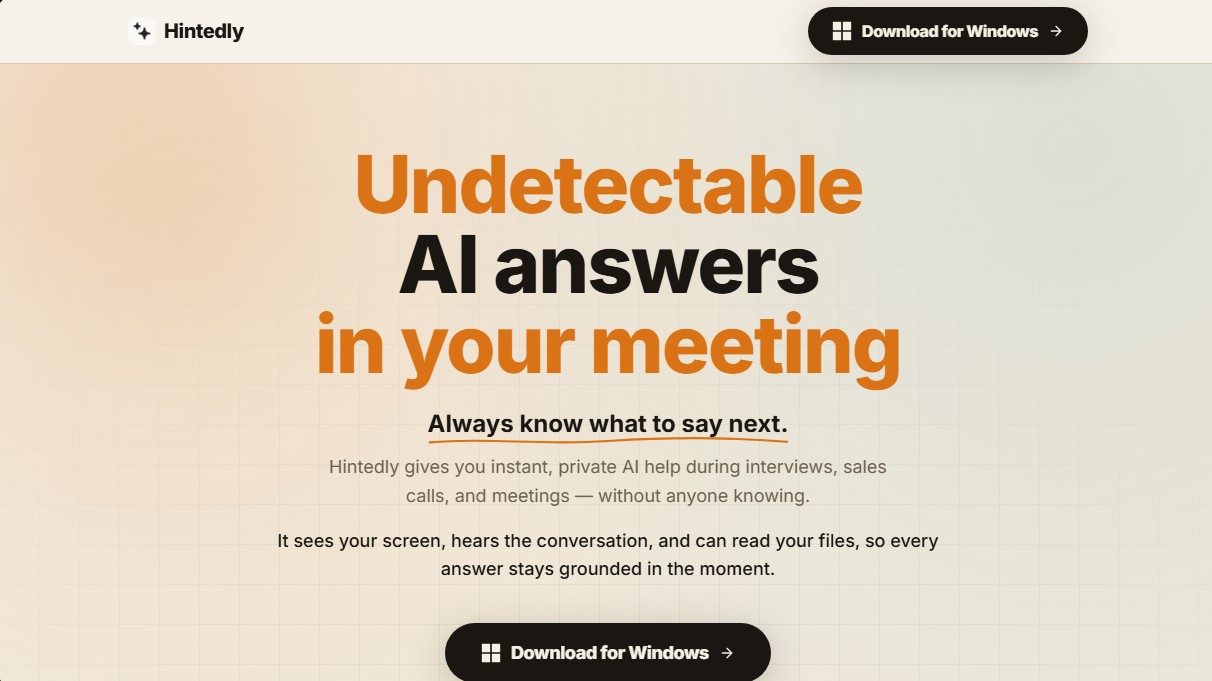
Undetectable AI assistant for meetings and interviews. Provides real-time answers and automatically generates notes, summaries, and follow-up emails privately.
What is Hintedly?
Hintedly is an AI-powered assistant designed to provide real-time support during virtual meetings, job interviews, and sales calls. This tool functions as an invisible and private information layer that overlays the computer screen, allowing the user to receive answers and suggestions without being detected by other participants. Its primary goal is to eliminate mental blocks and ensure the user maintains confidence and fluency in high-pressure professional situations.
The technology behind Hintedly is based on multimodal context processing. The software can listen to the conversation through the microphone and speakers, read screen content, and analyze local files to ground its responses in real-world data. Users can choose from several advanced language models, including options from Anthropic, OpenAI, and Google, to tailor the AI's performance to their speed or accuracy preferences. Unlike other assistants, it does not join the session as a bot or appear in the participant list, as it operates entirely locally on the operating system.
One of the tool's most notable features is its undetectable overlay while using screen-sharing functions on platforms such as Zoom, Microsoft Teams, Google Meet, or Webex. The system employs window-filtering techniques to ensure the AI panel is only visible to the user, remaining hidden from clients or interviewers. Additionally, it allows for the configuration of custom action buttons with preset prompts to instantly obtain responses in specific tones.
Hintedly is particularly useful for various roles and use cases:
- Interview Candidates: Helps structure behavioral responses or solve technical assessments on platforms like HackerRank, CoderPad, or LeetCode.
- Sales Teams: Facilitates objection handling and the following of discovery scripts without losing eye contact or the flow of the conversation.
- Directors and Executives: Enables leading meetings with clarity, providing precise data and concise answers to maintain a polished and prepared image.
- Team Meetings: Useful for quickly capturing decisions and making informed contributions without needing to toggle between different tabs.
Once the session ends, the tool transforms the captured information into actionable intelligence. It automatically generates structured meeting notes, summaries, and to-do lists with assigned owners. It also includes a feature to draft follow-up emails based on the context of the discussion and allows for searching through meeting history to locate specific data, figures, or prior decisions. The software is compatible with Windows and Mac, and installation takes less than two minutes without requiring complex administrator permissions.
Hintedly features and use cases
How to use Hintedly
Hintedly FAQ
What exactly is Hintedly and what is it used for?
It is an AI-powered assistant that provides real-time answers and suggestions during interviews and meetings without anyone else noticing.
Is the Hintedly interface visible when I share my screen during a video call?
No, the app is designed to be invisible in screenshots and recordings, so only you will be able to see the assistance panel on your monitor.
Does Hintedly work with tools like Zoom, Teams, or Google Meet?
Yes, it works as an independent overlay compatible with any video conferencing platform you use on your computer.
Will Hintedly appear as a bot or another participant in the meeting attendee list?
No, it is a private desktop application that does not join the call as a guest, ensuring your use of AI remains completely confidential.
How does Hintedly get the context needed to provide the right answers?
The tool listens to the conversation, analyzes what appears on your screen, and can read your local files to provide accurate, well-informed answers in the moment.
What happens once my meeting with Hintedly is over?
At the end of the session, the tool automatically generates structured notes, a to-do list, and a follow-up email draft that is ready to send.
Can I try Hintedly for free before signing up for a paid plan?
Yes, there is a two-day free trial so you can explore all of its features before deciding on a monthly or annual subscription.
Which operating systems can I install the Hintedly app on?
The tool has native applications for both Windows and Mac, including models with Intel and Apple Silicon processors.
Hintedly pricing and plans
Free Trial: Available for 2 days for new users to test the tool's capabilities before subscribing.
Starter Plan: $19 per month (or $189 per year).
Access to all modes (Interview, Meeting, Sales, Solo).
Real-time AI assistance.
Screen and audio context.
Basic summaries and recaps.
900 AI credit limit per month.
Priority support and advanced analytics.
Pro Plan: $29 per month (or $289 per year).
Access to all modes (Interview, Meeting, Sales, Solo).
Real-time AI assistance.
Screen and audio context.
Advanced summaries and action items.
1,500 AI credit limit per month.
Priority support and advanced analytics.
Advanced Plan: $59 per month (or $588 per year).
Access to all modes (Interview, Meeting, Sales, Solo).
Real-time AI assistance.
Screen and audio context.
Advanced summaries and action items.
3,000 AI credit limit per month.
Priority support.
Advanced analytics and deep insights.
Hintedly Screenshots
Hintedly user reviews
Write a review
Checking your session...
Hintedly Reviews
Loading reviews...
Hintedly alternatives



HannahDream
Chat with virtual partners for adults with customizable memory. Build romantic bonds, evolve your relationship, and generate realistic photos with no explicit content.


SayLingo.ai
Practice 30 languages with AI tutors. Improve your pronunciation and grammar through real conversations, guided lessons, and official exam preparation.
JapanesePal
Practice Japanese conversation with an AI tutor. Improve your fluency and pronunciation for travel, work, or culture with instant corrections.