

Share
Generate dynamic HTML presentations with AI. Create, share, and play interactive slides directly from your browser.
What is htmlslides?
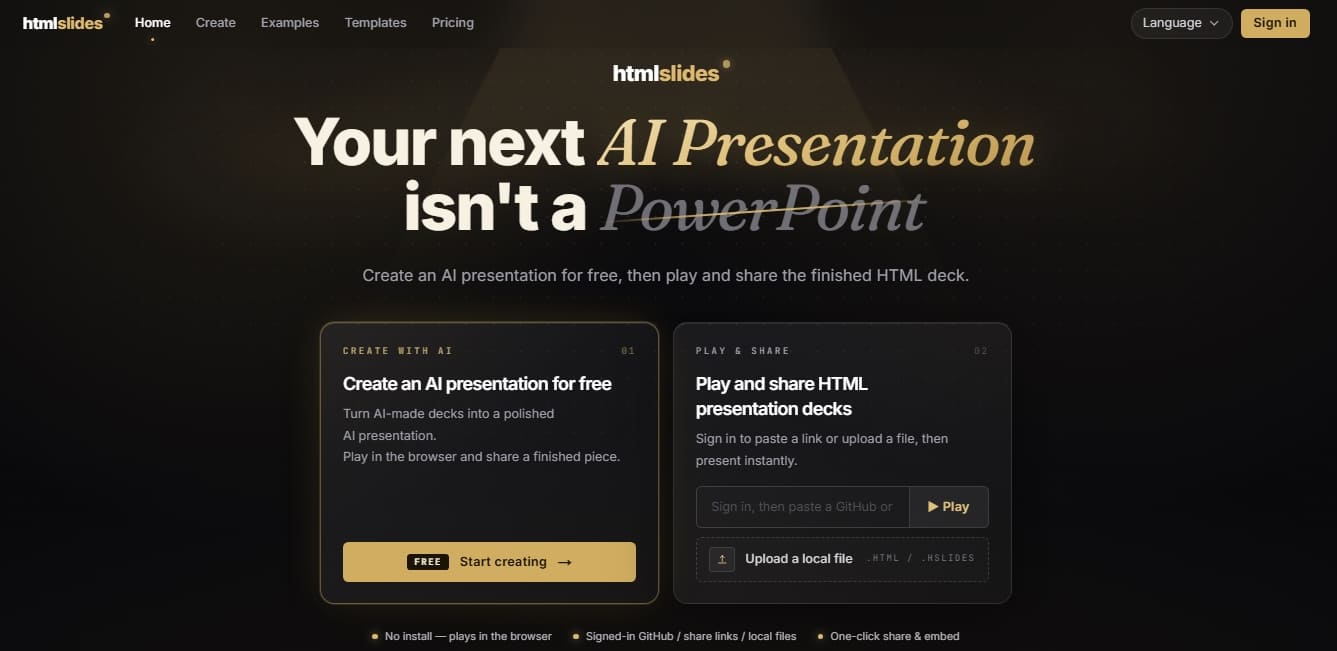
htmlslides is a platform specialized in creating and viewing dynamic HTML presentations, positioning itself as a technical and modern alternative to conventional slide software. Unlike traditional tools, this application allows you to generate slide decks that run directly in a web browser, leveraging the power of code to integrate advanced animations, interactivity, and real-time data without the need for additional software installations.
The functionality of htmlslides is built on the flexibility of web standards and artificial intelligence assistance. Users can create content in two primary ways: by using pre-designed professional templates or by utilizing AI agents (such as Claude Code or Cursor) to generate the entire slide deck structure via code. The tool is capable of processing files with the .hslides extension or HTML documents using specific section elements, allowing users to import projects from local files or via direct GitHub links.
Key functional features of htmlslides include:
Native Browser Playback: Content renders identically on any computer or device, eliminating font or layout compatibility issues.
Interactivity and Live Content: Being HTML-based, presentations can include interactive elements that are impossible in static or proprietary formats.
Presentation Tools: Includes a presenter mode with speaker view, editable notes, a laser pointer, a slide navigator, and autoplay functions.
Simplified Distribution: Share your work via a single link, providing instant access and avoiding heavy email attachments.
Export and Hosting: Offers options to embed presentations into external websites and the ability to export to video directly from the browser.
This tool is designed for professionals, speakers, and developers looking to optimize their workflow by using AI tools for content generation. Because it does not rely on closed formats, users maintain full control over their code, making it ideal for those who need to integrate presentations into modern digital ecosystems or collaborative workflows. htmlslides transforms slide creation into an agile process where artificial intelligence handles the technical structure, allowing the user to focus on the narrative and the visual impact of their communication.
htmlslides features and use cases
How to use htmlslides
htmlslides FAQ
What exactly is htmlslides?
It’s a platform that allows you to create dynamic HTML presentations that can be played, shared, or embedded in any browser without the need for additional software.
Why is htmlslides better than traditional PowerPoint?
The HTML format allows for real animations and interactivity that won’t break when shared, as they are viewed via a lightweight link rather than a bulky file.
Do I need coding skills to use the tool?
No coding knowledge is necessary because you can use pre-designed templates or use AI to generate the presentation structure for you.
How can I create a presentation if I don't have a file yet?
You can choose a professional template from the catalog or use an AI agent to generate the HTML code and upload it directly to the platform.
How can I share my htmlslides presentations?
Every project generates a unique link that can be opened on any device. It also provides the option to copy an embed code to integrate the presentation into your own website.
What are the benefits of a Pro subscription compared to a free account?
The Pro version includes all official templates, increases storage to 1 GB, and unlocks advanced features like presenter mode with notes and video export.
Can I convert my presentation into a video file?
Yes, Pro users can record their presentations directly from their browser and download the resulting file with a single click.
What are platform credits used for?
Credits allow you to purchase individual premium templates from the marketplace, although most official templates are already included at no extra cost with a Pro subscription.
htmlslides pricing and plans
Free Plan
0 $
Access to select free official templates.
50 MB of storage.
Basic playback features.
Restrictions: Does not include presenter mode or automatic video export.
Pro Plan
19 $/mo
All free official templates.
1 GB of storage.
Full playback features.
Presenter mode (dual-screen view with editable notes and next-slide preview).
One-click automatic video export.
Credits (One-time payment)
Starting at 1 $
Credit packs to purchase individual premium templates in the marketplace.
Pro plan users typically do not need these, as official templates are included in their subscription.
htmlslides Screenshots
htmlslides user reviews
Write a review
Checking your session...
htmlslides Reviews
Loading reviews...
htmlslides alternatives

MagicSlides
MagicSlides generates AI slide decks from a topic, documents, links or videos and exports them to PowerPoint, Google Slides or PDF.




MockLive AI
AI platform to practice interviews, exams, and presentations with real-time voice. Includes realistic simulations, response analysis, and detailed feedback.

image2slides
Convert screenshots and photos into editable PowerPoint slides. Extract text and graphics to modify and export them in PPTX format.