ImgPilot
Share
ImgPilot
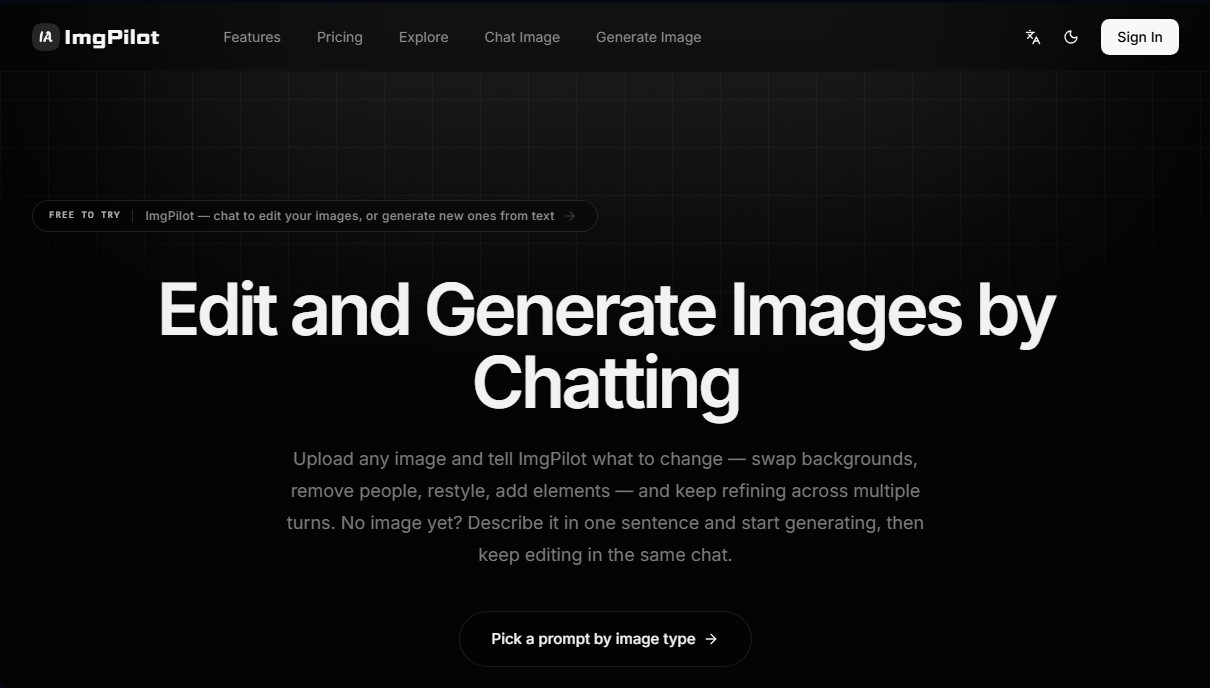
Create AI images or edit photos via interactive chat. Swap backgrounds, add elements, and perfect the final result conversationally.
General Information about ImgPilot
ImgPilot is an advanced AI image generation and editing platform that stands out for its conversational and fluid approach. Unlike traditional generators that rely on static and complex commands, this tool allows users to interact with AI through a chat interface to create visual content from scratch or modify existing files iteratively. It is a versatile solution for designers, content creators, and professionals seeking precise control over their visual assets without needing to master advanced prompt engineering.
The application's architecture is divided into two main workflows designed for efficiency. The first is the text-to-image system, where users enter a simple natural language description to receive a visual draft in seconds. The second, and more distinctive, is the chat-to-image system. This feature allows you to upload a reference image or use a previously generated one to make successive changes. Through the chat, you can request specific actions such as changing backgrounds, removing objects or people, adding new elements, or applying different artistic styles, all while maintaining visual consistency across every message.
In terms of technology, ImgPilot integrates several of the industry's most powerful AI models into a single interface, accessible from desktop or mobile devices. This allows you to choose the engine that best fits your project's goals:
- Nano Banana (Pro and 2 versions): Optimized for fast photorealistic results and high-resolution exports up to 4K.
- Flux Kontext (Pro and Max): Specialized in rigorous style control and complex compositions for editorial use or brand campaigns.
- GPT-4o and Image 2: OpenAI models that excel at excellent text rendering and creating clean designs.
- Grok Image: An engine focused on creative styles and dynamic visuals for social media.
To optimize workflow, the tool includes a prompt library organized by category, making it easy to jumpstart projects using proven structure templates. Additionally, it features a history panel that allows you to retrieve any previous generation to continue editing at any time, eliminating the need to start from scratch. The platform also allows for the adjustment of essential technical parameters such as aspect ratio and resolution, ensuring professional results for various digital formats.
ImgPilot positions itself as a practical creative assistant that removes the technical barriers of traditional photo editing. Thanks to its multi-focus editing capabilities, users can refine specific details through successive interactions, achieving a level of customization that one-shot generators simply cannot offer. It is an effective tool for creating everything from illustrations and posters to 3D infographics and custom avatars with a high-quality finish.
Features and Use Cases of ImgPilot
How ImgPilot Works
Frequently Asked Questions about ImgPilot
What is ImgPilot, and what features does it offer?
ImgPilot is a platform that allows you to create images from scratch or edit existing photos through a seamless conversation with artificial intelligence.
How can I start using ImgPilot for free?
When you create a new account, you receive fifty free credits to try out all the generation and editing features at no initial cost.
Can I upload my own images to edit them in ImgPilot?
Yes, the chat feature allows you to upload reference files to request specific changes, remove people, or add new elements to the original image.
What is the difference between text-to-image mode and the editing chat?
Text-to-image mode generates a quick result from a prompt, while the chat allows you to refine the image step-by-step without having to start over from scratch.
What AI models are available on ImgPilot?
The tool offers access to several engines, such as Nano Banana, Flux Kontext, and GPT-4o Image, to achieve photorealistic or artistic results depending on your preference.
How are credits managed in my ImgPilot account?
Each generation or edit consumes a certain number of credits, which varies based on the chosen model and the final resolution of the generated image.
Is it possible to recover an image I created a while ago?
You can access all your previous creations through the history section to download them again or continue working on them via the chat.
What is the maximum resolution for images on ImgPilot?
Depending on your subscription plan, you can export your creations in high resolution, reaching up to 4K quality on the higher-tier plans.
ImgPilot Pricing
Free Plan
Price: 0 €
- 50 free starter credits upon sign-up.
- Access to text-to-image generation.
- Chat-based image editing.
- Access to the prompt library.
- Generation history.
Basic
Price: 7,99 $ per month
- 400 credits.
- Access to all AI models.
- Text-to-image and chat-based editing features.
- Access to the prompt library.
- Standard resolution (1K).
- 7-day generation history.
Pro
Price: 12,99 $ per month
- 800 credits.
- Includes all Basic plan features.
- High resolution (up to 2K).
- 30-day generation history.
- Ability to share and earn additional credits.
Ultra
Price: 20,99 $ per month
- 1,600 credits.
- Includes all Pro plan features.
- Maximum resolution (up to 4K).
- Unlimited generation history.
- Priority access.
ImgPilot Screenshots