InstantTranscriber
Share
InstantTranscriber
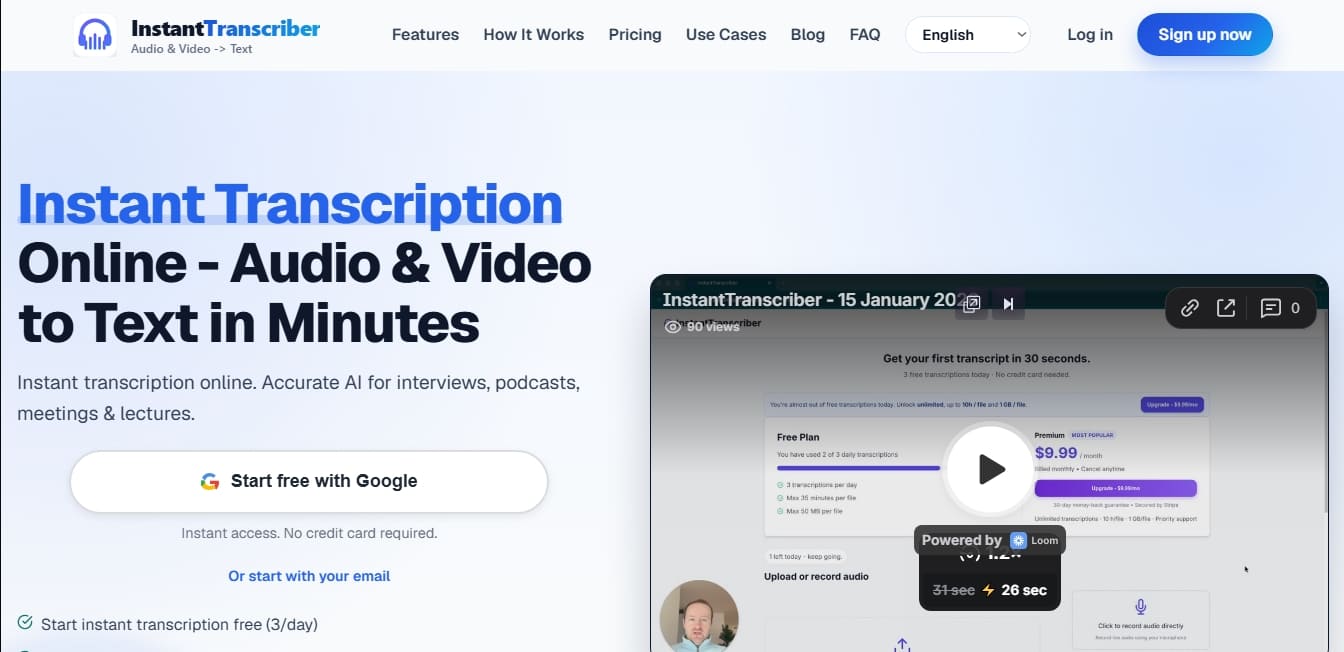
Transcribe audio and video to text with AI. Includes speaker identification, timestamps, and exports in formats like DOCX, PDF, or SRT.
General Information about InstantTranscriber
InstantTranscriber is an advanced AI-powered audio and video-to-text transcription solution designed to convert recordings into editable and actionable documents almost instantly. This tool allows professionals across various industries to transform multimedia files into written content with high accuracy, facilitating the management of interviews, podcasts, meetings, and conferences. Its architecture is optimized to deliver fast results without compromising the quality of the final text, allowing users to focus on data analysis rather than manual transcription.
The operation of InstantTranscriber is powered by state-of-the-art natural language processing (NLP) and speech recognition algorithms. Users can upload files in common formats such as MP3, M4A, WAV, FLAC, MP4, or MOV, or simply paste a public URL for the system to extract and process the audio automatically. Additionally, it includes a dedicated feature for capturing Chrome tab audio, allowing for real-time transcription directly from the browser. The AI analyzes the file, separates speaker contributions using speaker labels (diarization), and integrates automatic timestamps to make editing and navigating the text easier.
Key technical capabilities and practical benefits include:
Multilingual compatibility: Supports over 90 languages, including Spanish, English, French, German, and Japanese, with automatic language detection.
Versatile export formats: Allows downloading transcriptions in plain or rich text formats such as TXT, DOCX, and PDF, as well as specific subtitle formats like SRT and VTT.
Processing speed: The system is optimized for efficiency, capable of transcribing one hour of audio in a range of 3 to 5 minutes.
High accuracy: Thanks to its AI models, it achieves up to 99% accuracy in recordings with clear audio and high sound quality.
Security and privacy: Uses bank-level encryption to protect information. Audio files are automatically deleted after processing, and content is not used to train external AI models.
This automated transcription tool is especially useful for journalists who need to process statements quickly, content creators looking to generate accurate subtitles to improve accessibility, and students or researchers who need to digitize recordings of lectures or field interviews. By centralizing audio-to-text conversion within an intuitive interface that requires no technical knowledge, InstantTranscriber optimizes post-production workflows and academic or business documentation. Its ability to handle files of various sizes and durations makes it a robust option for any environment that demands fast and accurate transcriptions.
Features and Use Cases of InstantTranscriber
How InstantTranscriber Works
Frequently Asked Questions about InstantTranscriber
What is InstantTranscriber and what is it used for?
InstantTranscriber is an AI-powered tool designed to quickly and accurately convert audio and video files into text.
Can I use InstantTranscriber for free?
Yes, we offer a free plan that allows for up to three transcriptions per day without requiring a credit card.
How long does it take to process a file?
Most recordings are transcribed in just a few minutes; a one-hour audio file typically takes between three and five minutes to process.
What formats can I use to download my transcriptions?
You can export your text in several professional formats, including TXT, SRT, VTT, DOCX, or PDF, making it easy to edit your content or create subtitles.
Is it safe to upload my personal files to the platform?
Absolutely. We use bank-level encryption and automatically delete your audio files after processing to ensure your total privacy and security.
Which languages can InstantTranscriber recognize?
The system supports over 90 languages, including English, Spanish, French, and German, and automatically detects the language spoken in the recording.
Does the tool include speaker identification and timestamps?
Yes, transcriptions include labels to distinguish between different speakers and automatic timestamps to make reviewing the content easier.
What are the limits of the InstantTranscriber free plan?
The free plan allows for a maximum of three transcriptions per day, with files limited to 35 minutes and 50 MB.
How can I contact support if I run into any issues?
You can reach our team through the contact section on our website. Additionally, Pro plan subscribers receive priority support.
Is my data used to train AI models?
No. Your transcriptions are private, and your content is never used to train our AI models or shared with third parties.
InstantTranscriber Pricing
Free Plan: $0
3 transcriptions per day.
35-minute limit per file.
50 MB maximum file size.
No credit card required.
Pro Plan: $9.99/month (or $5.99/month billed annually)
Unlimited transcriptions.
10-hour limit per file.
1 GB maximum file size.
Priority support.
Enterprise: Custom pricing (Contact sales)
Includes all Pro plan features.
Team management.
Dedicated account manager.
Custom integrations.
24/7 priority support.
InstantTranscriber Screenshots