

Share
What is Cinnamon?
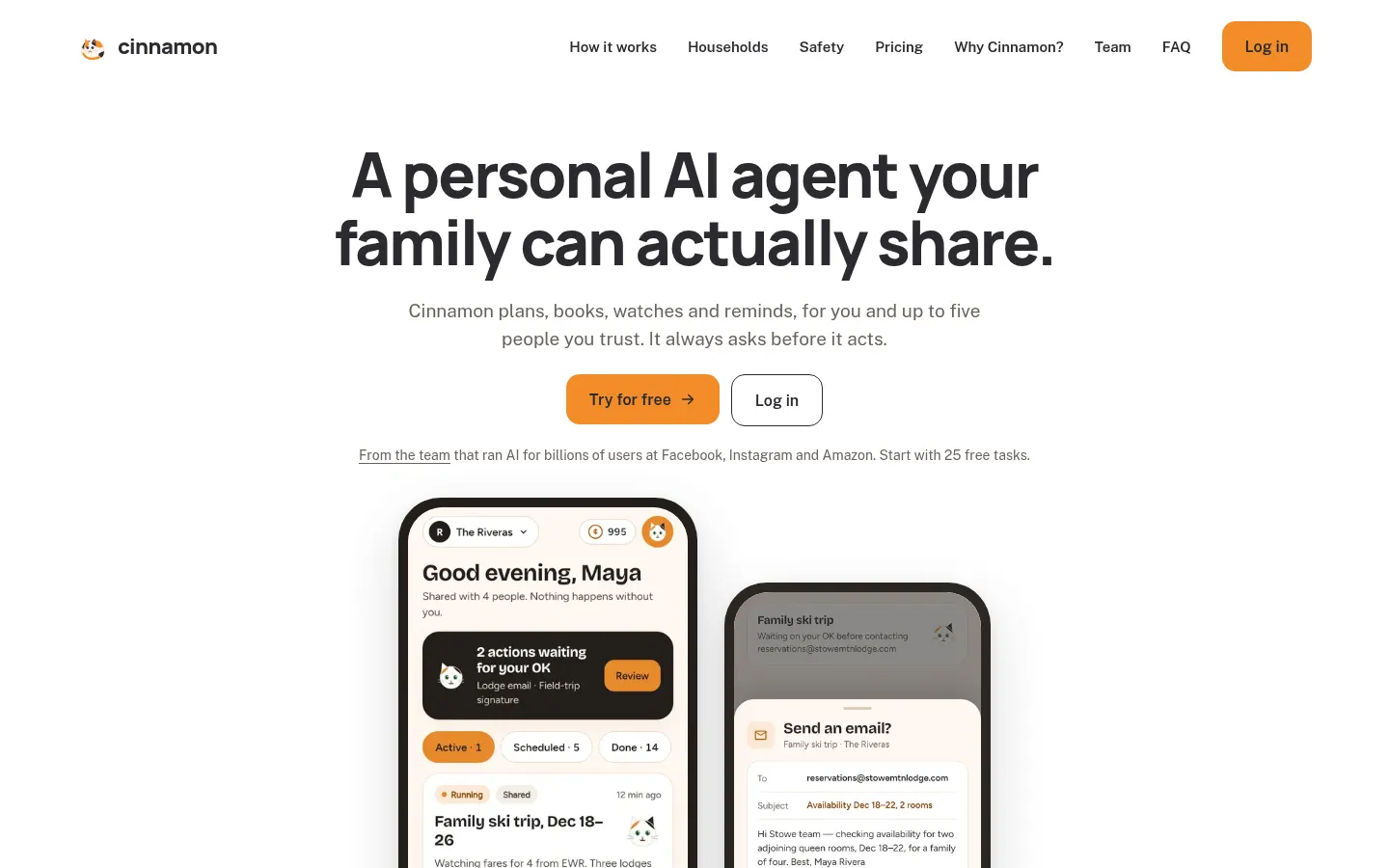
Cinnamon is a personal AI agent for households that researches, organizes, books, watches and reminds for you and up to five people you trust. It comes from a team that ran AI infrastructure at Meta (Instagram) and Amazon, and its core rule is that it always asks before acting on your behalf.
What is Cinnamon used for?
It takes over home logistics. It can put together a family trip with resorts, flights for four and a shared itinerary everyone can react to; send a morning digest of the emails that actually need a reply, with drafts ready; track appointments, forms and renewals so reminders land before deadlines; or watch a number and tell you when it is time to act.
How does Cinnamon work?
It uses two spaces: a household space the whole family sees (the ski trip, the chore rota, the Sunday digest) and a personal space that is yours alone. It never mixes them and always tells you which one you are in. Memory is not a black box: when it learns something useful, like a nut allergy or a preferred airline, it saves a plain-English fact you can review, edit or delete. It connects to Google Calendar and Gmail, and every email, invite or booking waits for your OK.
Who is Cinnamon for?
- Families juggling trips, kids' activities and chores.
- Busy inboxes that need a daily digest with drafts.
- Couples or roommates who share errands.
- People who want an assistant with clear privacy controls.
Cinnamon pros and cons
It stands out for separating shared and private spaces, asking before every action and its data stance: no ads, no training on your data and access tokens kept where prompts cannot read them. On the downside, connectors are currently limited to Google Calendar and Gmail, the site is English-only, and every task uses credits, so busy households should keep an eye on usage.
Cinnamon features and use cases
How to use Cinnamon
Cinnamon FAQ
What is Cinnamon?
Cinnamon is a personal AI agent that organizes trips, digests email and tracks appointments or renewals for you and your family.
Is Cinnamon free?
Every new account starts with 25 free tasks and no card; after that there are three monthly tiers listed in the pricing section.
Does it act without asking me?
No, every email, calendar invite, booking or purchase stops until you give explicit approval.
What does my family see and what stays private?
Everything in the household space is visible to the family; your personal space is yours alone, and Cinnamon never mixes them.
What does Cinnamon remember about me?
It saves specific plain-English facts, like an allergy or your ZIP code, and you can review, edit or delete them in one tap.
Is my data used to train models?
No, the site says there are no ads, data is never used to train models and OAuth tokens are kept away from prompts.
Which services does it connect to?
Currently Google Calendar and Gmail, used for invites, email digests and drafts.
Does Cinnamon have an API?
The site does not advertise a public API; it is a consumer app for individuals and families.
Does Cinnamon work in Spanish?
The site is in English and lists no other languages; it may understand requests in other languages, so try it with the free tasks.
What are the alternatives to Cinnamon?
In our directory you can compare Lindy, which builds AI agents for work tasks, and Motion, which organizes your calendar and tasks with AI.
Cinnamon pricing and plans
Reference price: 9.99 USD / month. Source · Verified: November 17, 2026
Prices in US dollars (USD) from the official site, monthly billing. Every new account starts with 25 free tasks, no card required. Checked on: 17/11/2026.
Personal: $9.99/month. 1 member, 50 tasks a month ($0.20/task), personal memory, recurring watchers and Google Calendar and Gmail connectors.
Family: $19.99/month. Up to 6 members, 150 shared tasks a month ($0.13/task), personal spaces included and one bill.
Modern Family: $99.99/month. Up to 10 members, 1,000 tasks a month ($0.10/task), multiple shared spaces, permanent household memory and priority support.
Cinnamon Screenshots

Cinnamon user reviews
Write a review
Checking your session...
Cinnamon Reviews
Loading reviews...
Cinnamon alternatives






Chap by ChatPanel
Chap by ChatPanel is an AI agent for browser, desktop and terminal that takes meeting notes, works with any model or agent and anonymizes sensitive data locally.